
Are there any instructions regarding Xtherion's 'trace line' and 'convert to curve' line editing features? I expect there are - just cannot find them. The 'convert to curve' seems to take a line with straight segments and converts it to a smooth curve, so perhaps not so complicated. I have not been able to get any useful insights after playing with 'trace line', except that it adds two buttons to the interface. Thanks Bruce

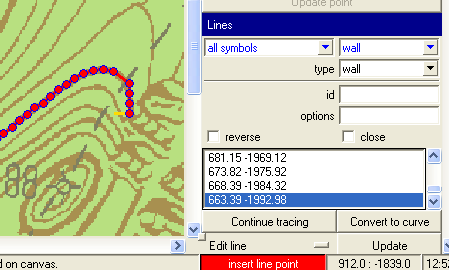
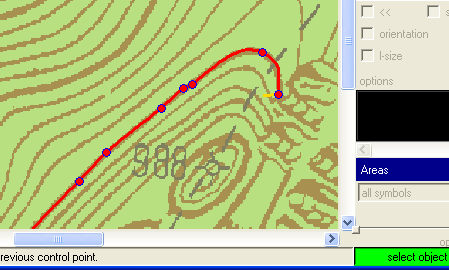
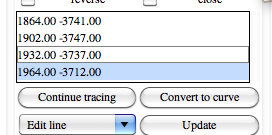
I am afraid, there are no instructions :( I needed it to convert raster surface contours to vector data, to be able to generate 3D model. You need to load a background image. Then - on a raster line - add firt two points of line, their distance defines tracing step. Like this: [image: Inline images 2] Then click continue tracing and this is the result. [image: Inline images 3] You can then convert this line to bezier curve. [image: Inline images 4] HTH, S. P.S. Ad Inkscape - I have been playing a lot with raster -> vector features of Inkscape, but ended with programming my own digitalization tool in xtherion. Inkscape was not designed to be used this way. On 7 June 2012 02:42, Bruce <bruce@tomo.co.nz> wrote:
Are there any instructions regarding Xtherion’s ‘trace line’ and ‘convert to curve’ line editing features?****
I expect there are – just cannot find them.****
** **
The ‘convert to curve’ seems to take a line with straight segments and converts it to a smooth curve, so perhaps not so complicated.****
I have not been able to get any useful insights after playing with ‘trace line’, except that it adds two buttons to the interface.****
** **
Thanks****
Bruce****
** **
** **
_______________________________________________ Therion mailing list Therion@speleo.sk http://mailman.speleo.sk/mailman/listinfo/therion

On 7.6.2012, at 12:54, Stacho Mudrak wrote:
P.S. Ad Inkscape - I have been playing a lot with raster -> vector features of Inkscape, but ended with programming my own digitalization tool in xtherion. Inkscape was not designed to be used this way.
Way? You may use it exactly as xtherion. Trace the line by polygon and convert to curve and save as th2 file. With many other features. m.

wow, that's a cool feature! I didn't know XTherion can do that. It's true that Inkscape can't do line tracing. It has a "trace bitmap" feature (based on potrace) which does trace filled shapes, but this is pretty useless for tracing cave drawings. Cheers, Thomas Stacho Mudrak wrote, On 06/07/12 12:54:
I am afraid, there are no instructions :(
I needed it to convert raster surface contours to vector data, to be able to generate 3D model.
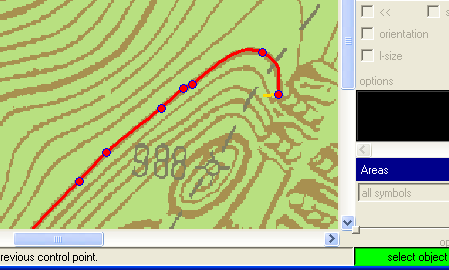
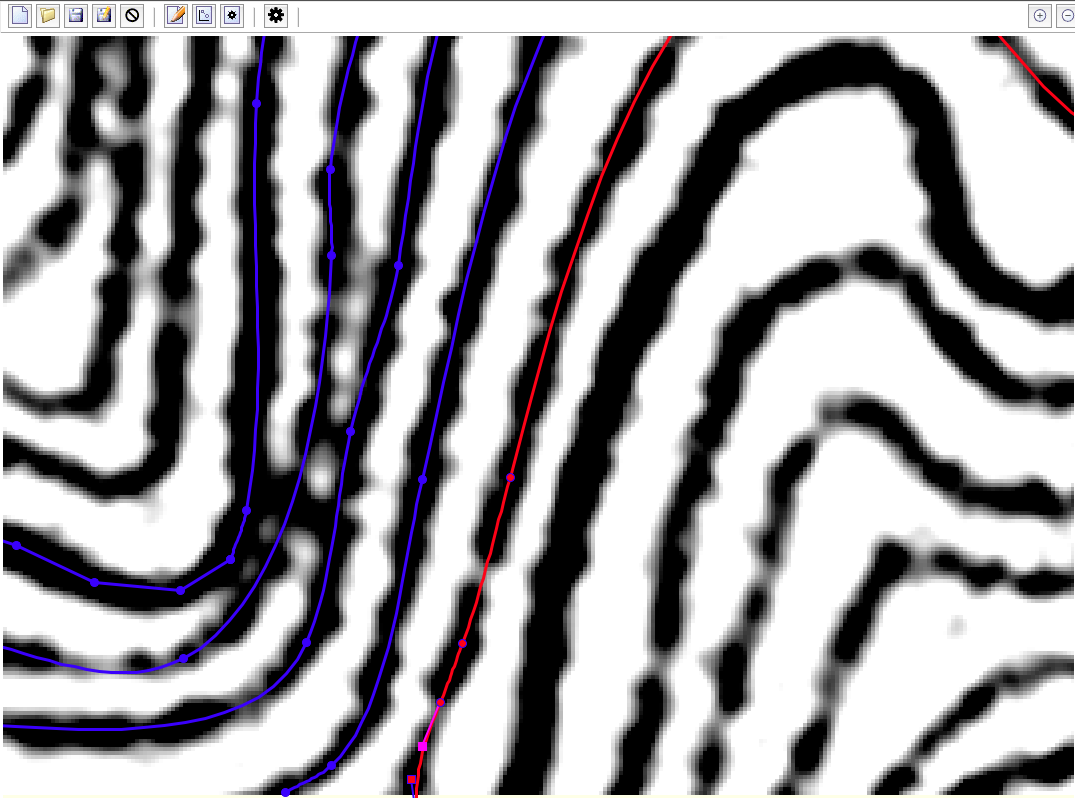
You need to load a background image. Then - on a raster line - add firt two points of line, their distance defines tracing step. Like this:
Inline images 2
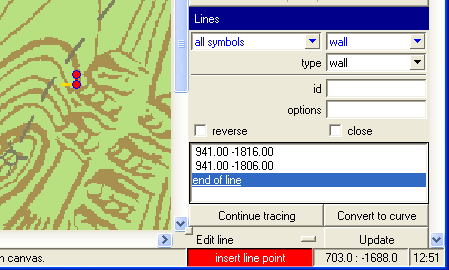
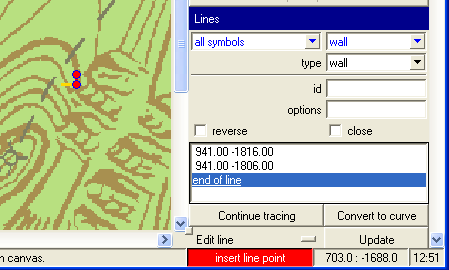
Then click continue tracing and this is the result. Inline images 3
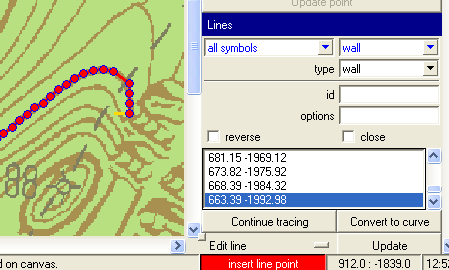
You can then convert this line to bezier curve.
Inline images 4
HTH, S.
P.S. Ad Inkscape - I have been playing a lot with raster -> vector features of Inkscape, but ended with programming my own digitalization tool in xtherion. Inkscape was not designed to be used this way.
On 7 June 2012 02:42, Bruce <bruce@tomo.co.nz <mailto:bruce@tomo.co.nz>> wrote:
Are there any instructions regarding Xtherion’s ‘trace line’ and ‘convert to curve’ line editing features?
I expect there are – just cannot find them.
The ‘convert to curve’ seems to take a line with straight segments and converts it to a smooth curve, so perhaps not so complicated.
I have not been able to get any useful insights after playing with ‘trace line’, except that it adds two buttons to the interface.
Thanks
Bruce
Thanks Stacho All these years I've been tracing cave outlines by hand! However on trying it out it seems to be quite fussy, or a least there is a knack I don't yet have. PocketTopo sketches don't work, in fact any scan with thin lines seems not to work. I had partial success with fat lines scanned at a low resolution (line width about 1.5 pixels) only when zoomed in to 400%. Generally it does between 0 and 5 extra points then stops, sometimes with the last point at an acute angle to the general trend of the line. So am I right in guessing that this will work best for reasonably fat well lined drawings? (your example line looks about 4-5 pixels wide) Bruce _____ From: therion-bounces@speleo.sk [mailto:therion-bounces@speleo.sk] On Behalf Of Stacho Mudrak Sent: Thursday, 7 June 2012 10:55 p.m. To: List for Therion users Subject: Re: [Therion] xtherion trace line, convert to curve I am afraid, there are no instructions :( I needed it to convert raster surface contours to vector data, to be able to generate 3D model. You need to load a background image. Then - on a raster line - add first two points of line, their distance defines tracing step. Like this: Inline images 2 Then click continue tracing and this is the result. Inline images 3 You can then convert this line to bezier curve. Inline images 4 HTH, S.
Generally it does between 0 and 5 extra points then stops, sometimes with the last point at an acute angle to the general trend of the line.
what about manually edit line points and press "Continue tracing"?
Sometimes that worked for me. Unless there is a 'trick' it seems easier to just draw manually. A nice idea though. Bruce
It worked well to digitize contours on a topographical map - the reason why I wrote this code, but for muddy cave sketches, it was completely useless. This was the reason, why I gave it. And I do not think that digitizing pocket-topo sketches is a good idea, when pocket topo is vector already. May be a feature, that selectively converts pocket topo sketch line to therion line would be better, but I do not think so. When tracing these sketches, I usually do really a lot of smoothing. S. On 8 June 2012 00:18, Bruce <bruce@tomo.co.nz> wrote:
Generally it does between 0 and 5 extra points then stops, sometimes with the last point at an acute angle to the general trend of the line.
what about manually edit line points and press "Continue tracing"?
Sometimes that worked for me. Unless there is a 'trick' it seems easier to just draw manually. A nice idea though. Bruce
_______________________________________________ Therion mailing list Therion@speleo.sk http://mailman.speleo.sk/mailman/listinfo/therion
On 8.6.2012, at 0:18, Bruce wrote:
Generally it does between 0 and 5 extra points then stops, sometimes with the last point at an acute angle to the general trend of the line.
what about manually edit line points and press "Continue tracing"?
Sometimes that worked for me. Unless there is a 'trick' it seems easier to just draw manually. A nice idea though. Bruce
It worked nice if there is really black, contrast and smooth line. There are problems if line is grayish or there is acute angle as you mentioned. It is interactive work - add few points manually, stop tracing and delete several points, check and edit points after converting to curve, ... m.s.
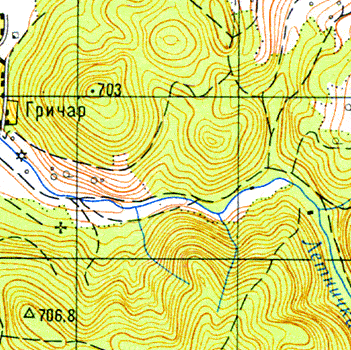
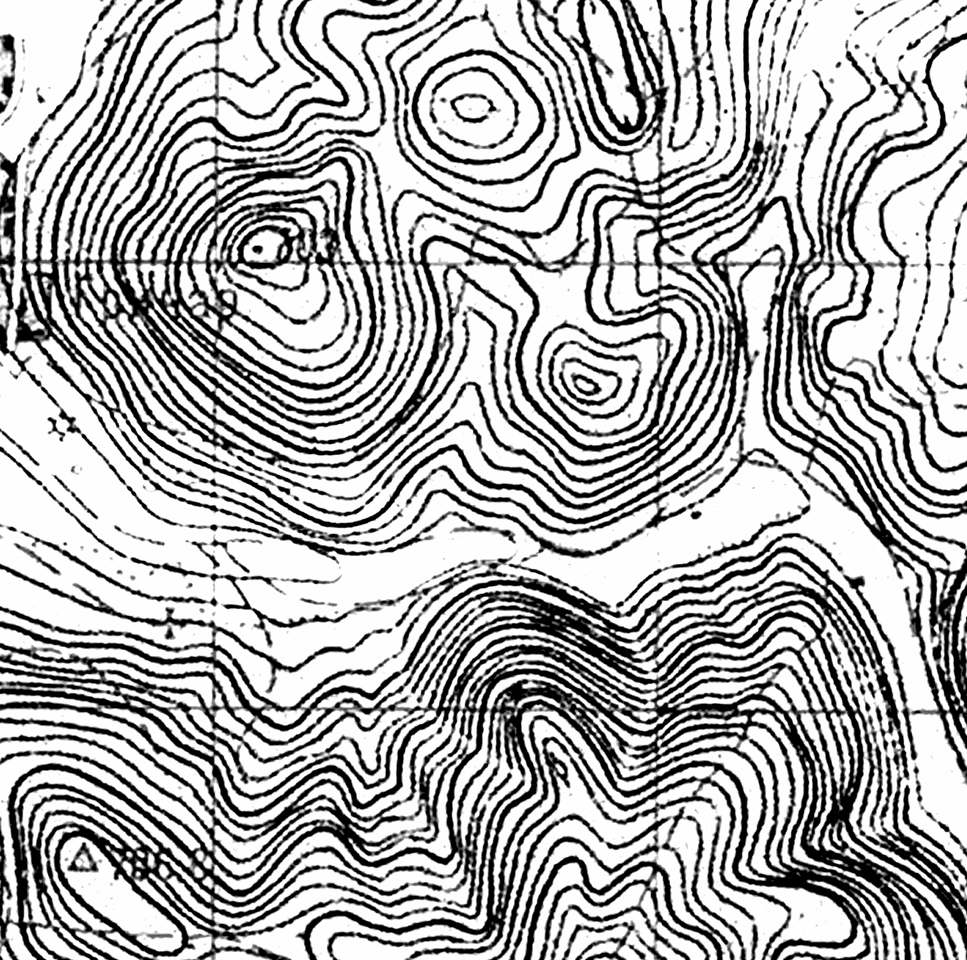
Example of Stacho's tracing of contours. Original RGB map scan (72 dpi) was oversized to 360 dpi (less dpi could be enough) and converted to greyscale by Channel Mixer (R -max, G +max, B +max, Monochrome checked) both in Photoshop or GIPM. One should play with Constant in Photoshop or with histogram after ChM in GIPM. Theory: http://www.blackandwhitedigital.com/Convert/coloraltering/Channel_Mixer/CMix... http://www.blackandwhitedigital.com/Convert/coloraltering/Channel_Mixer/CMix... m.s. On 8.6.2012, at 7:36, Sluka Martin wrote:
On 8.6.2012, at 0:18, Bruce wrote:
Generally it does between 0 and 5 extra points then stops, sometimes with the last point at an acute angle to the general trend of the line.
what about manually edit line points and press "Continue tracing"?
Sometimes that worked for me. Unless there is a 'trick' it seems easier to just draw manually. A nice idea though. Bruce
It worked nice if there is really black, contrast and smooth line. There are problems if line is grayish or there is acute angle as you mentioned. It is interactive work - add few points manually, stop tracing and delete several points, check and edit points after converting to curve, ...
m.s. _______________________________________________ Therion mailing list Therion@speleo.sk http://mailman.speleo.sk/mailman/listinfo/therion
participants (4)
-
 Bruce
Bruce -
 Sluka Martin
 -
 Stacho Mudrak
 -
 Thomas Holder