Multiple elevation maps

Hello everyone - I am working on a map where the cave makes a T-junction. I have an elevation working for the passage from the entrance to the junction. Now I want to make a NEW elevation map for each arm of the T. I think the secret I am missing is how to specify the scraps to be included in a specific layout. I included sections of the thconfig and main.th file below. The output I get is two identical elevation maps which include all of the elevation scraps. What I want is two (or more) elevation maps each of which includes only a few scraps. The main map will then include each of the elevation maps as "map-image" lines. These will go in different positions so they match up to the portion of the plan they illustrate. Looking through the Therion Book, I see that scraps can have an index (page 20). Do I need to assign different indexes to the scraps depending on which elevation they go with? Thanks - Bill Gee
From the .th file: ################### # Plan map joins join Entrance1 EntranceConnector join EntranceConnector Entrance2 join Entrance2 TJunction1 join TJunction1 TJunction2 join TJunction2 TJunction3
# Profile map joins - Entrance passage join Elevation1 Elevation2 join Elevation2 Elevation3 join Elevation3 Elevation4 join Elevation4 Elevation5 join Elevation5 Elevation6 #Profile map joins - C side passage join ElevationB1-C2 ElevationC2-C5 ##################
From the thconfig file: ################## # This layout is for the elevation profile layout profilemap units imperial scale 1 200 color map-fg [90 66 46] legend off symbol-set UIS map-header 0 0 off endlayout
# This layout is for the elevation profile layout profilemap2 units imperial scale 1 200 color map-fg [90 66 46] legend off symbol-set UIS map-header 0 0 off endlayout # Entrance passage elevations export map -proj elevation -layout profilemap -o MillCreekCaveElevation.pdf # C side passage elevations export map -proj elevation -layout profilemap2 -o MillCreekCaveElevation2.pdf export map -proj plan -layout mainmap -o MillCreekCave.pdf ##################

What is the problem? map_ext_1.map -projection extended scrap_ext_1 scrap_ext_2 endmap map_ext_2.map -projection extended scrap_ext_3 scrap_ext_4 endmap map_ext_3.map -projection extended scrap_ext_5 scrap_ext_6 endmap map_ext_all.map -projection extended map_ext_1.map map_ext_2.map break map_ext_3.map endmap In thconfig: select map_ext_all.map … 10. 11. 2014 v 20:55, Bill Gee <bgee@campercaver.net>:
Hello everyone -
I am working on a map where the cave makes a T-junction. I have an elevation working for the passage from the entrance to the junction. Now I want to make a NEW elevation map for each arm of the T.
I think the secret I am missing is how to specify the scraps to be included in a specific layout. I included sections of the thconfig and main.th file below.
The output I get is two identical elevation maps which include all of the elevation scraps. What I want is two (or more) elevation maps each of which includes only a few scraps.
The main map will then include each of the elevation maps as "map-image" lines. These will go in different positions so they match up to the portion of the plan they illustrate.
Looking through the Therion Book, I see that scraps can have an index (page 20). Do I need to assign different indexes to the scraps depending on which elevation they go with?
Thanks - Bill Gee
From the .th file: ################### # Plan map joins join Entrance1 EntranceConnector join EntranceConnector Entrance2 join Entrance2 TJunction1 join TJunction1 TJunction2 join TJunction2 TJunction3
# Profile map joins - Entrance passage join Elevation1 Elevation2 join Elevation2 Elevation3 join Elevation3 Elevation4 join Elevation4 Elevation5 join Elevation5 Elevation6
#Profile map joins - C side passage join ElevationB1-C2 ElevationC2-C5 ##################
From the thconfig file: ################## # This layout is for the elevation profile layout profilemap units imperial scale 1 200 color map-fg [90 66 46] legend off symbol-set UIS map-header 0 0 off endlayout
# This layout is for the elevation profile layout profilemap2 units imperial scale 1 200 color map-fg [90 66 46] legend off symbol-set UIS map-header 0 0 off endlayout
# Entrance passage elevations export map -proj elevation -layout profilemap -o MillCreekCaveElevation.pdf
# C side passage elevations export map -proj elevation -layout profilemap2 -o MillCreekCaveElevation2.pdf
export map -proj plan -layout mainmap -o MillCreekCave.pdf ##################
_______________________________________________ Therion mailing list Therion@speleo.sk http://mailman.speleo.sk/mailman/listinfo/therion
Hi Martin - When I try this, I get a compile error in Therion. It says that the target of the select command cannot be found. I made up a simple data set to illustrate what I get. The files are attached. What I want to get is to split the elevations across multiple PDF files. From there I can place the files on the plan map. Regards - Bill Gee On Monday, November 10, 2014 21:43:53 Martin Sluka wrote:
What is the problem?
map_ext_1.map -projection extended scrap_ext_1 scrap_ext_2 endmap
map_ext_2.map -projection extended scrap_ext_3 scrap_ext_4 endmap
map_ext_3.map -projection extended scrap_ext_5 scrap_ext_6 endmap
map_ext_all.map -projection extended map_ext_1.map map_ext_2.map break map_ext_3.map endmap
In thconfig:
select map_ext_all.map
…
10. 11. 2014 v 20:55, Bill Gee <bgee@campercaver.net>:
Hello everyone -
I am working on a map where the cave makes a T-junction. I have an elevation working for the passage from the entrance to the junction. Now I want to make a NEW elevation map for each arm of the T.
I think the secret I am missing is how to specify the scraps to be included in a specific layout. I included sections of the thconfig and main.th file below.
The output I get is two identical elevation maps which include all of the elevation scraps. What I want is two (or more) elevation maps each of which includes only a few scraps.
The main map will then include each of the elevation maps as "map-image" lines. These will go in different positions so they match up to the portion of the plan they illustrate.
Looking through the Therion Book, I see that scraps can have an index (page 20). Do I need to assign different indexes to the scraps depending on which elevation they go with?
Thanks - Bill Gee
From the .th file: ################### # Plan map joins join Entrance1 EntranceConnector join EntranceConnector Entrance2 join Entrance2 TJunction1 join TJunction1 TJunction2 join TJunction2 TJunction3
# Profile map joins - Entrance passage join Elevation1 Elevation2 join Elevation2 Elevation3 join Elevation3 Elevation4 join Elevation4 Elevation5 join Elevation5 Elevation6
#Profile map joins - C side passage join ElevationB1-C2 ElevationC2-C5 ##################
From the thconfig file: ################## # This layout is for the elevation profile layout profilemap
units imperial scale 1 200 color map-fg [90 66 46] legend off symbol-set UIS map-header 0 0 off
endlayout
# This layout is for the elevation profile layout profilemap2
units imperial scale 1 200 color map-fg [90 66 46] legend off symbol-set UIS map-header 0 0 off
endlayout
# Entrance passage elevations export map -proj elevation -layout profilemap -o MillCreekCaveElevation.pdf
# C side passage elevations export map -proj elevation -layout profilemap2 -o MillCreekCaveElevation2.pdf
export map -proj plan -layout mainmap -o MillCreekCave.pdf ##################
_______________________________________________ Therion mailing list Therion@speleo.sk http://mailman.speleo.sk/mailman/listinfo/therion
_______________________________________________ Therion mailing list Therion@speleo.sk http://mailman.speleo.sk/mailman/listinfo/therion
Hi Martin - Yes, these files will produce a PDF. There are two problems. 1) The Therion compiler issues two warnings. These come from the select statements: ============ calculating station coordinates ... done calculating basic statistics ... done processing extended elevation ... done processing references ... done selecting export objects ... therion: warning -- thconfig [57] -- object not found -- "AllElevations.map" therion: warning -- thconfig [60] -- object not found -- "pdp" done processing projection extended ... done average distortion: 5.52% writing PracticeElevation1.pdf ... ======================== 2) The result I want is to have TWO separate files for elevations, one for each of the scraps. As it is, the system will only produce one file. If I add another export command, it makes two identical files. Regards - Bill Gee On Tuesday, November 11, 2014 22:18:29 Martin Sluka wrote:
11. 11. 2014 v 21:54, Bill Gee <bgee@campercaver.net>:
When I try this, I get a compile error in Therion. It says that the target of the select command cannot be found.
Hi Bill,
it worked for me:

Hi Bill, I have wanted to do this as well.My solution was to have multiple thconfig files, one to generate each of the pdf files, and an additional thconfig file one to combine them into the final map.(A more streamlined solution would be appreciated.) Rowena ----- Original Message ----- From: "List for Therion users" To:"List for Therion users" Cc: Sent:Tue, 11 Nov 2014 18:35:04 -0600 Subject:Re: [Therion] Multiple elevation maps Hi Martin - Yes, these files will produce a PDF. There are two problems. 1) The Therion compiler issues two warnings. These come from the select statements: ============ calculating station coordinates ... done calculating basic statistics ... done processing extended elevation ... done processing references ... done selecting export objects ... therion: warning -- thconfig [57] -- object not found -- "AllElevations.map" therion: warning -- thconfig [60] -- object not found -- "pdp" done processing projection extended ... done average distortion: 5.52% writing PracticeElevation1.pdf ... ======================== 2) The result I want is to have TWO separate files for elevations, one for each of the scraps. As it is, the system will only produce one file. If I add another export command, it makes two identical files. Regards - Bill Gee On Tuesday, November 11, 2014 22:18:29 Martin Sluka wrote:
11. 11. 2014 v 21:54, Bill Gee :
When I try this, I get a compile error in Therion. It says that the target of the select command cannot be found.
Hi Bill,
it worked for me:
_______________________________________________ Therion mailing list Therion@speleo.sk http://mailman.speleo.sk/mailman/listinfo/therion

Bill I am not sure if all your elevations have the same projection (ie extended), or if you are using different projections or each arm of the Tee (for example 000 deg looking at the top arm of the Tee, and 270 deg looking at the vertical of the Tee). However regardless, defining maps as Martin suggests is the path you should take to gaining control. The only reason I have found to use projection indexes is where you intentionally draw scraps of the same projection that are incompatible in some way, such that you would never want to mix those scraps in the same export; - ie you draw say two plans optimised for very different scales, and you would never mix the 'big scale' version with the 'small scale' version, or more credibly, - you have two versions of an extended elevation centreline (different extend left/right etc) for the same survey legs and so these will need quite different and incompatible scraps to be drawn. Therion treats each projection index as a completely different projection, so you cannot mix projections with differing indexes any more than you can mix plan and elevation within the same export statement. Bruce -----Original Message----- From: therion-bounces@speleo.sk [mailto:therion-bounces@speleo.sk] On Behalf Of Bill Gee Sent: Tuesday, 11 November 2014 8:56 a.m. To: List for Therion users Subject: [Therion] Multiple elevation maps Hello everyone - I am working on a map where the cave makes a T-junction. I have an elevation working for the passage from the entrance to the junction. Now I want to make a NEW elevation map for each arm of the T. I think the secret I am missing is how to specify the scraps to be included in a specific layout. I included sections of the thconfig and main.th file below. The output I get is two identical elevation maps which include all of the elevation scraps. What I want is two (or more) elevation maps each of which includes only a few scraps. The main map will then include each of the elevation maps as "map-image" lines. These will go in different positions so they match up to the portion of the plan they illustrate. Looking through the Therion Book, I see that scraps can have an index (page 20). Do I need to assign different indexes to the scraps depending on which elevation they go with? Thanks - Bill Gee
From the .th file:
################### # Plan map joins join Entrance1 EntranceConnector join EntranceConnector Entrance2 join Entrance2 TJunction1 join TJunction1 TJunction2 join TJunction2 TJunction3 # Profile map joins - Entrance passage join Elevation1 Elevation2 join Elevation2 Elevation3 join Elevation3 Elevation4 join Elevation4 Elevation5 join Elevation5 Elevation6 #Profile map joins - C side passage join ElevationB1-C2 ElevationC2-C5 ##################
From the thconfig file:
################## # This layout is for the elevation profile layout profilemap units imperial scale 1 200 color map-fg [90 66 46] legend off symbol-set UIS map-header 0 0 off endlayout # This layout is for the elevation profile layout profilemap2 units imperial scale 1 200 color map-fg [90 66 46] legend off symbol-set UIS map-header 0 0 off endlayout # Entrance passage elevations export map -proj elevation -layout profilemap -o MillCreekCaveElevation.pdf # C side passage elevations export map -proj elevation -layout profilemap2 -o MillCreekCaveElevation2.pdf export map -proj plan -layout mainmap -o MillCreekCave.pdf ################## _______________________________________________ Therion mailing list Therion@speleo.sk http://mailman.speleo.sk/mailman/listinfo/therion
Hi Bruce - The first thing I see in your reply is mention of "extended" projection. I used "elevation" as the projection type on all of my elevation scraps. Is that wrong? The Therion book is not clear about the difference. I have read Martin's reply several times, but it is rather terse and I am having trouble understanding what he is saying. There is something simple I am missing. Thanks - Bill Gee On Tuesday, November 11, 2014 19:12:47 Bruce wrote:
Bill
I am not sure if all your elevations have the same projection (ie extended), or if you are using different projections or each arm of the Tee (for example 000 deg looking at the top arm of the Tee, and 270 deg looking at the vertical of the Tee).
However regardless, defining maps as Martin suggests is the path you should take to gaining control.
The only reason I have found to use projection indexes is where you intentionally draw scraps of the same projection that are incompatible in some way, such that you would never want to mix those scraps in the same export;
- ie you draw say two plans optimised for very different scales, and you would never mix the 'big scale' version with the 'small scale' version, or more credibly,
- you have two versions of an extended elevation centreline (different extend left/right etc) for the same survey legs and so these will need quite different and incompatible scraps to be drawn.
Therion treats each projection index as a completely different projection, so you cannot mix projections with differing indexes any more than you can mix plan and elevation within the same export statement.
Bruce
-----Original Message----- From: therion-bounces@speleo.sk [mailto:therion-bounces@speleo.sk] On Behalf Of Bill Gee Sent: Tuesday, 11 November 2014 8:56 a.m. To: List for Therion users Subject: [Therion] Multiple elevation maps
Hello everyone -
I am working on a map where the cave makes a T-junction. I have an elevation
working for the passage from the entrance to the junction. Now I want to make
a NEW elevation map for each arm of the T.
I think the secret I am missing is how to specify the scraps to be included in
a specific layout. I included sections of the thconfig and main.th file below.
The output I get is two identical elevation maps which include all of the
elevation scraps. What I want is two (or more) elevation maps each of which
includes only a few scraps.
The main map will then include each of the elevation maps as "map-image"
lines. These will go in different positions so they match up to the portion of
the plan they illustrate.
Looking through the Therion Book, I see that scraps can have an index (page
20). Do I need to assign different indexes to the scraps depending on which
elevation they go with?
Thanks - Bill Gee
From the .th file: ###################
# Plan map joins
join Entrance1 EntranceConnector
join EntranceConnector Entrance2
join Entrance2 TJunction1
join TJunction1 TJunction2
join TJunction2 TJunction3
# Profile map joins - Entrance passage
join Elevation1 Elevation2
join Elevation2 Elevation3
join Elevation3 Elevation4
join Elevation4 Elevation5
join Elevation5 Elevation6
#Profile map joins - C side passage
join ElevationB1-C2 ElevationC2-C5
##################
From the thconfig file: ##################
# This layout is for the elevation profile
layout profilemap
units imperial
scale 1 200
color map-fg [90 66 46]
legend off
symbol-set UIS
map-header 0 0 off
endlayout
# This layout is for the elevation profile
layout profilemap2
units imperial
scale 1 200
color map-fg [90 66 46]
legend off
symbol-set UIS
map-header 0 0 off
endlayout
# Entrance passage elevations
export map -proj elevation -layout profilemap -o MillCreekCaveElevation.pdf
# C side passage elevations
export map -proj elevation -layout profilemap2 -o MillCreekCaveElevation2.pdf
export map -proj plan -layout mainmap -o MillCreekCave.pdf
##################
_______________________________________________
Therion mailing list
Therion@speleo.sk
Hi Bill I think I see your problem. I will potter around with the example you sent to demonstrate what I think you want, but maybe not tonight. For now, you can avoid the 'object not found' error by double clicking on the survey or map item on the right-hand side of XTherion. For example it places... select AllElevations.map@PracticeCave ...at the cursor position in the th-config file. And, if you select multiple maps of one projection, they will all be used in the export for that projection. -Plan is a projection -Extended is a projection (developed or straightened out elevation) see http://therion.speleo.sk/wiki/doku.php/faq#projections_plan_elevation_extend ed_and_none -Elevation is a default for [elevation 000 deg] ie 'looking north'. So assuming there are 360 degrees in a circle there are 360 different elevation projections. If all your elevations have the same projection, all the elevation maps will end up in the same pdf (unless you modify the th-config between runs or use multiple th-configs as Rowena suggests). I will modify your example to demonstrate using two elevation projections (without resorting to indexes). Bruce -----Original Message----- From: therion-bounces@speleo.sk [mailto:therion-bounces@speleo.sk] On Behalf Of Bill Gee Sent: Wednesday, 12 November 2014 8:50 a.m. To: 'List for Therion users' Subject: Re: [Therion] Multiple elevation maps Hi Bruce - The first thing I see in your reply is mention of "extended" projection. I used "elevation" as the projection type on all of my elevation scraps. Is that wrong? The Therion book is not clear about the difference. I have read Martin's reply several times, but it is rather terse and I am having trouble understanding what he is saying. There is something simple I am missing. Thanks - Bill Gee On Tuesday, November 11, 2014 19:12:47 Bruce wrote:
Bill
I am not sure if all your elevations have the same projection (ie extended), or if you are using different projections or each arm of the Tee (for example 000 deg looking at the top arm of the Tee, and 270 deg looking at the vertical of the Tee).
However regardless, defining maps as Martin suggests is the path you should take to gaining control.
The only reason I have found to use projection indexes is where you intentionally draw scraps of the same projection that are incompatible in some way, such that you would never want to mix those scraps in the same export;
- ie you draw say two plans optimised for very different scales, and you would never mix the 'big scale' version with the 'small scale' version, or more credibly,
- you have two versions of an extended elevation centreline (different extend left/right etc) for the same survey legs and so these will need quite different and incompatible scraps to be drawn.
Therion treats each projection index as a completely different projection, so you cannot mix projections with differing indexes any more than you can mix plan and elevation within the same export statement.
Bruce
-----Original Message----- From: therion-bounces@speleo.sk [mailto:therion-bounces@speleo.sk] On Behalf Of Bill Gee Sent: Tuesday, 11 November 2014 8:56 a.m. To: List for Therion users Subject: [Therion] Multiple elevation maps
Hello everyone -
I am working on a map where the cave makes a T-junction. I have an elevation
working for the passage from the entrance to the junction. Now I want to make
a NEW elevation map for each arm of the T.
I think the secret I am missing is how to specify the scraps to be included in
a specific layout. I included sections of the thconfig and main.th file below.
The output I get is two identical elevation maps which include all of the
elevation scraps. What I want is two (or more) elevation maps each of which
includes only a few scraps.
The main map will then include each of the elevation maps as "map-image"
lines. These will go in different positions so they match up to the portion of
the plan they illustrate.
Looking through the Therion Book, I see that scraps can have an index (page
20). Do I need to assign different indexes to the scraps depending on which
elevation they go with?
Thanks - Bill Gee
From the .th file: ###################
# Plan map joins
join Entrance1 EntranceConnector
join EntranceConnector Entrance2
join Entrance2 TJunction1
join TJunction1 TJunction2
join TJunction2 TJunction3
# Profile map joins - Entrance passage
join Elevation1 Elevation2
join Elevation2 Elevation3
join Elevation3 Elevation4
join Elevation4 Elevation5
join Elevation5 Elevation6
#Profile map joins - C side passage
join ElevationB1-C2 ElevationC2-C5
##################
From the thconfig file: ##################
# This layout is for the elevation profile
layout profilemap
units imperial
scale 1 200
color map-fg [90 66 46]
legend off
symbol-set UIS
map-header 0 0 off
endlayout
# This layout is for the elevation profile
layout profilemap2
units imperial
scale 1 200
color map-fg [90 66 46]
legend off
symbol-set UIS
map-header 0 0 off
endlayout
# Entrance passage elevations
export map -proj elevation -layout profilemap -o MillCreekCaveElevation.pdf
# C side passage elevations
export map -proj elevation -layout profilemap2 -o MillCreekCaveElevation2.pdf
export map -proj plan -layout mainmap -o MillCreekCave.pdf
##################
_______________________________________________
Therion mailing list
Therion@speleo.sk
_______________________________________________ Therion mailing list Therion@speleo.sk http://mailman.speleo.sk/mailman/listinfo/therion
12. 11. 2014 v 7:28, Bruce <bruce@tomo.co.nz>:
Hi Bill I think I see your problem. I will potter around with the example you sent to demonstrate what I think you want, but maybe not tonight.
For now, you can avoid the 'object not found' error by double clicking on the survey or map item on the right-hand side of XTherion. For example it places...
select AllElevations.map@PracticeCave
...at the cursor position in the th-config file.
And, if you select multiple maps of one projection, they will all be used in the export for that projection.
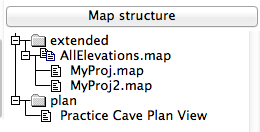
Hi Bill The problem is, you select map, but the full name of map is as wrote Bruce. If you double click on AllElevation.map it will add select AllElevations.map@PracticeCave, where @PracticeCave is name of survey where the map is defined: survey PracticeCave -title "Practice Cave" It is not too clear from first point of view. Maybe a bug in xTherion menu. So you should have in your thconfig: xxxxxxxxxxxxxxxxxxxxxxxxxxxxxxxxxxxxxxxxxxxxxx # Entrance passage elevations select AllElevations.map@PracticeCave export map -proj extended -layout profilemap -layout-debug station-names -o PracticeElevation1.pdf select pdp@PracticeCave export map -proj plan -layout mainmap -layout-debug station-names -o PracticeCave.pdf xxxxxxxxxxxxxxxxxxxxxxxxxxxxxxxxxxxxxxxxxxxxxx If you want to export a map for each scrap separately you should use: xxxxxxxxxxxxxxxxxxxxxxxxxxxxxxxxxxxxxxxxxxxxxx select MyProj.map@PracticeCave export map -proj extended -layout profilemap -layout-debug station-names -o PracticeElevation1.pdf select MyProj2.map@PracticeCave export map -proj extended -layout profilemap -layout-debug station-names -o PracticeElevation2.pdf xxxxxxxxxxxxxxxxxxxxxxxxxxxxxxxxxxxxxxxxxxxxxx And add the second elevation map to: xxxxxxxxxxxxxxxxxxxxxxxxxxxxxxxxxxxxxxxxxxxxxx # Add the elevations map map-image 2 0 nw PracticeElevation1.pdf xxxxxxxxxxxxxxxxxxxxxxxxxxxxxxxxxxxxxxxxxxxxxx Another note: The final map must be generated AFTER you generate particular maps. m.
Hi Bruce and Martin - It seems I am still missing something. The trivial example PracticeCave compiles correctly and produces two unique elevation PDF files. However, it is not working on my real cave. I changed all the elevation scraps to "projection elevation". I put each in its own map statement, then used a select statement before each export. This produces two identical PDF files which contain BOTH of the elevation maps. So then I added a view angle to all of the elevation scraps (two different angles) and modified the export command to use the same view angle. Now I get an error: ============= calculating basic statistics ... done processing extended elevation ... done processing references ... therion: error -- MillCreekCave.th [41] -- incompatible scrap projection -- Elevation1 writing xtherion file ... done ============ Could there be something in the join statements that is not right? Each of the two profiles in this cave has multiple scraps. I have to separate sets of join statements to bring them together. It is almost like Therion is trying to join ALL of the elevation scraps rather than just the ones I specify. Thanks - Bill Gee On Wednesday, November 12, 2014 08:40:50 Martin Sluka wrote:
12. 11. 2014 v 7:28, Bruce <bruce@tomo.co.nz>:
Hi Bill I think I see your problem. I will potter around with the example you sent to demonstrate what I think you want, but maybe not tonight.
For now, you can avoid the 'object not found' error by double clicking on the survey or map item on the right-hand side of XTherion. For example it places...
select AllElevations.map@PracticeCave
...at the cursor position in the th-config file.
And, if you select multiple maps of one projection, they will all be used in the export for that projection.
Hi Bill
The problem is, you select map, but the full name of map is as wrote Bruce.
If you double click on AllElevation.map it will add select AllElevations.map@PracticeCave, where @PracticeCave is name of survey where the map is defined:
survey PracticeCave -title "Practice Cave"
It is not too clear from first point of view. Maybe a bug in xTherion menu.
So you should have in your thconfig:
xxxxxxxxxxxxxxxxxxxxxxxxxxxxxxxxxxxxxxxxxxxxxx # Entrance passage elevations select AllElevations.map@PracticeCave export map -proj extended -layout profilemap -layout-debug station-names -o PracticeElevation1.pdf
select pdp@PracticeCave export map -proj plan -layout mainmap -layout-debug station-names -o PracticeCave.pdf xxxxxxxxxxxxxxxxxxxxxxxxxxxxxxxxxxxxxxxxxxxxxx
If you want to export a map for each scrap separately you should use:
xxxxxxxxxxxxxxxxxxxxxxxxxxxxxxxxxxxxxxxxxxxxxx select MyProj.map@PracticeCave export map -proj extended -layout profilemap -layout-debug station-names -o PracticeElevation1.pdf
select MyProj2.map@PracticeCave export map -proj extended -layout profilemap -layout-debug station-names -o PracticeElevation2.pdf xxxxxxxxxxxxxxxxxxxxxxxxxxxxxxxxxxxxxxxxxxxxxx
And add the second elevation map to:
xxxxxxxxxxxxxxxxxxxxxxxxxxxxxxxxxxxxxxxxxxxxxx # Add the elevations map map-image 2 0 nw PracticeElevation1.pdf xxxxxxxxxxxxxxxxxxxxxxxxxxxxxxxxxxxxxxxxxxxxxx
Another note: The final map must be generated AFTER you generate particular maps.
m.
Hi Martin Line 41 in MillCreekCave.th names the first elevation scrap in the first of the two elevation maps. ================== map MainPlan -title "Mill Creek Cave (PUL-012) - Plan View" # Main survey scraps Entrance1 EntranceConnector Entrance2 TJunction1 TJunction2 TJunction3 endmap map MainPassageProfile -projection elevation Elevation1 <<== Line 41 Elevation2 Elevation3 Elevation4 Elevation5 Elevation6 endmap map CPassageProfile -projection elevation ElevationB1-C2 ElevationC2-C5 ElevationC5-C6 ElevationC6-C7 ElevationC7-C8 ElevationC8-C9 ElevationC9-C11 endmap ================= The scrap is defined like this in the th2 file: scrap Elevation1 -projection [elevation 330 deg] -scale [0 0 1600 0 0.0 0.0 40.64 0.0 ft] And the select/export section from the thconfig file is this: =============== # Entrance passage elevations select MainPassageProfile@MillCreekCave export map -proj [elevation 330 deg ] -layout profilemap -o MillCreekCaveElevation1.pdf # C Passage elevations select CPassageProfile@MillCreekCave export map -proj [elevation 270 deg ] -layout profilemap -o MillCreekCaveElevation2.pdf # Main map select MainPlan@MillCreekCave export map -proj plan -layout mainmap -o MillCreekCave.pdf ================= I have a thought on this ... The main passage of this cave starts out going northeast, then gradually bends to the east. I chose an angle of 330 degrees because that would give me approximately an orthogonal view, as if I were standing off to the right of the passage to look at it. The second passage goes almost straight north, so a view angle of 270 degrees gives the same orthogonal view. If the passage were a train heading northeast and I were standing on the right-hand side of the tracks, my best view of the train would be on an angle of about 330 degrees. Is that the wrong way to choose those angles? Thanks - Bill Gee On Wednesday, November 12, 2014 17:38:35 Martin Sluka wrote:
12. 11. 2014 v 17:20, Bill Gee <bgee@campercaver.net>:
therion: error -- MillCreekCave.th [41] -- incompatible scrap projection -- Elevation1
What is on 41st line of MillCreekCave.th ?
m.
Bill, it is not good idea to sketch sections as extended and that to try them to morph to elevation. For elevation view is probably better to use 3D. There are commands in centreline: flip right, flip left, flip none, flip ignore. You may flip scraps in xTherion too. With this commands you may generate quite complicated elevation maps. M.S.
Bill, I'm sorry of mess I made in last mail flip - command to flip scraps in xTherion • flip (none)/horizontal/vertical ▷ flips the scrap after scale transformation extend - command to extend (or flip) branches in centreline: • extend <spec> [<station> [<station>]] ▷ control how the centerline is extended. - normal/reverse ▷ extend given and following stations to the same/reverse direction as previous station. If two stations are given—direction is applied only to given shot. - left/right ▷ same as above, but direction is specified explicitly. - vertical ▷ do not move station (shot) in X direction, use only Z component of the shot - start ▷ specify starting station (shot) - ignore ▷ ignore specified station (shot), continue extended elevation with other station (shot) if possible - hide ▷ do not show specified station (shot) in extended elevation If no stations are specified, <spec> is valid for following shots specified. M.S. _______________________________________________ Therion mailing list Therion@speleo.sk http://mailman.speleo.sk/mailman/listinfo/therion
Hi Martin - Not a problem! I appreciate your assistance very much. In the end, after wrestling with this for most of the last two days, I have decided to adopt Plan C ... I created new thconfig and .th files for each elevation segment that I want. I built a shell script to compile them all. Now the main map does not build any elevations. All it does is import the PDF files created by the shell script. I thought about using a "system" command to call therion with the alternate thconfig files. That might work, but I was a bit worried about multiple compiler processes fighting over the .log file and perhaps the temporary files. Doing it in a shell script avoids that problem and is really no more difficult. Let's close out this discussion thread. My method might not be ideal, but it works and I understand it. For the next revision I have some suggestions for the Therion Book. I think the explanation of the difference between "extended" and "elevation" projections needs to be expanded. Also, I think the explanation of the view angle for elevation projections should be expanded. I found that I had to include a view angle even when using a shell script, else the resulting map was horribly folded back on itself. However, it seems to make no difference which view angle I choose! Lastly, as a feature enhancement - It would be nice to have a way to tell Therion to rotate scraps with "none" and "elevation" projections. I have a number of sketches where the cave is drawn right-to-left but the cross sections and elevations are drawn up-and-down. I get around this by making two copies of the sketch (or three in some cases!) each of which is rotated to present the relevant portion upright. The flip command is not adequate since it does 180 degree rotations. I need to do 90 degree rotations. Kind regards - Bill Gee On Friday, November 14, 2014 08:24:50 Martin Sluka wrote:
Bill,
I'm sorry of mess I made in last mail
flip - command to flip scraps in xTherion
• flip (none)/horizontal/vertical ▷ flips the scrap after scale transformation
extend - command to extend (or flip) branches in centreline:
• extend <spec> [<station> [<station>]] ▷ control how the centerline is extended. - normal/reverse ▷ extend given and following stations to the same/reverse direction as previous station. If two stations are given—direction is applied only to given shot. - left/right ▷ same as above, but direction is specified explicitly. - vertical ▷ do not move station (shot) in X direction, use only Z component of the shot - start ▷ specify starting station (shot) - ignore ▷ ignore specified station (shot), continue extended elevation with other station (shot) if possible - hide ▷ do not show specified station (shot) in extended elevation If no stations are specified, <spec> is valid for following shots specified.
M.S. _______________________________________________ Therion mailing list Therion@speleo.sk http://mailman.speleo.sk/mailman/listinfo/therion _______________________________________________ Therion mailing list Therion@speleo.sk http://mailman.speleo.sk/mailman/listinfo/therion

On Sat, Nov 15, 2014 at 8:52 PM, Bill Gee <bgee@campercaver.net> wrote:
Lastly, as a feature enhancement - It would be nice to have a way to tell Therion to rotate scraps with "none" and "elevation" projections. I have a number of sketches where the cave is drawn right-to-left but the cross sections and elevations are drawn up-and-down. I get around this by making two copies of the sketch (or three in some cases!) each of which is rotated to present the relevant portion upright. The flip command is not adequate since it does 180 degree rotations. I need to do 90 degree rotations.
Hi, you can easily rotate (and re-scale) any cross-section using the red calibration line (see http://therion.speleo.sk/wiki/doku.php/tfc:332 for instructions how to display it) combined with setting the real distance of calibration line ends in X and Y directions. Elevations are automatically rotated according to positions of survey stations contained in them. Martin
On Wednesday, November 19, 2014 21:19:26 Martin Budaj wrote:
On Sat, Nov 15, 2014 at 8:52 PM, Bill Gee <bgee@campercaver.net> wrote:
Lastly, as a feature enhancement - It would be nice to have a way to tell Therion to rotate scraps with "none" and "elevation" projections. I have a number of sketches where the cave is drawn right-to-left but the cross sections and elevations are drawn up-and-down. I get around this by making two copies of the sketch (or three in some cases!) each of which is rotated to present the relevant portion upright. The flip command is not adequate since it does 180 degree rotations. I need to do 90 degree rotations.
Hi,
you can easily rotate (and re-scale) any cross-section using the red calibration line (see http://therion.speleo.sk/wiki/doku.php/tfc:332 for instructions how to display it) combined with setting the real distance of calibration line ends in X and Y directions.
Elevations are automatically rotated according to positions of survey stations contained in them.
Martin
Hi Martin - Ah HA! So THAT is the trick ... I did not realize that the orientation of the scale line controlled the rotation of the scrap. I thought it controlled only the scale. I just tried it on some cross-sections and confirm that it works. Very nice! Thanks - Bill Gee
_______________________________________________ Therion mailing list Therion@speleo.sk http://mailman.speleo.sk/mailman/listinfo/therion
Ben
It seems I am still missing something. The trivial example PracticeCave
compiles correctly and produces two unique elevation PDF files. However, it is not working on my real cave.
I changed all the elevation scraps to "projection elevation". I put each in
its own map statement, then used a select statement before each export. This produces two identical PDF files which contain BOTH of the elevation maps. That is because each export statement exports all maps of the specified (or implied) projection. You made them all the same (elevation, which as I mentioned is a default or proxy for [elevation 0 deg] or 'looking north')
So then I added a view angle to all of the elevation scraps (two different
angles) and modified the export command to use the same view angle. Now I get an error:
therion: error -- MillCreekCave.th [41] -- incompatible scrap projection -- Elevation1
Each export has an explicit or implied projection, and it can ONLY include maps that have the same projection. Likewise, each map can ONLY contain scraps with matching projections.
Could there be something in the join statements that is not right? Each of
the two profiles in this cave has multiple scraps. I have to separate sets of join statements to bring them together. It is almost like Therion is trying to join ALL of the elevation scraps rather than just the ones I specify. No. Nothing wrong with join, although join does add an extra layer of complexity when you are trying to debug problems, because the morphing disguises other things that may be going on. It is more likely a poor choice of projection view angle. From your earlier post (below) it sounds like you have extended profiles, so if your projected elevation angle looks 'end on' to the passage you will get a real mess.
There is a new question ... What is the effect of specifying the degree angle of the view for "-proj elevation"?
Search for 'projection' in the Therion wiki FAQ for explanation
The profiles for the real cave I am working on were sketched along the survey line. That means they bend and twist as the survey line bends. In this case the survey line is very close to running down the center of the cave, but that is not always the case. One leg from the T-Junction has a "dog leg" bend in it. At one station it goes from north to almost east for about 70 feet, then it turns back to almost straight north. The profile sketches follow the centerline and so make the same twist.
This means your sketches are 'extended', so if you want to use them faithfully, without redrawing, you will need to use -projection extended.
Since every profile sketch has two survey stations (or more), Therion can morph the sketch to the data. If a view angle is specified, does it mean that some sections of the profile will be morphed more than others?
Yes, exactly, however if the passage is traveling towards or away from (or close to) the projection angle, the morphing will be very messy - hence the desirability of sketches that more or less match the projection chosen. So if all your elevations are -projection extended, then all selected extended maps will be exported each time. I should test it now, but am too lazy, however my experience from several versions back is that Martins suggestion of sequential selections and exports does not result in the segregation of map outputs you are looking for. Either Martin is right, or will need to modify th-config between runs (or use indexes - not a good idea in this circumstance - constrains your options later on for rearranging maps). Have you though of using offset in your extended elevations as an alternative to segregated output files? You know you can choose the starting station and direction of branching in extended elevations? You can use offset to separate passages that would otherwise overlie each other. This would give you segregated maps in a single file/run and the relationship of the offset maps can be displayed by Therion in the form of map-connection lines and preview above/below outlines. Bruce
12. 11. 2014 v 19:37, Bruce <bruce@tomo.co.nz>:
Have you though of using offset in your extended elevations as an alternative to segregated output files? You know you can choose the starting station and direction of branching in extended elevations? You can use offset to separate passages that would otherwise overlie each other. This would give you segregated maps in a single file/run and the relationship of the offset maps can be displayed by Therion in the form of map-connection lines and preview above/below outlines.
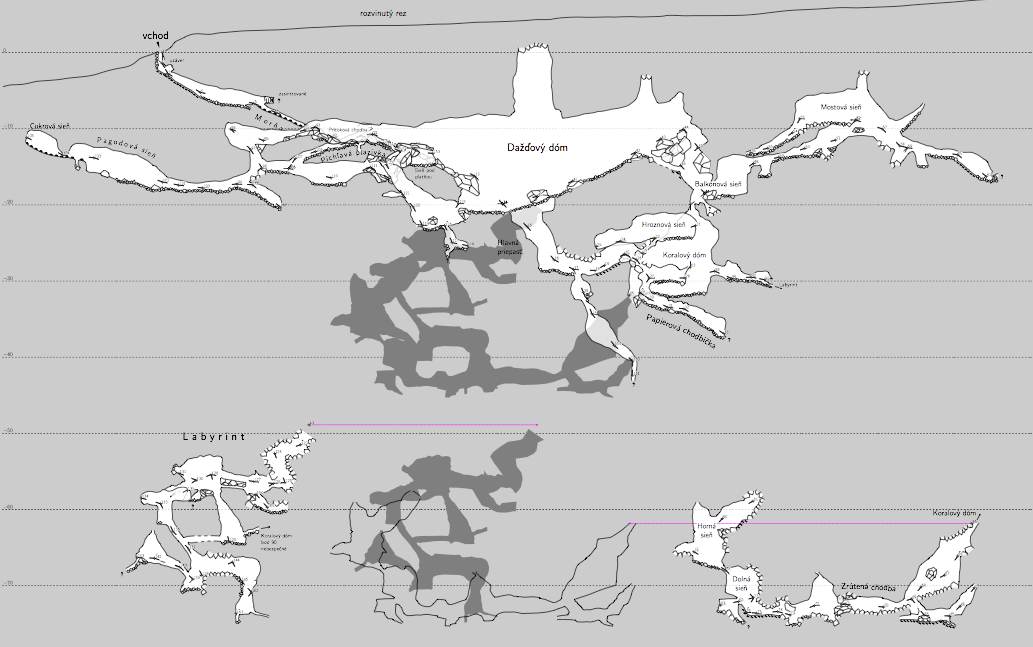
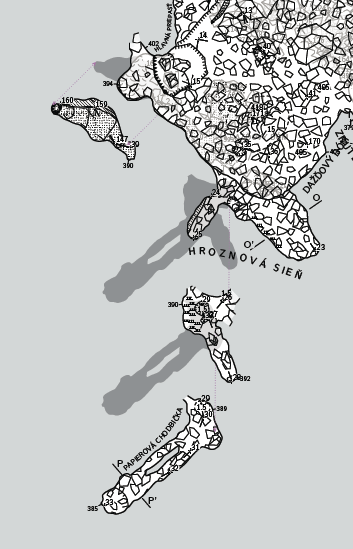
Bill The attached files demonstrate what I think you were describing in your original message. All of the changes I made to your files have the tag #B20141112 added to them. I have modified each elevation map to use a different projection. Of course it is ridiculous with this particular example, being essentially straight, but it is the sort of thing one might do for a Tee shaped cave as you originally described. I had to change the projection of each elevation scrap, and this is not something you would usually do after it has been drawn - of course the shape of a scrap depends very much on the projection, and to change the projection later on will usually render it meaningless (although Therion can pull off some amazing morphing). I added debug all to label the scraps, stations and observe the morphing. I also took the opportunity to test the transparent background that I was having trouble with in my datasets - it works! Regards Bruce -----Original Message----- From: therion-bounces@speleo.sk [mailto:therion-bounces@speleo.sk] On Behalf Of Bruce Sent: Wednesday, 12 November 2014 7:29 p.m. To: 'List for Therion users' Subject: Re: [Therion] Multiple elevation maps Hi Bill I think I see your problem. I will potter around with the example you sent to demonstrate what I think you want, but maybe not tonight. For now, you can avoid the 'object not found' error by double clicking on the survey or map item on the right-hand side of XTherion. For example it places... select AllElevations.map@PracticeCave ...at the cursor position in the th-config file. And, if you select multiple maps of one projection, they will all be used in the export for that projection. -Plan is a projection -Extended is a projection (developed or straightened out elevation) see http://therion.speleo.sk/wiki/doku.php/faq#projections_plan_elevation_extend ed_and_none -Elevation is a default for [elevation 000 deg] ie 'looking north'. So assuming there are 360 degrees in a circle there are 360 different elevation projections. If all your elevations have the same projection, all the elevation maps will end up in the same pdf (unless you modify the th-config between runs or use multiple th-configs as Rowena suggests). I will modify your example to demonstrate using two elevation projections (without resorting to indexes). Bruce
Maps definitions are independent of surveys, so you may define as many structures of maps as you want. But each map definition "lives" in it's survey where it is defined! It is the reason you should use: select map@its_home_survey m.s.
Hi Bruce and Martin - Very nice! This is exactly what I was looking for. The "secret" is how the select statements work, and then to have a select before each export. I will apply this to the real cave map I am working on and report back results. There is a new question ... What is the effect of specifying the degree angle of the view for "-proj elevation"? The profiles for the real cave I am working on were sketched along the survey line. That means they bend and twist as the survey line bends. In this case the survey line is very close to running down the center of the cave, but that is not always the case. One leg from the T-Junction has a "dog leg" bend in it. At one station it goes from north to almost east for about 70 feet, then it turns back to almost straight north. The profile sketches follow the centerline and so make the same twist. Since every profile sketch has two survey stations (or more), Therion can morph the sketch to the data. If a view angle is specified, does it mean that some sections of the profile will be morphed more than others? Many thanks for all your help! Bill Gee On Wednesday, November 12, 2014 22:36:53 Bruce wrote:
Bill
The attached files demonstrate what I think you were describing in your original message. All of the changes I made to your files have the tag #B20141112 added to them.
I have modified each elevation map to use a different projection. Of course it is ridiculous with this particular example, being essentially straight, but it is the sort of thing one might do for a Tee shaped cave as you originally described.
I had to change the projection of each elevation scrap, and this is not something you would usually do after it has been drawn - of course the shape of a scrap depends very much on the projection, and to change the projection later on will usually render it meaningless (although Therion can pull off some amazing morphing).
I added debug all to label the scraps, stations and observe the morphing.
I also took the opportunity to test the transparent background that I was having trouble with in my datasets - it works!
Regards
Bruce
-----Original Message----- From: therion-bounces@speleo.sk [mailto:therion-bounces@speleo.sk] On Behalf Of Bruce Sent: Wednesday, 12 November 2014 7:29 p.m. To: 'List for Therion users' Subject: Re: [Therion] Multiple elevation maps
Hi Bill
I think I see your problem. I will potter around with the example you sent
to demonstrate what I think you want, but maybe not tonight.
For now, you can avoid the 'object not found' error by double clicking on
the survey or map item on the right-hand side of XTherion. For example it
places...
select AllElevations.map@PracticeCave
...at the cursor position in the th-config file.
And, if you select multiple maps of one projection, they will all be used in
the export for that projection.
-Plan is a projection
-Extended is a projection (developed or straightened out elevation) see
http://therion.speleo.sk/wiki/doku.php/faq#projections_plan_elevation_extend
ed_and_none
-Elevation is a default for [elevation 000 deg] ie 'looking north'. So
assuming there are 360 degrees in a circle there are 360 different elevation
projections.
If all your elevations have the same projection, all the elevation maps will
end up in the same pdf (unless you modify the th-config between runs or use
multiple th-configs as Rowena suggests).
I will modify your example to demonstrate using two elevation projections
(without resorting to indexes).
Bruce
participants (5)
-
 Bill Gee
 -
 Bruce
Bruce -
 Martin Budaj
 -
 Martin Sluka
 -
 rowena_l@tpg.com.au