Updated XTherion editor side panel adjustment missing

Thanks Stacho That did the trick. therion-setup-msys2-3f4366c If you don’t mind doing some more fiddling, I wouldn’t mind the control being a bit bigger. On my 4K 27” monitors, it’s a bit fiddly trying to grab it. It’s a shade under 1mm x 1mm in size. I suggest at least doubling the size, by dropping the lower edge and moving the right edge to the right. Bruce From: Therion <therion-bounces@speleo.sk> On Behalf Of Stacho Mudrak Sent: Tuesday, 22 February 2022 10:46 To: List for Therion users <therion@speleo.sk> Subject: Re: [Therion] Updated XTherion editor side panel adjustment missing Hi Bruce, thanks for finding out. It looks like a problem with hidpi display and tcltk 8.6.12. I am not having the problem with an external monitor normally attached to my notebook. If I use a build-in display or my android tablet, same problem appears. I have tried to fix it in 3f4366c, could you please verify, whether it works now? S. On Mon, 21 Feb 2022 at 09:16, Bruce Mutton <bruce@tomo.co.nz <mailto:bruce@tomo.co.nz> > wrote: The new look (v 6.0.5) XTherion editor seems to be missing the small button control that allows resizing of the side panel. I often like to make it quite large when editing objects with a long options string. Is resizing of the panel still available and I’m just not seeing it, or is it perhaps a bug? Therion 6.0.5 Windows 10 Home v 21H1 9043.1526 _______________________________________________ Therion mailing list Therion@speleo.sk <mailto:Therion@speleo.sk> https://mailman.speleo.sk/listinfo/therion
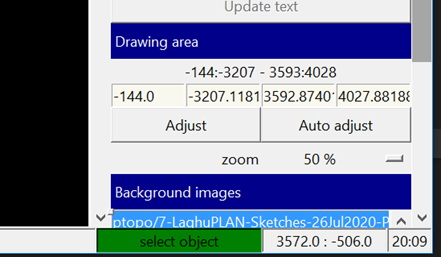
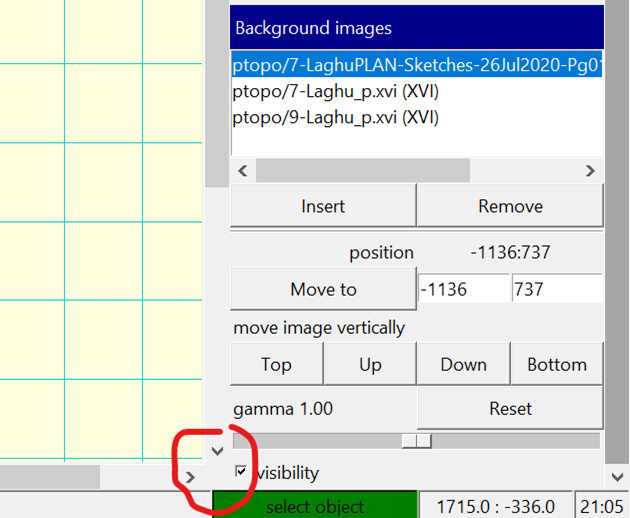

Hi Bruce, I have tried a more standard solution (commit683b226 <https://github.com/therion/therion/commit/683b226065e092e3b9d38aa292141b5065b07a2d>) - an adjustment line alongside the whole screen. It should be 1.5mm thick (according to OS-supplied resolution). Does that solve the problem? S. On Tue, 22 Feb 2022 at 08:44, Bruce Mutton <bruce@tomo.co.nz> wrote:
Thanks Stacho
That did the trick.
therion-setup-msys2-3f4366c
If you don’t mind doing some more fiddling, I wouldn’t mind the control being a bit bigger.
On my 4K 27” monitors, it’s a bit fiddly trying to grab it. It’s a shade under 1mm x 1mm in size.
I suggest at least doubling the size, by dropping the lower edge and moving the right edge to the right.
Bruce
*From:* Therion <therion-bounces@speleo.sk> *On Behalf Of *Stacho Mudrak *Sent:* Tuesday, 22 February 2022 10:46 *To:* List for Therion users <therion@speleo.sk> *Subject:* Re: [Therion] Updated XTherion editor side panel adjustment missing
Hi Bruce,
thanks for finding out. It looks like a problem with hidpi display and tcltk 8.6.12. I am not having the problem with an external monitor normally attached to my notebook. If I use a build-in display or my android tablet, same problem appears.
I have tried to fix it in 3f4366c, could you please verify, whether it works now?
S.
On Mon, 21 Feb 2022 at 09:16, Bruce Mutton <bruce@tomo.co.nz> wrote:
The new look (v 6.0.5) XTherion editor seems to be missing the small button control that allows resizing of the side panel.
I often like to make it quite large when editing objects with a long options string.
Is resizing of the panel still available and I’m just not seeing it, or is it perhaps a bug?
Therion 6.0.5
Windows 10 Home v 21H1 9043.1526
_______________________________________________ Therion mailing list Therion@speleo.sk https://mailman.speleo.sk/listinfo/therion
_______________________________________________ Therion mailing list Therion@speleo.sk https://mailman.speleo.sk/listinfo/therion
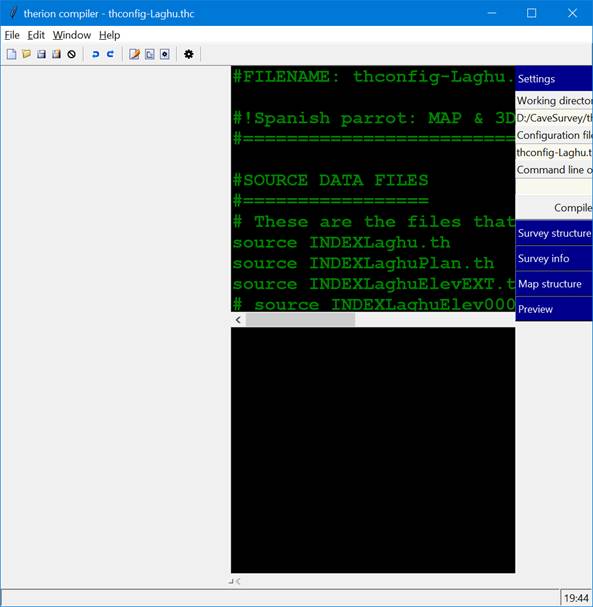
Thanks Stacho That is so so much better. What I have secretly wished for, for many years! But. Both 3f4366c and 683b226 have problems when menu Window.Switch Panels is used to put the control panel on the left-hand side. A screenshot here from the earlier 3f4366c, although 683b226 does the same sort of thing. The adjustable panel moves, and is adjustable, but the controls do not. Same for the text editor, map editor and compiler windows. I am not so worried, as I’m used to it on the right-hand side, but I suppose a fix is the right thing to do! Bruce From: Therion <therion-bounces@speleo.sk> On Behalf Of Stacho Mudrak Sent: Wednesday, 23 February 2022 07:59 To: List for Therion users <therion@speleo.sk> Subject: Re: [Therion] Updated XTherion editor side panel adjustment missing Hi Bruce, I have tried a more standard solution (commit <https://github.com/therion/therion/commit/683b226065e092e3b9d38aa292141b5065b07a2d> 683b226) - an adjustment line alongside the whole screen. It should be 1.5mm thick (according to OS-supplied resolution). Does that solve the problem? S.
Thanks Bruce for finding out, I have forgotten, there is a menu item for switching panels and I was too lazy to change .ini file to test it. It should be fixed now. S. On Wed, 23 Feb 2022 at 08:08, Bruce Mutton <bruce@tomo.co.nz> wrote:
Thanks Stacho
That is so so much better. What I have secretly wished for, for many years!
But.
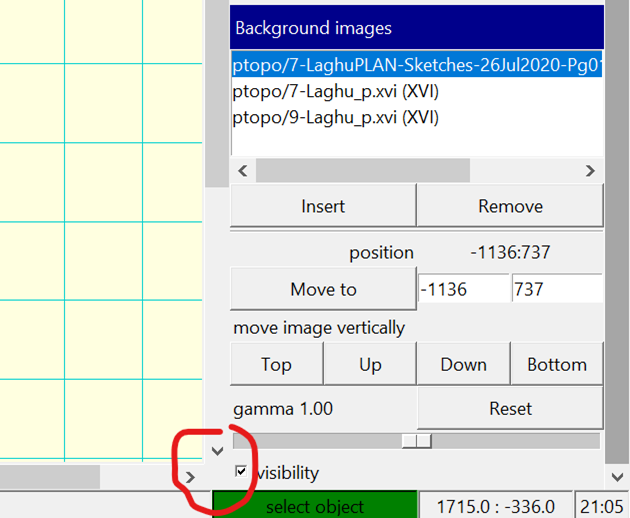
Both 3f4366c and 683b226 have problems when menu *Window.Switch Panels* is used to put the control panel on the left-hand side.
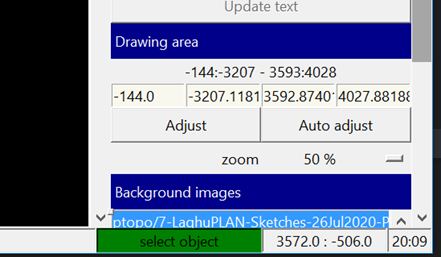
A screenshot here from the earlier 3f4366c, although 683b226 does the same sort of thing.
The adjustable panel moves, and is adjustable, but the controls do not. Same for the text editor, map editor and compiler windows.
I am not so worried, as I’m used to it on the right-hand side, but I suppose a fix is the right thing to do!
Bruce
*From:* Therion <therion-bounces@speleo.sk> *On Behalf Of *Stacho Mudrak *Sent:* Wednesday, 23 February 2022 07:59 *To:* List for Therion users <therion@speleo.sk> *Subject:* Re: [Therion] Updated XTherion editor side panel adjustment missing
Hi Bruce,
I have tried a more standard solution (commit683b226 <https://github.com/therion/therion/commit/683b226065e092e3b9d38aa292141b5065b07a2d>) - an adjustment line alongside the whole screen. It should be 1.5mm thick (according to OS-supplied resolution). Does that solve the problem?
S. _______________________________________________ Therion mailing list Therion@speleo.sk https://mailman.speleo.sk/listinfo/therion
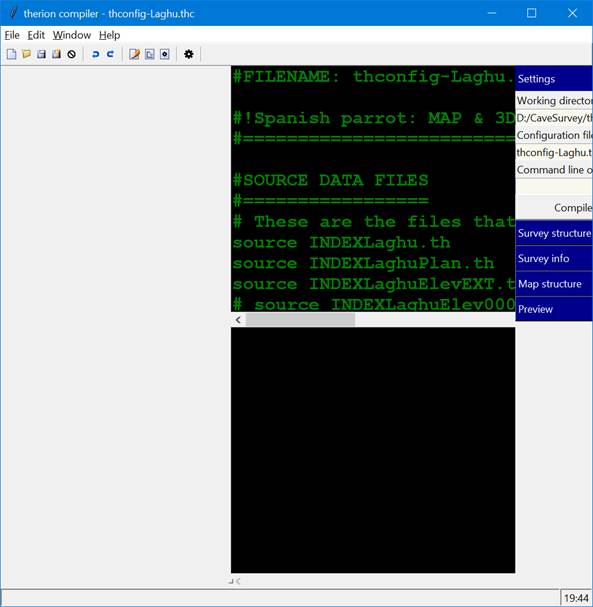
OK, therion-setup-msys2-3f54ee7 is good. Thanks From: Therion <therion-bounces@speleo.sk> On Behalf Of Stacho Mudrak Sent: Wednesday, 23 February 2022 20:33 To: List for Therion users <therion@speleo.sk> Subject: Re: [Therion] Updated XTherion editor side panel adjustment missing Thanks Bruce for finding out, I have forgotten, there is a menu item for switching panels and I was too lazy to change .ini file to test it. It should be fixed now. S. On Wed, 23 Feb 2022 at 08:08, Bruce Mutton <bruce@tomo.co.nz <mailto:bruce@tomo.co.nz> > wrote: Thanks Stacho That is so so much better. What I have secretly wished for, for many years! But. Both 3f4366c and 683b226 have problems when menu Window.Switch Panels is used to put the control panel on the left-hand side. A screenshot here from the earlier 3f4366c, although 683b226 does the same sort of thing. The adjustable panel moves, and is adjustable, but the controls do not. Same for the text editor, map editor and compiler windows. I am not so worried, as I’m used to it on the right-hand side, but I suppose a fix is the right thing to do! Bruce From: Therion <therion-bounces@speleo.sk <mailto:therion-bounces@speleo.sk> > On Behalf Of Stacho Mudrak Sent: Wednesday, 23 February 2022 07:59 To: List for Therion users <therion@speleo.sk <mailto:therion@speleo.sk> > Subject: Re: [Therion] Updated XTherion editor side panel adjustment missing Hi Bruce, I have tried a more standard solution (commit <https://github.com/therion/therion/commit/683b226065e092e3b9d38aa292141b5065b07a2d> 683b226) - an adjustment line alongside the whole screen. It should be 1.5mm thick (according to OS-supplied resolution). Does that solve the problem? S. _______________________________________________ Therion mailing list Therion@speleo.sk <mailto:Therion@speleo.sk> https://mailman.speleo.sk/listinfo/therion
participants (2)
-
 Bruce Mutton
 -
 Stacho Mudrak