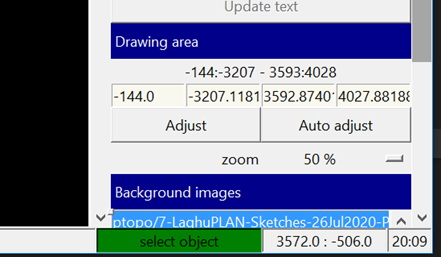
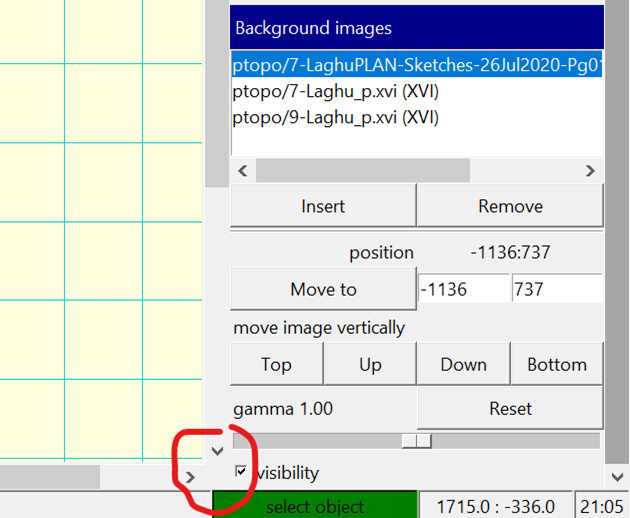
Thanks Stacho That did the trick. therion-setup-msys2-3f4366c If you don’t mind doing some more fiddling, I wouldn’t mind the control being a bit bigger. On my 4K 27” monitors, it’s a bit fiddly trying to grab it. It’s a shade under 1mm x 1mm in size. I suggest at least doubling the size, by dropping the lower edge and moving the right edge to the right. Bruce From: Therion <therion-bounces@speleo.sk> On Behalf Of Stacho Mudrak Sent: Tuesday, 22 February 2022 10:46 To: List for Therion users <therion@speleo.sk> Subject: Re: [Therion] Updated XTherion editor side panel adjustment missing Hi Bruce, thanks for finding out. It looks like a problem with hidpi display and tcltk 8.6.12. I am not having the problem with an external monitor normally attached to my notebook. If I use a build-in display or my android tablet, same problem appears. I have tried to fix it in 3f4366c, could you please verify, whether it works now? S. On Mon, 21 Feb 2022 at 09:16, Bruce Mutton <bruce@tomo.co.nz <mailto:bruce@tomo.co.nz> > wrote: The new look (v 6.0.5) XTherion editor seems to be missing the small button control that allows resizing of the side panel. I often like to make it quite large when editing objects with a long options string. Is resizing of the panel still available and I’m just not seeing it, or is it perhaps a bug? Therion 6.0.5 Windows 10 Home v 21H1 9043.1526 _______________________________________________ Therion mailing list Therion@speleo.sk <mailto:Therion@speleo.sk> https://mailman.speleo.sk/listinfo/therion