Hi Martin, Many thanks for that! I got to learn something very cool :)
5. insert Background image to background sketches field.
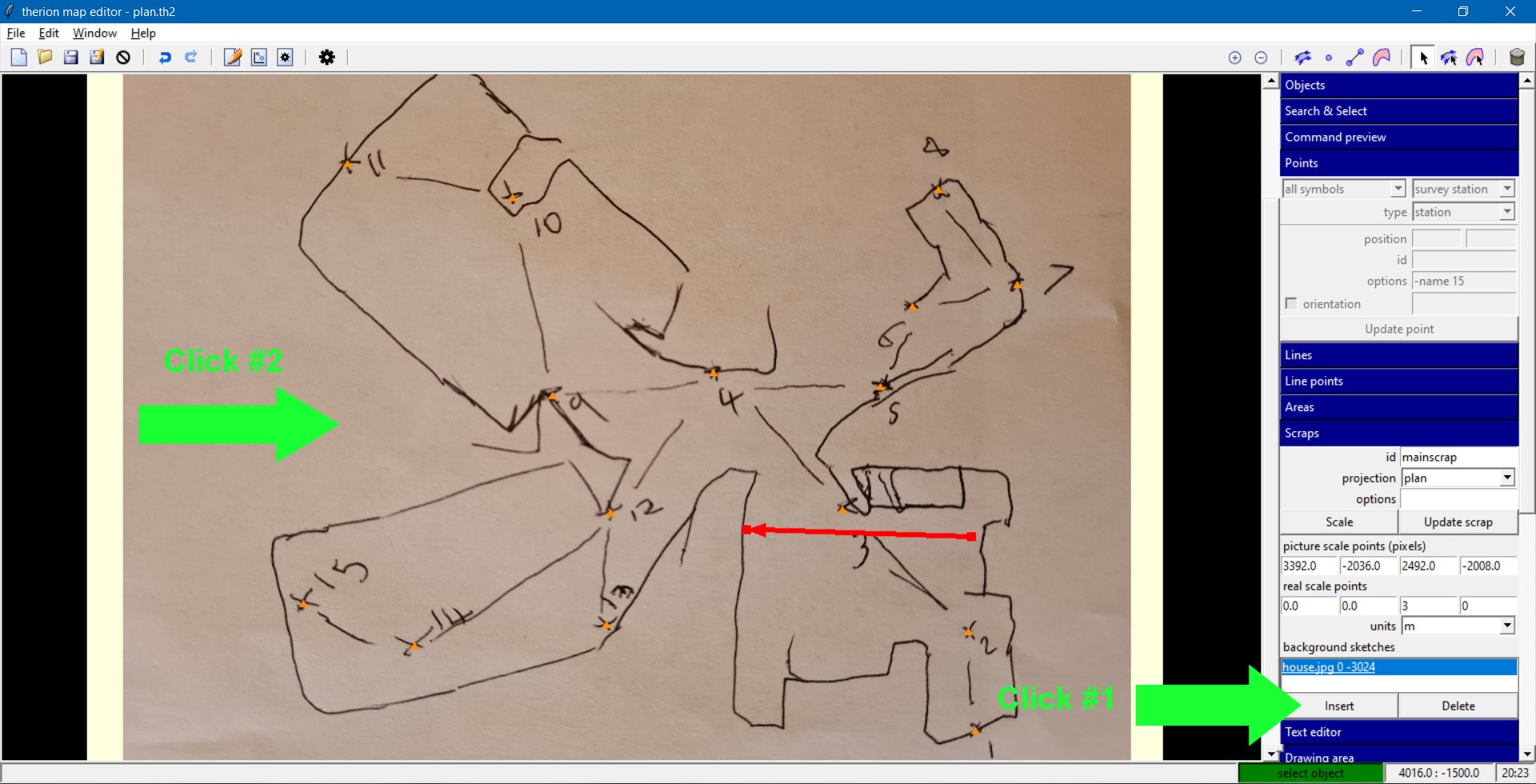
That step was somewhat awkward to find. For anyone else who was trying to follow: a. Under "Objects" on the right panel, select your scrap (or use the "Select next scrap" button until it is selected). b. Under "Scraps" on the right panel, in the "background sketches" section, click "Insert". c. Click on the sketch image in the main area (anywhere on a blank part of it). See the attached image.
5. export xvi image with option in layout "sketches on"
layout local sketches on endlayout source "yourcave.th" export map -layout local -proj plan -o "newsketch.xvi" I will note, however, that it produced a horrible effect when applied to an area with a junction, and loads of walls close to each other. It couldn't decide what bits of my drawings to keep, and simply deleted a load of them, and kept others. It works best in fairly simple cases. Incidentally, the survey was of my house again (what else?!), with the angles a bit messed up in the drawing - it did not look like a house after morphing the sketch. Admittedly, I was making it deliberately significantly wrong, in much the same way as you might get from a paper survey of a cave. To me, it was fairly realistic as a representation of the case where you might want to use the feature, so I wonder about its effectiveness in actual use. Maybe it could be a way that Bill could solve the problem with the multi-piece chamber survey, since it could automatically piece together all the sketches and warp them into a single drawing. Cheers, Tarquin