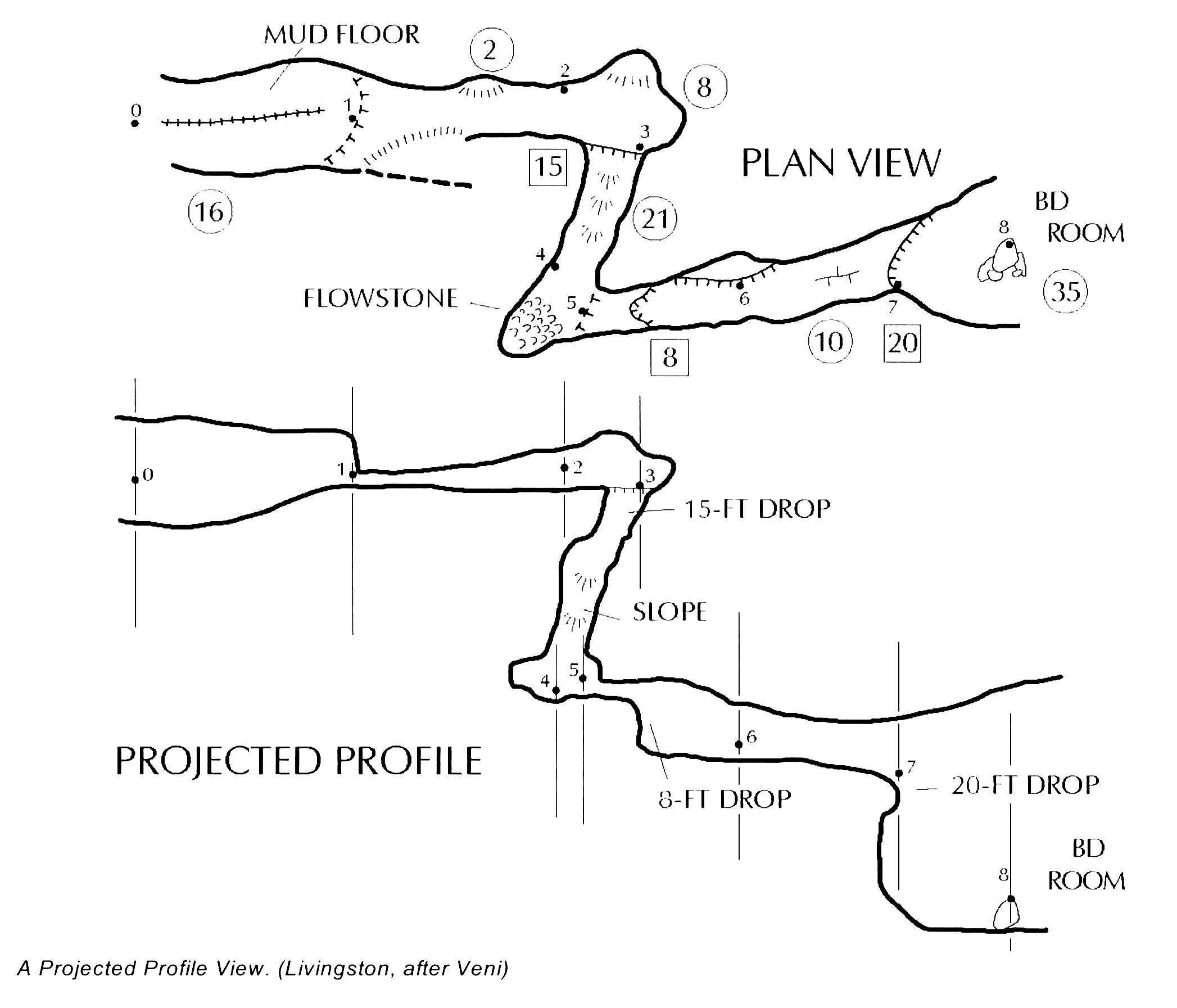
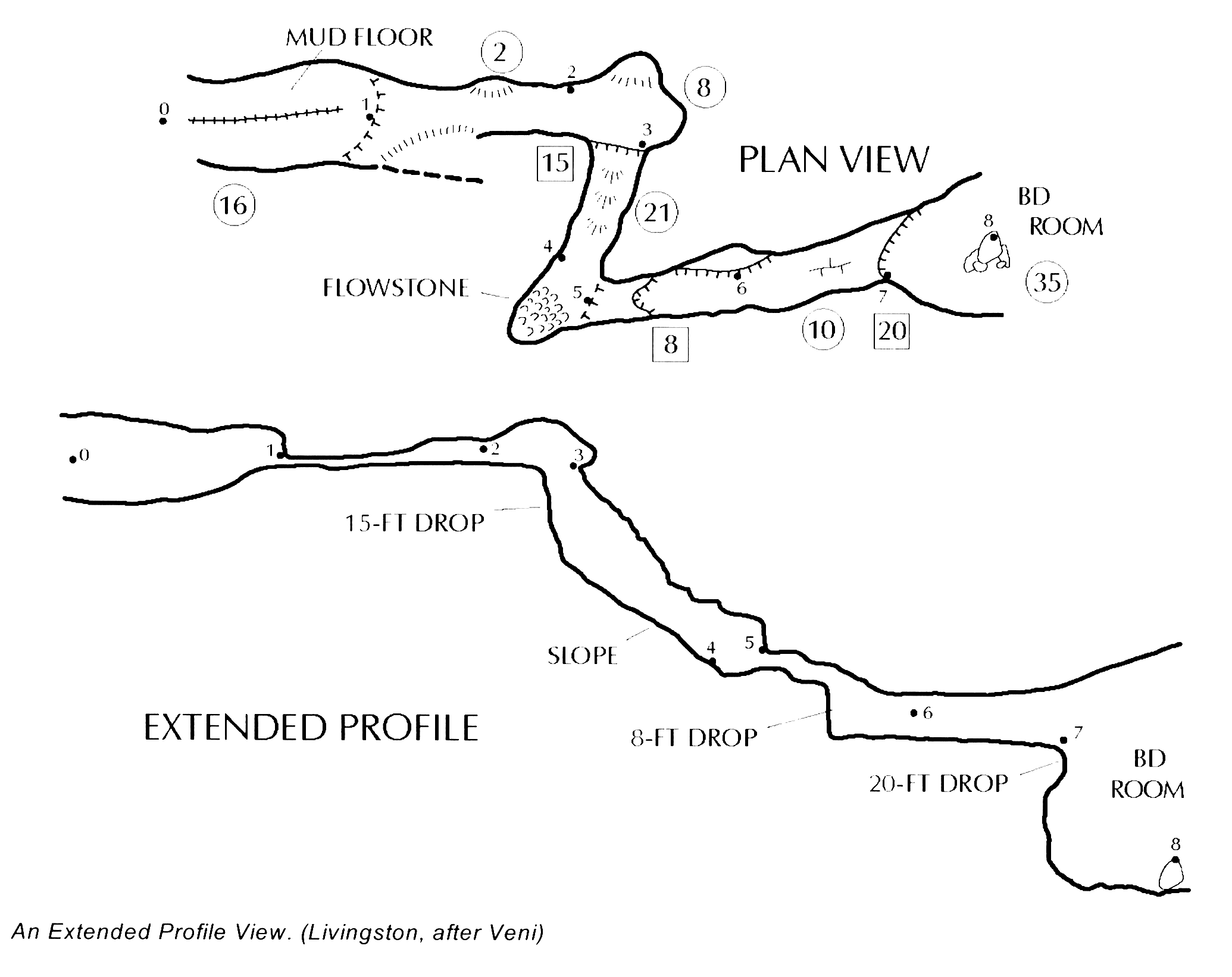
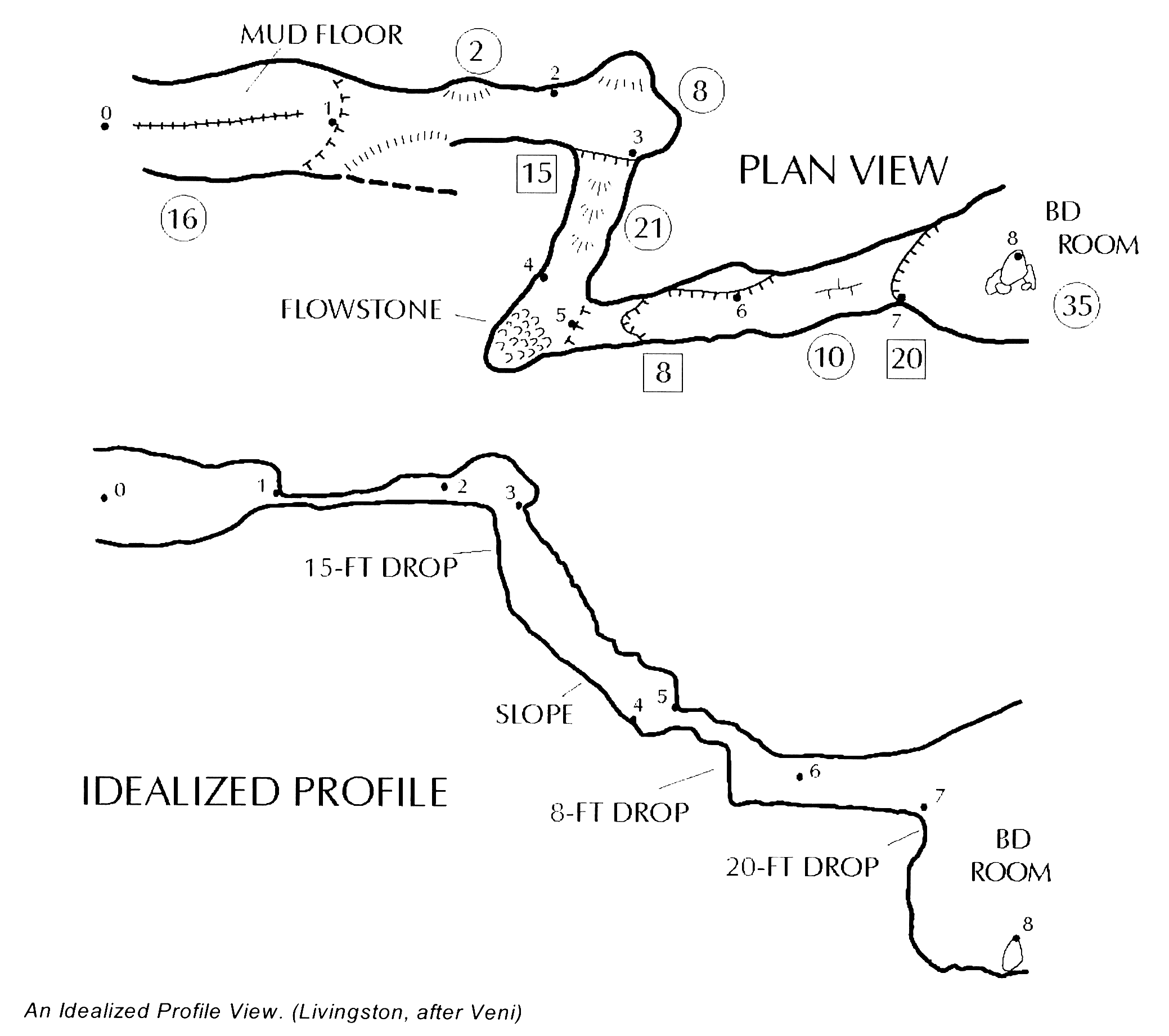
Evaristo Nicely explained. As though English was your first language! I think that is the same general concept that Marco suggested – “I think that extend should take values in the interval [-1,1]”. An idealised profile is what I guess we are all aiming for, but at present we are limited by the Therion controls left, right vertical. Looks like you have done a very good job with the example you posted. From: Therion <therion-bounces@speleo.sk> On Behalf Of Evaristo Quiroga via Therion Sent: Saturday, 9 June 2018 10:00 PM To: Marco Corvi via Therion <therion@speleo.sk> Cc: Evaristo Quiroga <eqr@ecgracia.com> Subject: Re: [Therion] extend Hi, Since we are with the extend letter of santa claus, I'm going to make my own request: idealized profile. First remember a bit the profile types: * Projected profile: which displays the cave passages at a right angle to the plan view, or as if the front wall of the cave have been "removed". The projected profile gives the best idea of how the different cave levels relate, but the view is sometimes confusing in winding passages. * Extended profile: displays the cave as if it were pulled into a straight line. This profile provides a view of the caves as it will be experienced by cavers. * Idealized profile: is a compromise between the other two profiles, it maintains the approximate bounds of projected profile or extended profile, but expands or reduce the length of the passage to better show the subjective view. This type of profile is a somewhat subjective view that depends on the cartographer's ability to "stretch" the cave and its passages, while maintaining a somewhat "pseudo-projected" point-of-view to the profile. Currently with Therion I am already making my own idealized profile. Starting from a extended profile, I turn the gallery to the left or right (extend left or right) depending on the plan, and using the vertical extension (extend vertical) to finish adjusting the relative position of the two galleries of the loop. To have more control over to "stretch" the cave passages, I need the Therion authors to incorporate an option to the extend command: scale. This factor would allow to stretch or reduce the horizontal length of the leg shots. By default it would be equal to 1. if I want to reduce the distance it would be less than 1. if I want to stretch the distance would be greater than 1. The definition of the command would be: extend <spec> [<station> [<station>]] [scale] Example: extend left A.2 A.3 0.5 # To reduce the length With this new option it would be very easy to make idealized profiles. This option is best applied to the long horizontal sections, leaving the vertical sections without modification. I hope to have explained myself well in my Spanglish, and I hope that my wishes are taken into account. Best regards and exciting explorations. Evaristo.