Export to 3D processing softwares

Therion and 3D Therion is able to export 3D model in format .lox based on LRUD data, shape of walls in plan and passage height informations recently. If the map is drawn in correct way these models are quite good. To view the model one should use internal viewer of Therion named Loch. The Loch has feature to export model in the VTK format. And several softwares for manipulating with 3D data for example CloudCompare or Paraview are able to import this VTK format. CloudCompare is able to export next formats: BIN .bin CloudCompare own format ASCII .asc,.txt,.xyz,.neu,.pts ASCII point cloud file (X,Y,Z,etc.) LAS .las ASPRS lidar point clouds E57 .e57 ASTM E57 file format PCD .pcd Point Cloud Library format PLY .ply Stanford 3D geometry format (cloud or mesh) OBJ .obj Wavefront mesh VTK .vtk VTK file format (triangular mesh or cloud only) STL .stl STereoLithography file format (mesh) OFF .off Object File Format (mesh) FBX .fbx Autodesk (Filmbox) File Format DXF .dxf Autocad DXF format SHP .shp ESRI Shape file format RASTER .geotiff, etc. Common raster formats (GDAL) PV .pv Point cloud + scalar field PN .pn Point cloud + normals Sinusx .sx Sinusx curves ParaView is able to work with next formats: ParaView files VTK files Parallel (partitioned) VTK files VTK MultiBlock (MultiGroup, Hierarchical, Hierarchical Box) files Legacy VTK files Parallel (partitioned) legacy VTK files EnSight files EnSight Master Server files Exodus files BYU files XDMF files PLOT3D files SpyPlot CTH files HDF5 raw image data files DEM files VRML files PLY Polygonal files Protein Data Bank files XMol Molecule files Stereo Lithography files Gaussian Cube files Raw (binary) files AVS files Meta Image files Facet files PNG files SAF files LS-Dyna files So you may for example calculate surface and volume of cave - thanks to Filippo Gregori: 1) Export the lox file to vtk format 2) With Paraview software I opened the file vtk 3) Save the file as .x3d 4) Open the file x3d in Meshlab software 6) Apply the filter: Filters -> Quality measure and computation -> compute geometric Measures 7) Open log window: View -> Show Layer dialog 8) Read the lines Volume Mesh and Mesh Surface

Looks like a great topic to add to the wiki Martin. I used the export to vtk and import into Paraview before when creating a model for 3D printing. But beyond that point I was not involved in processing the data further (the person arranging the 3D printing handled it from here on). I am sure there is more to learn which can then be added to the topic if you start a wiki page for this. Footleg On Wed, Oct 21, 2015 at 6:00 PM Martin Sluka <martinsluka@mac.com> wrote:
Therion and 3D
Therion is able to export 3D model in format .lox based on LRUD data, shape of walls in plan and passage height informations recently. If the map is drawn in correct way these models are quite good. To view the model one should use internal viewer of Therion named Loch. The Loch has feature to export model in the VTK format. And several softwares for manipulating with 3D data for example CloudCompare or Paraview are able to import this VTK format.
CloudCompare is able to export next formats:
BIN .bin CloudCompare own format ASCII .asc,.txt,.xyz,.neu,.pts ASCII point cloud file (X,Y,Z,etc.) LAS .las ASPRS lidar point clouds E57 .e57 ASTM E57 file format PCD .pcd Point Cloud Library format PLY .ply Stanford 3D geometry format (cloud or mesh) OBJ .obj Wavefront mesh VTK .vtk VTK file format (triangular mesh or cloud only) STL .stl STereoLithography file format (mesh) OFF .off Object File Format (mesh) FBX .fbx Autodesk (Filmbox) File Format DXF .dxf Autocad DXF format SHP .shp ESRI Shape file format RASTER .geotiff, etc. Common raster formats (GDAL) PV .pv Point cloud + scalar field PN .pn Point cloud + normals Sinusx .sx Sinusx curves
ParaView is able to work with next formats:
ParaView files VTK files Parallel (partitioned) VTK files VTK MultiBlock (MultiGroup, Hierarchical, Hierarchical Box) files Legacy VTK files Parallel (partitioned) legacy VTK files EnSight files EnSight Master Server files Exodus files BYU files XDMF files PLOT3D files SpyPlot CTH files HDF5 raw image data files DEM files VRML files PLY Polygonal files Protein Data Bank files XMol Molecule files Stereo Lithography files Gaussian Cube files Raw (binary) files AVS files Meta Image files Facet files PNG files SAF files LS-Dyna files
So you may for example calculate surface and volume of cave - thanks to Filippo Gregori:
1) Export the lox file to vtk format 2) With Paraview software I opened the file vtk 3) Save the file as .x3d 4) Open the file x3d in Meshlab software 6) Apply the filter: Filters -> Quality measure and computation -> compute geometric Measures 7) Open log window: View -> Show Layer dialog 8) Read the lines Volume Mesh and Mesh Surface _______________________________________________ Therion mailing list Therion@speleo.sk http://mailman.speleo.sk/mailman/listinfo/therion

I have tried this with two small and simple caves to see, how it will make the tranformations and computings (just to be able to controll it), but unfortunately it seems to be extremely inaccurate with surfaces or even volumes due to incorrect tranformation. Or am I the one mistaken? Palo Dňa 2015-10-21 23:35 Footleg napísal(a):
Looks like a great topic to add to the wiki Martin. I used the export to vtk and import into Paraview before when creating a model for 3D printing. But beyond that point I was not involved in processing the data further (the person arranging the 3D printing handled it from here on). I am sure there is more to learn which can then be added to the topic if you start a wiki page for this.
Footleg
On Wed, Oct 21, 2015 at 6:00 PM Martin Sluka <martinsluka@mac.com> wrote:
Therion and 3D
Therion is able to export 3D model in format .lox based on LRUD data, shape of walls in plan and passage height informations recently. If the map is drawn in correct way these models are quite good. To view the model one should use internal viewer of Therion named Loch. The Loch has feature to export model in the VTK format. And several softwares for manipulating with 3D data for example CloudCompare or Paraview are able to import this VTK format.
CloudCompare is able to export next formats:
BIN .bin CloudCompare own format ASCII .asc,.txt,.xyz,.neu,.pts ASCII point cloud file (X,Y,Z,etc.) LAS .las ASPRS lidar point clouds E57 .e57 ASTM E57 file format PCD .pcd Point Cloud Library format PLY .ply Stanford 3D geometry format (cloud or mesh) OBJ .obj Wavefront mesh VTK .vtk VTK file format (triangular mesh or cloud only) STL .stl STereoLithography file format (mesh) OFF .off Object File Format (mesh) FBX .fbx Autodesk (Filmbox) File Format DXF .dxf Autocad DXF format SHP .shp ESRI Shape file format RASTER .geotiff, etc. Common raster formats (GDAL) PV .pv Point cloud + scalar field PN .pn Point cloud + normals Sinusx .sx Sinusx curves
ParaView is able to work with next formats:
ParaView files VTK files Parallel (partitioned) VTK files VTK MultiBlock (MultiGroup, Hierarchical, Hierarchical Box) files Legacy VTK files Parallel (partitioned) legacy VTK files EnSight files EnSight Master Server files Exodus files BYU files XDMF files PLOT3D files SpyPlot CTH files HDF5 raw image data files DEM files VRML files PLY Polygonal files Protein Data Bank files XMol Molecule files Stereo Lithography files Gaussian Cube files Raw (binary) files AVS files Meta Image files Facet files PNG files SAF files LS-Dyna files
So you may for example calculate surface and volume of cave - thanks to Filippo Gregori:
1) Export the lox file to vtk format 2) With Paraview software I opened the file vtk 3) Save the file as .x3d 4) Open the file x3d in Meshlab software 6) Apply the filter: Filters -> Quality measure and computation -> compute geometric Measures 7) Open log window: View -> Show Layer dialog 8) Read the lines Volume Mesh and Mesh Surface _______________________________________________ Therion mailing list Therion@speleo.sk http://mailman.speleo.sk/mailman/listinfo/therion [1]
Links: ------ [1] http://mailman.speleo.sk/mailman/listinfo/therion
_______________________________________________ Therion mailing list Therion@speleo.sk http://mailman.speleo.sk/mailman/listinfo/therion
You are too fast, your Loch model is somewhere incorrect - check attached pictures. May you send the therion data too? m.
21. 10. 2015 v 23:35, Footleg <drfootleg@gmail.com>:
Looks like a great topic to add to the wiki Martin. I used the export to vtk and import into Paraview before when creating a model for 3D printing. But beyond that point I was not involved in processing the data further (the person arranging the 3D printing handled it from here on). I am sure there is more to learn which can then be added to the topic if you start a wiki page for this.
Footleg
On Wed, Oct 21, 2015 at 6:00 PM Martin Sluka <martinsluka@mac.com <mailto:martinsluka@mac.com>> wrote: Therion and 3D
Therion is able to export 3D model in format .lox based on LRUD data, shape of walls in plan and passage height informations recently. If the map is drawn in correct way these models are quite good. To view the model one should use internal viewer of Therion named Loch. The Loch has feature to export model in the VTK format. And several softwares for manipulating with 3D data for example CloudCompare or Paraview are able to import this VTK format.
CloudCompare is able to export next formats:
BIN .bin CloudCompare own format ASCII .asc,.txt,.xyz,.neu,.pts ASCII point cloud file (X,Y,Z,etc.) LAS .las ASPRS lidar point clouds E57 .e57 ASTM E57 file format PCD .pcd Point Cloud Library format PLY .ply Stanford 3D geometry format (cloud or mesh) OBJ .obj Wavefront mesh VTK .vtk VTK file format (triangular mesh or cloud only) STL .stl STereoLithography file format (mesh) OFF .off Object File Format (mesh) FBX .fbx Autodesk (Filmbox) File Format DXF .dxf Autocad DXF format SHP .shp ESRI Shape file format RASTER .geotiff, etc. Common raster formats (GDAL) PV .pv Point cloud + scalar field PN .pn Point cloud + normals Sinusx .sx Sinusx curves
ParaView is able to work with next formats:
ParaView files VTK files Parallel (partitioned) VTK files VTK MultiBlock (MultiGroup, Hierarchical, Hierarchical Box) files Legacy VTK files Parallel (partitioned) legacy VTK files EnSight files EnSight Master Server files Exodus files BYU files XDMF files PLOT3D files SpyPlot CTH files HDF5 raw image data files DEM files VRML files PLY Polygonal files Protein Data Bank files XMol Molecule files Stereo Lithography files Gaussian Cube files Raw (binary) files AVS files Meta Image files Facet files PNG files SAF files LS-Dyna files
So you may for example calculate surface and volume of cave - thanks to Filippo Gregori:
1) Export the lox file to vtk format 2) With Paraview software I opened the file vtk 3) Save the file as .x3d 4) Open the file x3d in Meshlab software 6) Apply the filter: Filters -> Quality measure and computation -> compute geometric Measures 7) Open log window: View -> Show Layer dialog 8) Read the lines Volume Mesh and Mesh Surface _______________________________________________ Therion mailing list Therion@speleo.sk <mailto:Therion@speleo.sk> http://mailman.speleo.sk/mailman/listinfo/therion <http://mailman.speleo.sk/mailman/listinfo/therion> _______________________________________________ Therion mailing list Therion@speleo.sk http://mailman.speleo.sk/mailman/listinfo/therion
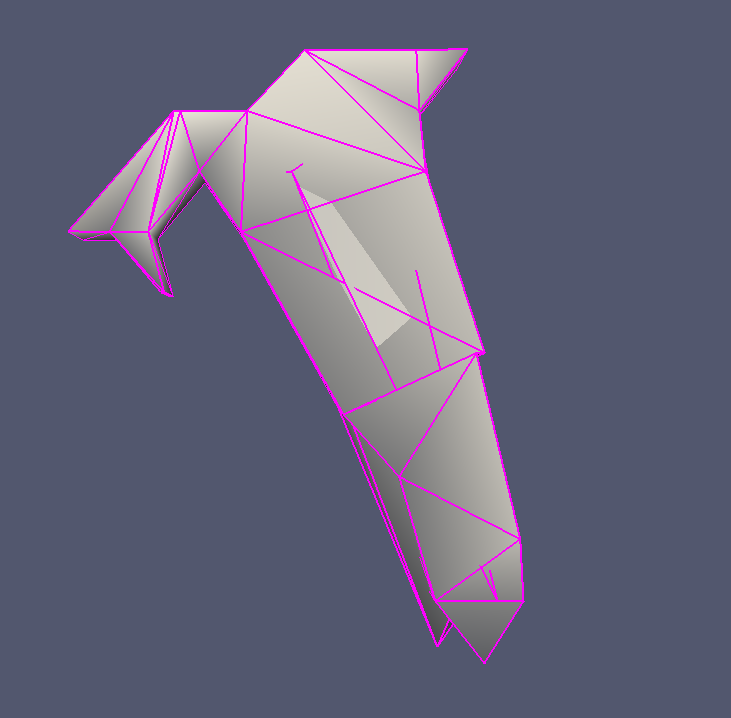
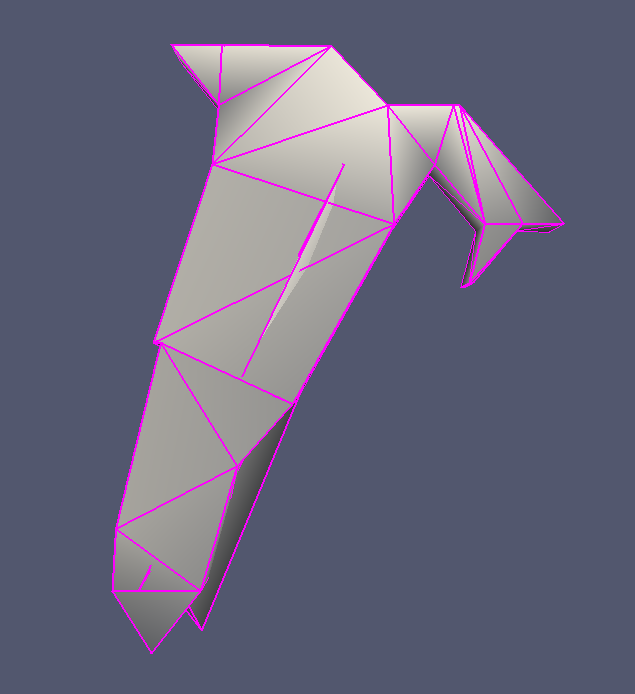
You are too fast, your Loch model is somewhere incorrect - check attached pictures. May you send the therion data too? m.
21. 10. 2015 v 23:35, Footleg <drfootleg@gmail.com <mailto:drfootleg@gmail.com>>:
Looks like a great topic to add to the wiki Martin. I used the export to vtk and import into Paraview before when creating a model for 3D printing. But beyond that point I was not involved in processing the data further (the person arranging the 3D printing handled it from here on). I am sure there is more to learn which can then be added to the topic if you start a wiki page for this.
Footleg
On Wed, Oct 21, 2015 at 6:00 PM Martin Sluka <martinsluka@mac.com <mailto:martinsluka@mac.com>> wrote: Therion and 3D
Therion is able to export 3D model in format .lox based on LRUD data, shape of walls in plan and passage height informations recently. If the map is drawn in correct way these models are quite good. To view the model one should use internal viewer of Therion named Loch. The Loch has feature to export model in the VTK format. And several softwares for manipulating with 3D data for example CloudCompare or Paraview are able to import this VTK format.
CloudCompare is able to export next formats:
BIN .bin CloudCompare own format ASCII .asc,.txt,.xyz,.neu,.pts ASCII point cloud file (X,Y,Z,etc.) LAS .las ASPRS lidar point clouds E57 .e57 ASTM E57 file format PCD .pcd Point Cloud Library format PLY .ply Stanford 3D geometry format (cloud or mesh) OBJ .obj Wavefront mesh VTK .vtk VTK file format (triangular mesh or cloud only) STL .stl STereoLithography file format (mesh) OFF .off Object File Format (mesh) FBX .fbx Autodesk (Filmbox) File Format DXF .dxf Autocad DXF format SHP .shp ESRI Shape file format RASTER .geotiff, etc. Common raster formats (GDAL) PV .pv Point cloud + scalar field PN .pn Point cloud + normals Sinusx .sx Sinusx curves
ParaView is able to work with next formats:
ParaView files VTK files Parallel (partitioned) VTK files VTK MultiBlock (MultiGroup, Hierarchical, Hierarchical Box) files Legacy VTK files Parallel (partitioned) legacy VTK files EnSight files EnSight Master Server files Exodus files BYU files XDMF files PLOT3D files SpyPlot CTH files HDF5 raw image data files DEM files VRML files PLY Polygonal files Protein Data Bank files XMol Molecule files Stereo Lithography files Gaussian Cube files Raw (binary) files AVS files Meta Image files Facet files PNG files SAF files LS-Dyna files
So you may for example calculate surface and volume of cave - thanks to Filippo Gregori:
1) Export the lox file to vtk format 2) With Paraview software I opened the file vtk 3) Save the file as .x3d 4) Open the file x3d in Meshlab software 6) Apply the filter: Filters -> Quality measure and computation -> compute geometric Measures 7) Open log window: View -> Show Layer dialog 8) Read the lines Volume Mesh and Mesh Surface _______________________________________________ Therion mailing list Therion@speleo.sk <mailto:Therion@speleo.sk> http://mailman.speleo.sk/mailman/listinfo/therion <http://mailman.speleo.sk/mailman/listinfo/therion> _______________________________________________ Therion mailing list Therion@speleo.sk <mailto:Therion@speleo.sk> http://mailman.speleo.sk/mailman/listinfo/therion
_______________________________________________ Therion mailing list Therion@speleo.sk http://mailman.speleo.sk/mailman/listinfo/therion
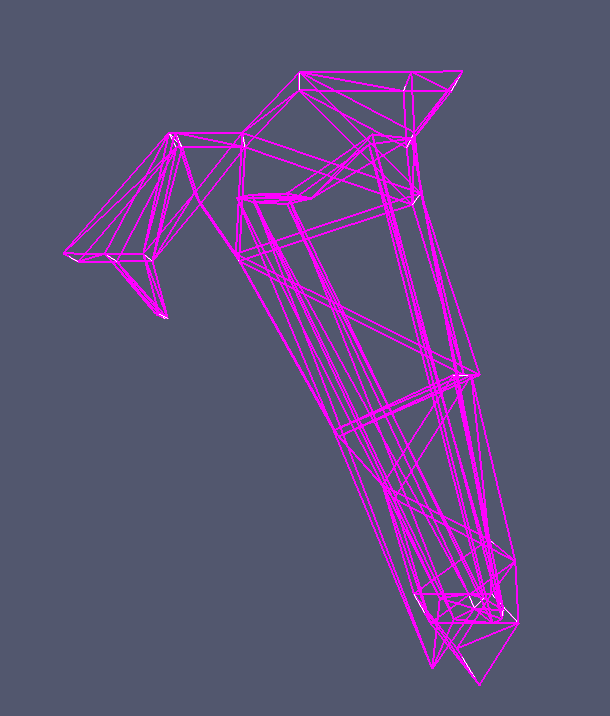
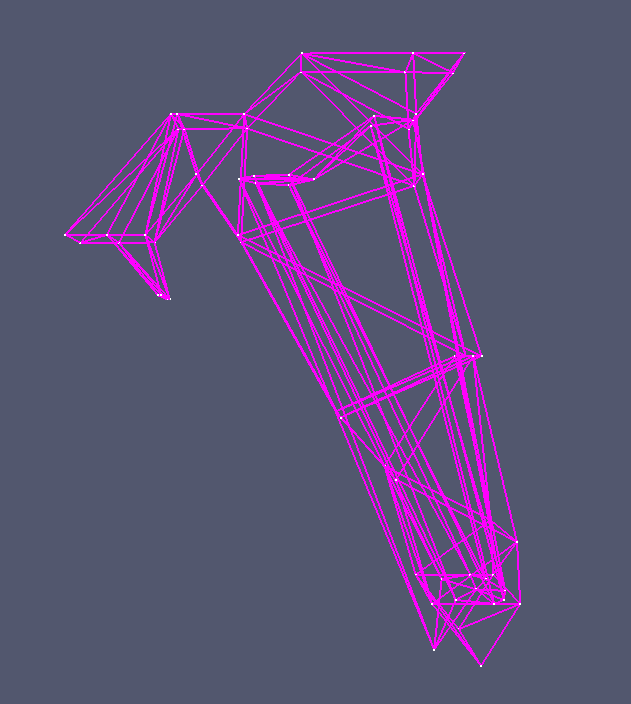
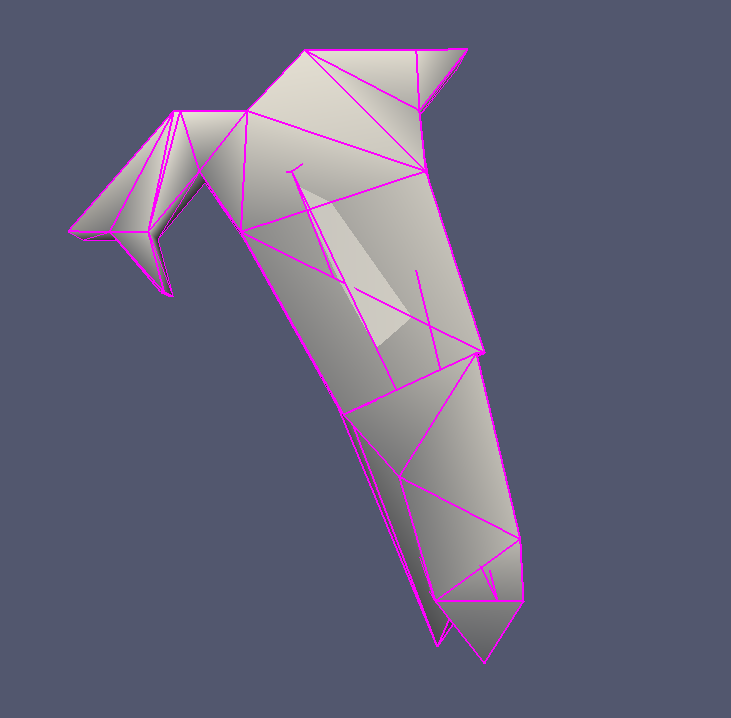
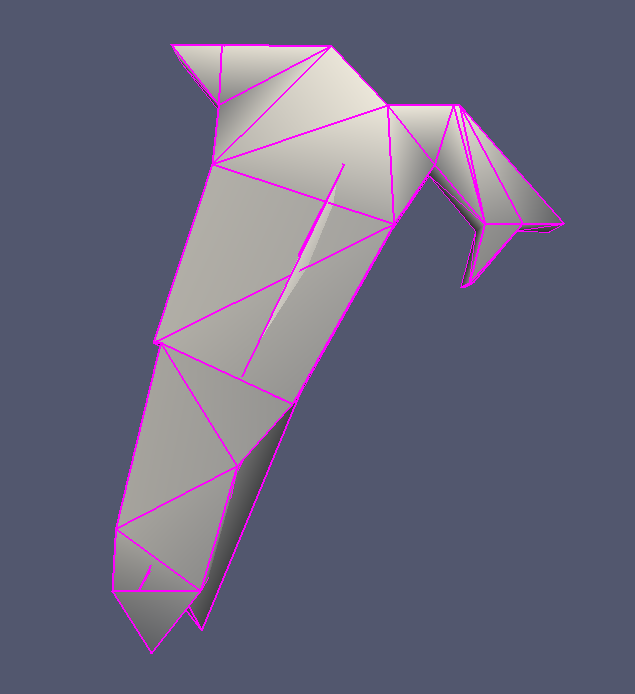
Correct model looks as this:
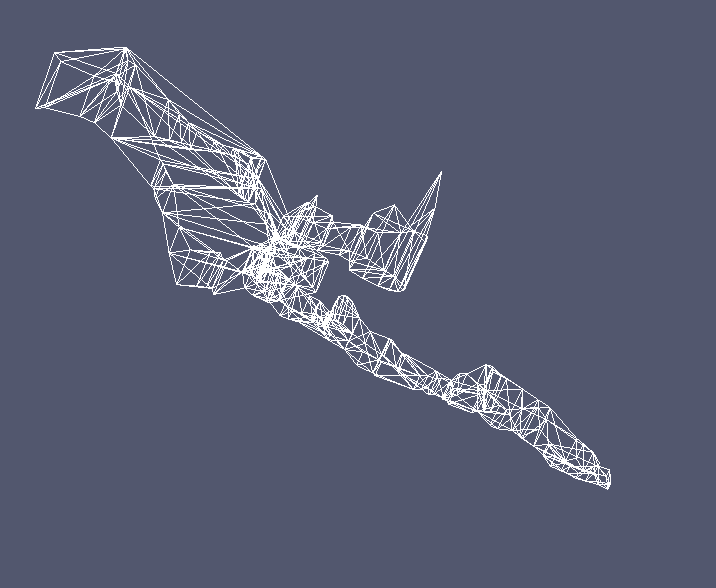
Mesh Bounding Box Size 24.910589 62.732632 24.883059 Mesh Bounding Box Diag 71.938080 Mesh Volume is 2614.356201 Mesh Surface is 2189.087402 Thin shell barycenter -19.268660 -21.685312 -10.670184 Center of Mass is -12.661084 -3.146624 -6.577620 Inertia Tensor is : | 797499.375000 -584521.375000 -130059.195312 | | -584521.375000 295041.500000 -126873.382812 | | -130059.195312 -126873.382812 892615.562500 | Principal axes are : | -0.546083 -0.819744 -0.172664 | | 0.025174 -0.222074 0.974705 | | -0.837353 0.527923 0.141907 | axis momenta are : | -121068.546875 918162.937500 1188062.000000 | MeshLab
The same cave but after new explorations: Loch: ParaView MeshLab Mesh Bounding Box Size 68.374199 153.150894 62.903999 Mesh Bounding Box Diag 179.128845 Mesh Volume is 43708.933594 Mesh Surface is 21756.070312 Thin shell barycenter -14.023410 -37.206078 -14.819854 Center of Mass is -15.087652 -42.666534 -16.276274 Inertia Tensor is : | 20330152.000000 -3620606.750000 -1168910.625000 | | -3620606.750000 6608607.000000 -4662930.000000 | | -1168910.625000 -4662930.000000 21506810.000000 | Principal axes are : | 0.231695 0.934567 0.270003 | | 0.970067 -0.242716 0.007686 | | -0.072717 -0.260140 0.962829 | axis momenta are : | 4363844.500000 21226780.000000 22854932.000000 |
Well, finally i get the (part of) conclusion, why it doesn´t work properly: 1. there is no importance of line:wall orientation in th2 as Martin suggested 2. but it is because i have used FIXED POSITIONED 3d model. It has the result in destroyed 3d in Meshlab and prevents proper computation of volume and surface. CS IJTSK and UTM33 as well i have tried with no succes (even there can be seen small difference). Since there is need to compute all my data which consist 65 km of cave passages and thousands fixed stations, I do not see any solution on the horizont, but there should be something to solve it..?. Palo Dňa 2015-10-22 11:58 Martin Sluka napísal(a):
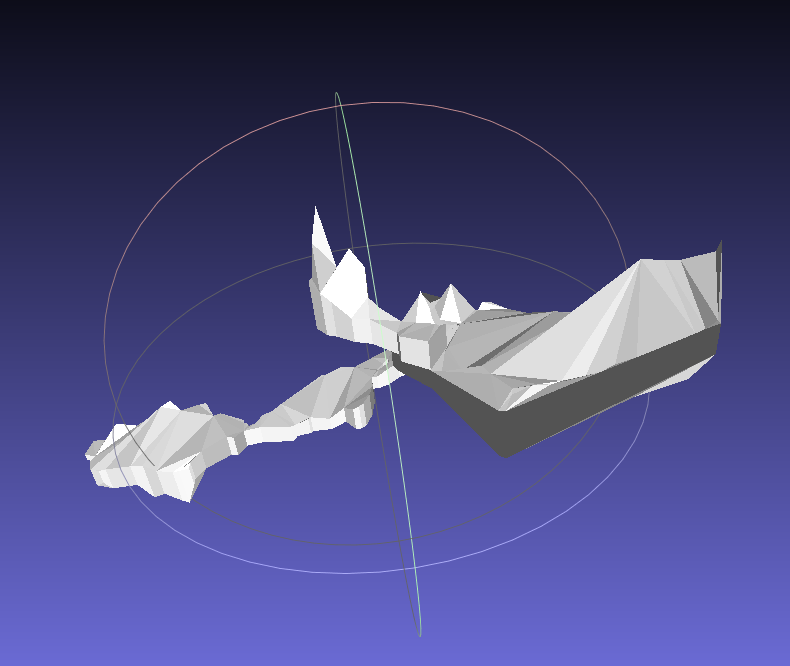
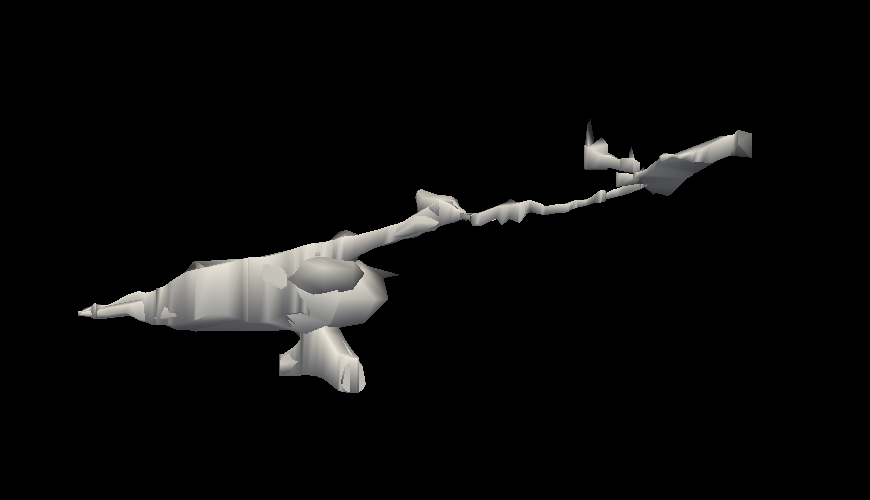
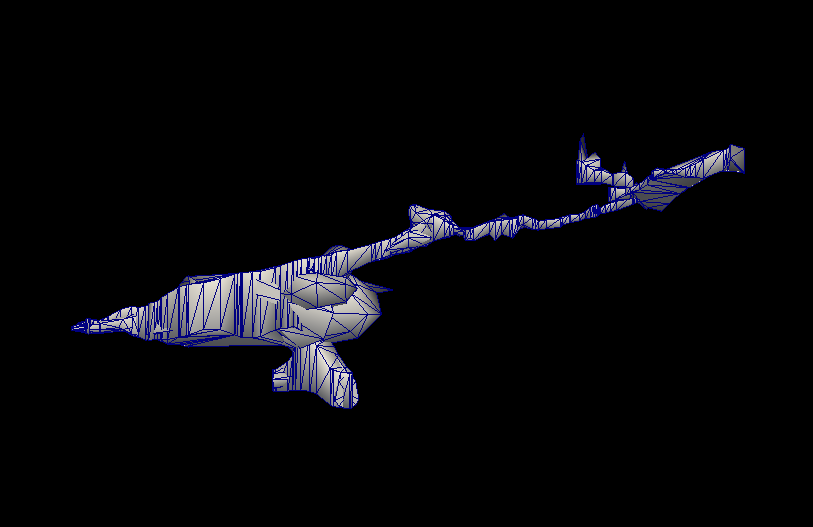
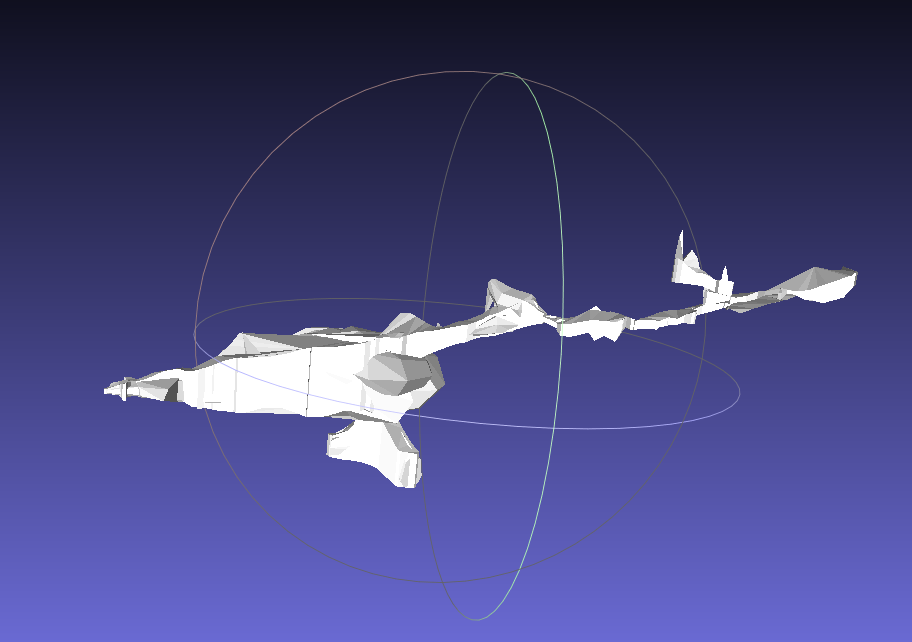
The same cave but after new explorations:
Loch:
ParaView
MeshLab
Mesh Bounding Box Size 68.374199 153.150894 62.903999 Mesh Bounding Box Diag 179.128845 Mesh Volume is 43708.933594 Mesh Surface is 21756.070312 Thin shell barycenter -14.023410 -37.206078 -14.819854 Center of Mass is -15.087652 -42.666534 -16.276274 Inertia Tensor is : | 20330152.000000 -3620606.750000 -1168910.625000 | | -3620606.750000 6608607.000000 -4662930.000000 | | -1168910.625000 -4662930.000000 21506810.000000 | Principal axes are : | 0.231695 0.934567 0.270003 | | 0.970067 -0.242716 0.007686 | | -0.072717 -0.260140 0.962829 | axis momenta are : | 4363844.500000 21226780.000000 22854932.000000 |
Pavel is right, I apologize myself. The problem is in ParaView, it is not able to work with coordinates correctly. We have to find a solution, so study, study, study! m.
22. 10. 2015 v 15:09, Pavel Herich <herich@speleodd.sk>:
Well, finally i get the (part of) conclusion, why it doesn´t work properly: 1. there is no importance of line:wall orientation in th2 as Martin suggested 2. but it is because i have used FIXED POSITIONED 3d model. It has the result in destroyed 3d in Meshlab and prevents proper computation of volume and surface. CS IJTSK and UTM33 as well i have tried with no succes (even there can be seen small difference). Since there is need to compute all my data which consist 65 km of cave passages and thousands fixed stations, I do not see any solution on the horizont, but there should be something to solve it..?. Palo
Dňa 2015-10-22 11:58 Martin Sluka napísal(a):
The same cave but after new explorations: Loch: ParaView MeshLab Mesh Bounding Box Size 68.374199 153.150894 62.903999 Mesh Bounding Box Diag 179.128845 Mesh Volume is 43708.933594 Mesh Surface is 21756.070312 Thin shell barycenter -14.023410 -37.206078 -14.819854 Center of Mass is -15.087652 -42.666534 -16.276274 Inertia Tensor is : | 20330152.000000 -3620606.750000 -1168910.625000 | | -3620606.750000 6608607.000000 -4662930.000000 | | -1168910.625000 -4662930.000000 21506810.000000 | Principal axes are : | 0.231695 0.934567 0.270003 | | 0.970067 -0.242716 0.007686 | | -0.072717 -0.260140 0.962829 | axis momenta are : | 4363844.500000 21226780.000000 22854932.000000 | <cs_jtsk.x3d><cs_utm33.x3d><j_pod_cestou_jtsk.lox><j_pod_cestou_no_cs.lox><j_pod_cestou_utm33.lox><no_cs.x3d>

Thanks for the very useful hint, Martin! I think it is currently one of the best options to export 3D models on the web. However, it would be useful to have also labels (such as station names, entrance names and altitudes) in the model. I played a little with vkt and Paraview but I didn't manage to get anything. Does anybody know if such an annotation is possible? Marco ParaView software is able to export model to WebGL format. It is better to do such export to empty folder, because there are about 15 files exported. One of them is .html file which is possible to open in a browser and rotate model in browser's windov. m.s. _______________________________________________ Therion mailing list Therion@speleo.sk http://mailman.speleo.sk/mailman/listinfo/therion
I mean I was not able to annotation, I only got the 3D model :-) Il 31/ott/2015 19:04, "Martin Sluka" <martinsluka@mac.com> ha scritto:
31. 10. 2015 v 13:24, Marco Menchise <marco.menchise@gmail.com>:
I played a little with vkt and Paraview but I didn't manage to get anything.
:) ya Therion is extremely user friendly compared to ParaView.
m.
_______________________________________________ Therion mailing list Therion@speleo.sk http://mailman.speleo.sk/mailman/listinfo/therion
participants (4)
-
 Footleg
 -
 Marco Menchise
 -
 Martin Sluka
 -
 Pavel Herich