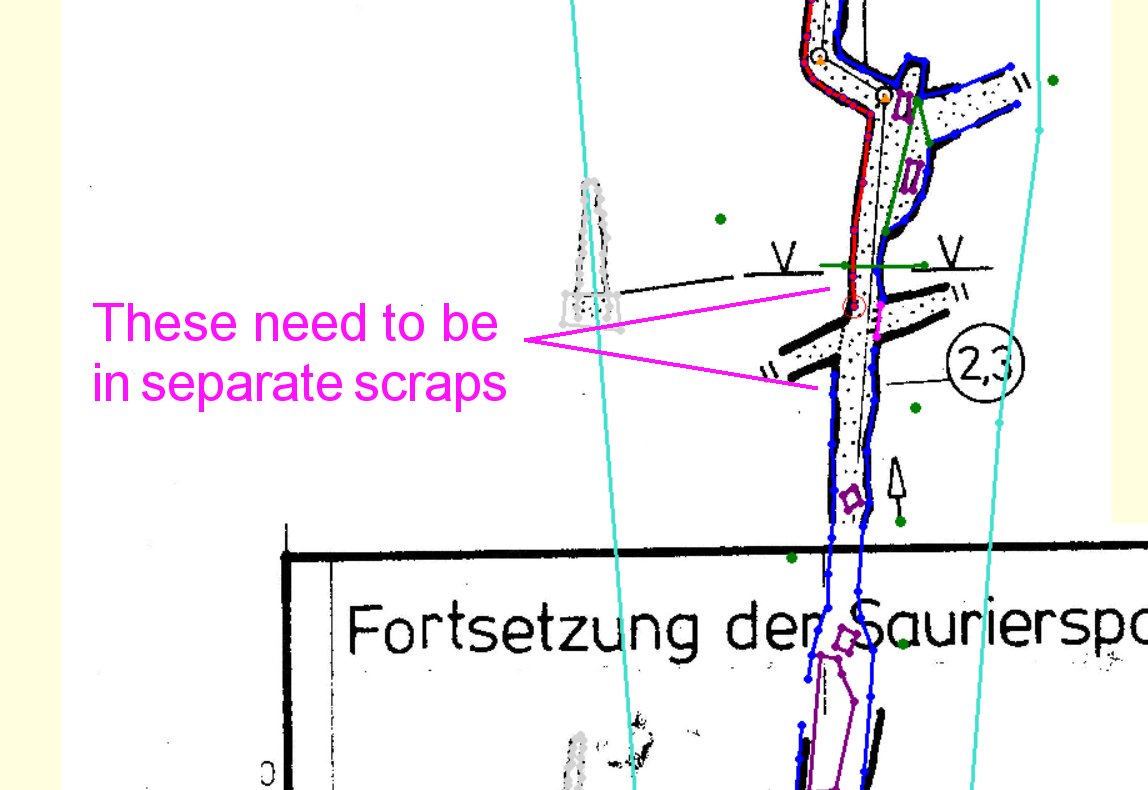
I have found that stopping the walls on both sides of the passage in a single scrap will upset kml generation.
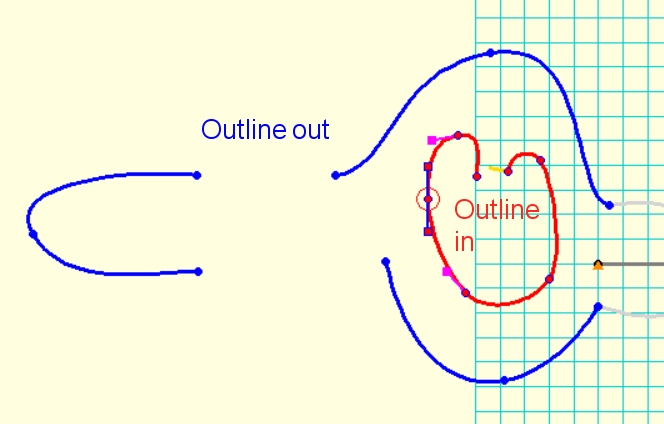
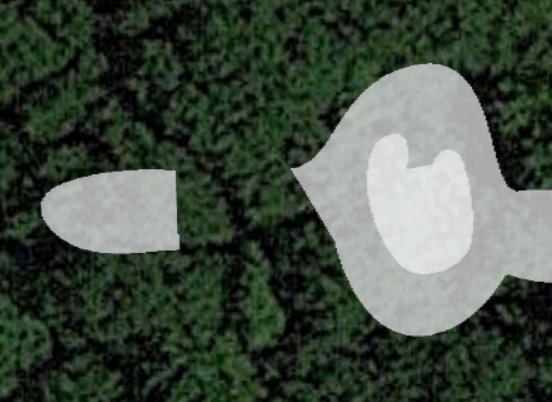
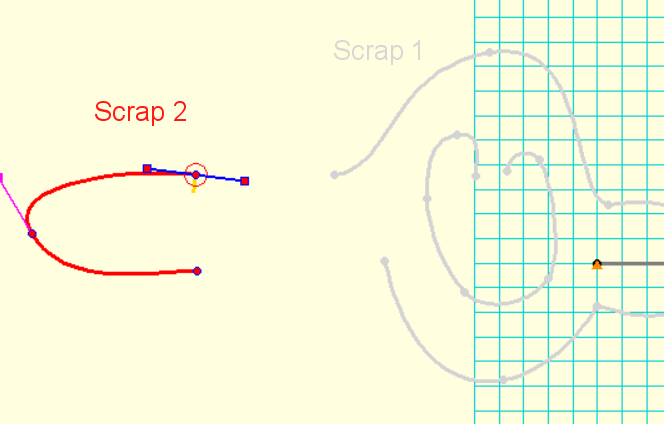
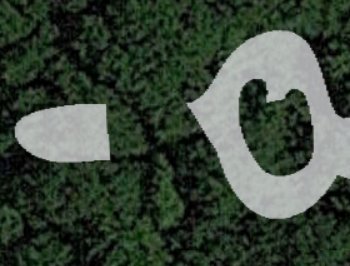
Absolutely. I have reproduced the problem on a small scale like this. When you have a scrap containing two disconnected sections of "-outline out", then it gets confused when you use "-outline in" and treats it as a new "outline out" layered on top, instead of punching out the hole. [attached outline.png] [attached whiteblob.jpg] If you put the disconnected segment of outline into its own scrap, then the white blob disappears, and you get the correct rendering. [attached twoscraps.png] [attached correctrendering.jpg] This mistake is made a lot of times in the codebase, and seems to be the main cause of the blobs. [attached exampleproblem.png] When rendering the PDFs you also get a tonne of warnings, and these are trying to help you avoid the problem. The warnings are in the compiler output, and look like this: [Warning: scrap outline intersects itself in scrap WGE17-20@E5-E23Survey.Wassergang.fulab] Most of the time, these are an attempt to turn a corner too hard (where two lines join, try turning the last drag handle towards the next line's direction), or a Bézier curve point with the drag handles in the wrong direction, or two walls that overlap very slightly instead of being joined to the same point. There are quite a few hints randomly scattered on the Therion wiki about this. It's usually a less important warning though. You also get a *really* useful debugging output when generating a .lox file, where it tells you this exact problem: C:\Program Files (x86)\Therion\therion.exe: warning -- 24B1Scrap@21NordSurvey.Alter_Teil.fulab -- multiple scrap outer outlines not supported yet *This is the cause of your problems.* Fix that, and you fix the white blobs. I am also seeing "invalid scrap outline" warnings. This usually means that you have a station without a -name attribute.