Progressive coded JPG files??

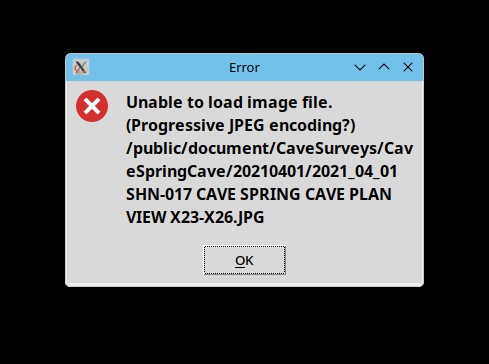
Hello everyone - This has been annoying me for a bit. Today I discovered it is actually a big problem. For the past few months - I do not remember exactly how long - When I add a background to a th2 file, I get a message about unable to load the file. Screen shot attached. For new th2 files I have got around it by using magick to convert the background images to PNG files. Easy and quick, though annoying that it has to be done at all. Many of those images come from a friend who scans the paper through a flatbed. He uses Windows, and I just assumed something about his scanner software was wonky. Today I went back to some stuff I last worked on several years ago. The th2 file failed to open the background. The message said the file was not available. I removed the background image and tried to reload it. BAM! I get the same message about unable to load and asking if the file is a progressive JPG! These background images did not come from my friend's scanner. They came from a 25 year old camera. Some are PDF files converted to JPG and others come from my flatbed scanner using xsane. These are files that worked several years ago. I have not changed them. Trying some other stuff ... It appears that xTherion will no longer load ANY jpg file. The question about progressive format is bogus. Does anyone have any idea what is going on? Yeah, I could go back and convert thousands of background images from all the maps I have worked on. It would take days to find and update all of them, and all the th2 files as well. But dang it - This should Just Work! And what happens if PNG files stop working, too?? The system is Fedora 42. Therion is 6.3.4+dev, compiled back in April. I have several jpeg libraries installed: root@main2:~# rpm -qa | grep jpeg libjpeg-turbo-3.1.0-2.fc42.x86_64 openjpeg-2.5.3-6.fc42.x86_64 turbojpeg-3.1.0-2.fc42.x86_64 openjpeg-tools-2.5.3-6.fc42.x86_64 libjpeg-turbo-utils-3.1.0-2.fc42.x86_64 libjpeg-turbo-devel-3.1.0-2.fc42.x86_64 openjpeg-devel-2.5.3-6.fc42.x86_64 jpeginfo-1.7.1-6.fc42.x86_64 jpegoptim-1.5.5-6.fc42.x86_64 mjpegtools-libs-2.2.1-8.fc42.x86_64 I ran jpeginfo -i across some of these files. According to jpeginfo, they are NOT progressive format, as shown by the 'N' right after the bit depth: 2021_04_01 SHN-017 CAVE SPRING CAVE PLAN VIEW X23-X26.JPG 1686 x 2952 24bit N JFIF,ICC Huffman,300dpi 1487615 Thanks! -- =============== Bill Gee

Hi Bill, I don't have a solution for you, but I do have a similar install in case it help. I'm also on Fedora 42, and I just tested, I can load into xtherion without issue both progressive and non-progressive JPGs. I am using therion-6.3.4-1.fc41.x86_64, which I believe comes from the jmbegley COPR repository. The rpm I have installed requires libjpeg: rpm -qR therion | grep jpeg libjpeg.so.62()(64bit) libjpeg.so.62(LIBJPEG_6.2)(64bit) This library, libjpeg.so.62 is provided by libjpeg-turbo on my machine of which I have a slightly older version than you (3.0.2 vs 3.1.0): rpm -q --whatprovides libjpeg.so.62 libjpeg-turbo-3.0.2-3.fc41.i686 Here are other jpeg related packages I have installed, in case it helps: rpm -qa | grep jpeg libjpeg-turbo-3.0.2-3.fc41.x86_64 libjpeg-turbo-utils-3.0.2-3.fc41.x86_64 mjpegtools-libs-2.2.1-7.fc41.x86_64 openjpeg-2.5.3-6.fc41.x86_64 libjpeg-turbo-3.0.2-3.fc41.i686 libnvjpeg-12-8-12.3.5.92-1.x86_64 libnvjpeg-devel-12-8-12.3.5.92-1.x86_64 mingw64-libjpeg-turbo-3.0.2-3.fc41.noarch mingw32-libjpeg-turbo-3.0.2-3.fc41.noarch libnvjpeg-12-9-12.4.0.76-1.x86_64 libnvjpeg-devel-12-9-12.4.0.76-1.x86_64 jpeginfo-1.7.1-4.fc41.x86_64 Let me know if you want me to check anything else on my machine, I'm happy to help. Best of luck, Jonny On Tue, Aug 19, 2025 at 9:35 AM Bill Gee <bgee@campercaver.net> wrote:
Hello everyone - This has been annoying me for a bit. Today I discovered it is actually a big problem.
For the past few months - I do not remember exactly how long - When I add a background to a th2 file, I get a message about unable to load the file. Screen shot attached. For new th2 files I have got around it by using magick to convert the background images to PNG files. Easy and quick, though annoying that it has to be done at all. Many of those images come from a friend who scans the paper through a flatbed. He uses Windows, and I just assumed something about his scanner software was wonky.
Today I went back to some stuff I last worked on several years ago. The th2 file failed to open the background. The message said the file was not available. I removed the background image and tried to reload it. BAM! I get the same message about unable to load and asking if the file is a progressive JPG! These background images did not come from my friend's scanner. They came from a 25 year old camera. Some are PDF files converted to JPG and others come from my flatbed scanner using xsane.
These are files that worked several years ago. I have not changed them. Trying some other stuff ... It appears that xTherion will no longer load ANY jpg file. The question about progressive format is bogus.
Does anyone have any idea what is going on?
Yeah, I could go back and convert thousands of background images from all the maps I have worked on. It would take days to find and update all of them, and all the th2 files as well. But dang it - This should Just Work! And what happens if PNG files stop working, too??
The system is Fedora 42. Therion is 6.3.4+dev, compiled back in April. I have several jpeg libraries installed:
root@main2:~# rpm -qa | grep jpeg libjpeg-turbo-3.1.0-2.fc42.x86_64 openjpeg-2.5.3-6.fc42.x86_64 turbojpeg-3.1.0-2.fc42.x86_64 openjpeg-tools-2.5.3-6.fc42.x86_64 libjpeg-turbo-utils-3.1.0-2.fc42.x86_64 libjpeg-turbo-devel-3.1.0-2.fc42.x86_64 openjpeg-devel-2.5.3-6.fc42.x86_64 jpeginfo-1.7.1-6.fc42.x86_64 jpegoptim-1.5.5-6.fc42.x86_64 mjpegtools-libs-2.2.1-8.fc42.x86_64
I ran jpeginfo -i across some of these files. According to jpeginfo, they are NOT progressive format, as shown by the 'N' right after the bit depth:
2021_04_01 SHN-017 CAVE SPRING CAVE PLAN VIEW X23-X26.JPG 1686 x 2952 24bit N JFIF,ICC Huffman,300dpi 1487615
Thanks! -- =============== Bill Gee _______________________________________________ Therion mailing list Therion@speleo.sk https://mailman.speleo.sk/listinfo/therion
Actually, I just noticed all those rpms show fc41. Sure enough I'm still on Fedora 41 on this machine. I'll check on my desktop, which I'm pretty certain has actually been upgraded to Fedora 42. Sorry for the false trail here. Jonny On Tue, Aug 19, 2025 at 10:05 AM Jonny Prouty <jonathanprouty@gmail.com> wrote:
Hi Bill,
I don't have a solution for you, but I do have a similar install in case it help. I'm also on Fedora 42, and I just tested, I can load into xtherion without issue both progressive and non-progressive JPGs. I am using therion-6.3.4-1.fc41.x86_64, which I believe comes from the jmbegley COPR repository.
The rpm I have installed requires libjpeg: rpm -qR therion | grep jpeg libjpeg.so.62()(64bit) libjpeg.so.62(LIBJPEG_6.2)(64bit)
This library, libjpeg.so.62 is provided by libjpeg-turbo on my machine of which I have a slightly older version than you (3.0.2 vs 3.1.0):
rpm -q --whatprovides libjpeg.so.62 libjpeg-turbo-3.0.2-3.fc41.i686
Here are other jpeg related packages I have installed, in case it helps: rpm -qa | grep jpeg libjpeg-turbo-3.0.2-3.fc41.x86_64 libjpeg-turbo-utils-3.0.2-3.fc41.x86_64 mjpegtools-libs-2.2.1-7.fc41.x86_64 openjpeg-2.5.3-6.fc41.x86_64 libjpeg-turbo-3.0.2-3.fc41.i686 libnvjpeg-12-8-12.3.5.92-1.x86_64 libnvjpeg-devel-12-8-12.3.5.92-1.x86_64 mingw64-libjpeg-turbo-3.0.2-3.fc41.noarch mingw32-libjpeg-turbo-3.0.2-3.fc41.noarch libnvjpeg-12-9-12.4.0.76-1.x86_64 libnvjpeg-devel-12-9-12.4.0.76-1.x86_64 jpeginfo-1.7.1-4.fc41.x86_64
Let me know if you want me to check anything else on my machine, I'm happy to help.
Best of luck, Jonny
On Tue, Aug 19, 2025 at 9:35 AM Bill Gee <bgee@campercaver.net> wrote:
Hello everyone - This has been annoying me for a bit. Today I discovered it is actually a big problem.
For the past few months - I do not remember exactly how long - When I add a background to a th2 file, I get a message about unable to load the file. Screen shot attached. For new th2 files I have got around it by using magick to convert the background images to PNG files. Easy and quick, though annoying that it has to be done at all. Many of those images come from a friend who scans the paper through a flatbed. He uses Windows, and I just assumed something about his scanner software was wonky.
Today I went back to some stuff I last worked on several years ago. The th2 file failed to open the background. The message said the file was not available. I removed the background image and tried to reload it. BAM! I get the same message about unable to load and asking if the file is a progressive JPG! These background images did not come from my friend's scanner. They came from a 25 year old camera. Some are PDF files converted to JPG and others come from my flatbed scanner using xsane.
These are files that worked several years ago. I have not changed them. Trying some other stuff ... It appears that xTherion will no longer load ANY jpg file. The question about progressive format is bogus.
Does anyone have any idea what is going on?
Yeah, I could go back and convert thousands of background images from all the maps I have worked on. It would take days to find and update all of them, and all the th2 files as well. But dang it - This should Just Work! And what happens if PNG files stop working, too??
The system is Fedora 42. Therion is 6.3.4+dev, compiled back in April. I have several jpeg libraries installed:
root@main2:~# rpm -qa | grep jpeg libjpeg-turbo-3.1.0-2.fc42.x86_64 openjpeg-2.5.3-6.fc42.x86_64 turbojpeg-3.1.0-2.fc42.x86_64 openjpeg-tools-2.5.3-6.fc42.x86_64 libjpeg-turbo-utils-3.1.0-2.fc42.x86_64 libjpeg-turbo-devel-3.1.0-2.fc42.x86_64 openjpeg-devel-2.5.3-6.fc42.x86_64 jpeginfo-1.7.1-6.fc42.x86_64 jpegoptim-1.5.5-6.fc42.x86_64 mjpegtools-libs-2.2.1-8.fc42.x86_64
I ran jpeginfo -i across some of these files. According to jpeginfo, they are NOT progressive format, as shown by the 'N' right after the bit depth:
2021_04_01 SHN-017 CAVE SPRING CAVE PLAN VIEW X23-X26.JPG 1686 x 2952 24bit N JFIF,ICC Huffman,300dpi 1487615
Thanks! -- =============== Bill Gee _______________________________________________ Therion mailing list Therion@speleo.sk https://mailman.speleo.sk/listinfo/therion

Hi Bill Perhaps not relevant to your situation, but I can confirm no problem using XTherion to: * open th2 files with background image jpg files * insert jpg background image jpg files with recent versions of Therion. Using Windows 10. None of my jpg files are progressive, as I’ve been careful to disable that feature all along. Bruce
I have been doing more testing, and Jonny Prouty has made some suggestions. The problem is not resolved, but it seems to me that it exists somewhere in the upgrade from Fedora 41 to Fedora 42. It has been a while (more than two days!), so I do not remember if I compiled the current installation before or after doing the Fedora 42 upgrade. Both happened about the same time in late April. Just in case, I am going to compile again on a test Fedora 42 machine using whatever Therion version is on github today. Among other things I did verify that the JPG files I am using are NOT progressive. There is a Linux tool called jpeginfo which will tell you that, and much more. =============== Bill Gee On 8/19/25 14:38, Bruce Mutton wrote:
Hi Bill
Perhaps not relevant to your situation, but I can confirm no problem using XTherion to:
* open th2 files with background image jpg files * insert jpg background image jpg files
with recent versions of Therion. Using Windows 10.
None of my jpg files are progressive, as I’ve been careful to disable that feature all along.
Bruce
_______________________________________________ Therion mailing list Therion@speleo.sk https://mailman.speleo.sk/listinfo/therion
Update: Recompile completed and installed with no errors. It will not load JPG files. I moved /usr/local/bin/xtherion to a temporary directory. I re-enabled Jim Begley's copr repository, then installed the Therion package from there. No change - still does not work. I tried doing an uninstall of the compiled package. Apparently there is no make rule for uninstall. =============== Bill Gee On 8/19/25 15:25, Bill Gee wrote:
I have been doing more testing, and Jonny Prouty has made some suggestions. The problem is not resolved, but it seems to me that it exists somewhere in the upgrade from Fedora 41 to Fedora 42.
It has been a while (more than two days!), so I do not remember if I compiled the current installation before or after doing the Fedora 42 upgrade. Both happened about the same time in late April. Just in case, I am going to compile again on a test Fedora 42 machine using whatever Therion version is on github today.
Among other things I did verify that the JPG files I am using are NOT progressive. There is a Linux tool called jpeginfo which will tell you that, and much more.
=============== Bill Gee
On 8/19/25 14:38, Bruce Mutton wrote:
Hi Bill
Perhaps not relevant to your situation, but I can confirm no problem using XTherion to:
* open th2 files with background image jpg files * insert jpg background image jpg files
with recent versions of Therion. Using Windows 10.
None of my jpg files are progressive, as I’ve been careful to disable that feature all along.
Bruce
_______________________________________________ Therion mailing list Therion@speleo.sk https://mailman.speleo.sk/listinfo/therion
_______________________________________________ Therion mailing list Therion@speleo.sk https://mailman.speleo.sk/listinfo/therion

Hi, ensure that this is installed: https://packages.fedoraproject.org/pkgs/tkimg/tkimg/ Martin On Tue, Aug 19, 2025, 23:05 Bill Gee <bgee@campercaver.net> wrote:
Update: Recompile completed and installed with no errors. It will not load JPG files.
I moved /usr/local/bin/xtherion to a temporary directory. I re-enabled Jim Begley's copr repository, then installed the Therion package from there. No change - still does not work.
I tried doing an uninstall of the compiled package. Apparently there is no make rule for uninstall.
=============== Bill Gee
On 8/19/25 15:25, Bill Gee wrote:
I have been doing more testing, and Jonny Prouty has made some suggestions. The problem is not resolved, but it seems to me that it exists somewhere in the upgrade from Fedora 41 to Fedora 42.
It has been a while (more than two days!), so I do not remember if I compiled the current installation before or after doing the Fedora 42 upgrade. Both happened about the same time in late April. Just in case, I am going to compile again on a test Fedora 42 machine using whatever Therion version is on github today.
Among other things I did verify that the JPG files I am using are NOT progressive. There is a Linux tool called jpeginfo which will tell you that, and much more.
=============== Bill Gee
On 8/19/25 14:38, Bruce Mutton wrote:
Hi Bill
Perhaps not relevant to your situation, but I can confirm no problem using XTherion to:
* open th2 files with background image jpg files * insert jpg background image jpg files
with recent versions of Therion. Using Windows 10.
None of my jpg files are progressive, as I’ve been careful to disable that feature all along.
Bruce
_______________________________________________ Therion mailing list Therion@speleo.sk https://mailman.speleo.sk/listinfo/therion
_______________________________________________ Therion mailing list Therion@speleo.sk https://mailman.speleo.sk/listinfo/therion
_______________________________________________ Therion mailing list Therion@speleo.sk https://mailman.speleo.sk/listinfo/therion

On 2025-08-19 08:25 -0500, Bill Gee wrote:
It appears that xTherion will no longer load ANY jpg file.
The system is Fedora 42. Therion is 6.3.4+dev, compiled back in April. I have several jpeg libraries installed:
root@main2:~# rpm -qa | grep jpeg libjpeg-turbo-3.1.0-2.fc42.x86_64 openjpeg-2.5.3-6.fc42.x86_64 turbojpeg-3.1.0-2.fc42.x86_64 openjpeg-tools-2.5.3-6.fc42.x86_64 libjpeg-turbo-utils-3.1.0-2.fc42.x86_64 libjpeg-turbo-devel-3.1.0-2.fc42.x86_64 openjpeg-devel-2.5.3-6.fc42.x86_64 jpeginfo-1.7.1-6.fc42.x86_64 jpegoptim-1.5.5-6.fc42.x86_64 mjpegtools-libs-2.2.1-8.fc42.x86_64
OK. Just checked on Debian 13 (stable released last week) and therion will load jpegs OK there. In case it helps: therion 6.3.4-2 amd64 Cave surveying - 2D and 3D drawing software libjpeg-turbo-progs 1:2.1.5-4 amd64 Programs for manipulating JPEG files libjpeg62-turbo:amd64 1:2.1.5-4 amd64 libjpeg-turbo JPEG runtime library libturbojpeg0:amd64 1:2.1.5-4 amd64 TurboJPEG runtime library - SIMD optimized So your libjpeg-turbo is 3.x whilst I have 2.x. Maybe that's significant? I think libjpeg-turbo and openjpeg are alternatives. Check which therion is using on your system. Mine is linked against libjpeg.so.62 which comes from libjpeg62-turbo Wookey -- Principal hats: Debian, Wookware http://wookware.org/
Martin asked if tkimg package is installed. It is installed. I suspect if it were not, then png files would also fail. ================== bgee@main2:~$ rpm -qa | grep -i tkimg tkimg-1.4.16-4.fc42.x86_64 ================= Wookey - Therion is apparently compiled against libjpeg-turbo. ================== root@main2:~# ps ax | grep wish 467595 ? Ss 0:00 wish /usr/bin/xtherion /public/document/CaveSurveys/CaveSpringCave/thconfig root@main2:~# lsof -p 467595 | grep -i jpe lsof: WARNING: can't stat() fuse.portal file system /run/user/1000/doc Output information may be incomplete. wish 467595 bgee mem REG 8,2 666168 9437408 /usr/lib64/libjpeg.so.62.4.0 root@main2:~# rpm -q --whatprovides /usr/lib64/libjpeg.so.62.4.0 libjpeg-turbo-3.1.0-2.fc42.x86_64 =================== The error message is coming from a TCL program. TCL is an interpreted script - not an ELF image. I think the concept of "compiled against library xxx" does not apply here. Something in that script is loading libjpeg, but I have no idea what it is or where it is called. Looking through the source code - I see the error message is generated at line 737 in me_imgs.tcl. Looking at the code around that line, I do not see anything suggestive. The message is triggered when an object named $imgid is null (line 735), which means some earlier code is not recognizing the jpg file as valid. Or perhaps not even trying to load it?? Looking at package descriptions - openjpeg is intended for JPEG 2000 formats. libjpeg-turbo is intended for general jpeg handling. =============== Bill Gee On 8/19/25 21:04, Wookey wrote:
On 2025-08-19 08:25 -0500, Bill Gee wrote:
It appears that xTherion will no longer load ANY jpg file.
The system is Fedora 42. Therion is 6.3.4+dev, compiled back in April. I have several jpeg libraries installed:
root@main2:~# rpm -qa | grep jpeg libjpeg-turbo-3.1.0-2.fc42.x86_64 openjpeg-2.5.3-6.fc42.x86_64 turbojpeg-3.1.0-2.fc42.x86_64 openjpeg-tools-2.5.3-6.fc42.x86_64 libjpeg-turbo-utils-3.1.0-2.fc42.x86_64 libjpeg-turbo-devel-3.1.0-2.fc42.x86_64 openjpeg-devel-2.5.3-6.fc42.x86_64 jpeginfo-1.7.1-6.fc42.x86_64 jpegoptim-1.5.5-6.fc42.x86_64 mjpegtools-libs-2.2.1-8.fc42.x86_64
OK. Just checked on Debian 13 (stable released last week) and therion will load jpegs OK there.
In case it helps: therion 6.3.4-2 amd64 Cave surveying - 2D and 3D drawing software libjpeg-turbo-progs 1:2.1.5-4 amd64 Programs for manipulating JPEG files libjpeg62-turbo:amd64 1:2.1.5-4 amd64 libjpeg-turbo JPEG runtime library libturbojpeg0:amd64 1:2.1.5-4 amd64 TurboJPEG runtime library - SIMD optimized
So your libjpeg-turbo is 3.x whilst I have 2.x. Maybe that's significant? I think libjpeg-turbo and openjpeg are alternatives. Check which therion is using on your system. Mine is linked against libjpeg.so.62 which comes from libjpeg62-turbo
Wookey
_______________________________________________ Therion mailing list Therion@speleo.sk https://mailman.speleo.sk/listinfo/therion
Having no new questions, suggestions or information for a few days, I did a bit more digging. I still do not have an answer, but I do have some ideas where the experts can look. I did find a work-around. Details below ... In the xTherion program, background images are loaded in lines 17846-17850: if {$ximage} { set imgid [image create photo -data $xdata] } else { set imgid [image create photo -file $ffname] } I found a reference to "image create photo" at the main TCL web site: https://www.tcl-lang.org/man/tcl8.0/TkCmd/photo.html According to this, specifying "-file $ffname" will load the image using whatever format handler is registered for that type. Tk includes by default handlers for GIF and PPM/PGM formats. That is why PNG images still work. I could not find where Tk stores registered handlers for additional image formats. There is a TCL function called Tk_CreatePhotoImageFormat which registers image format handlers. I see no call to that function in xTherion. I also see nothing in the Tk documentation as to whether the result of the function call is saved in a configuration file somewhere. I could not find any sample code for Tk_CreatePhotoImageFormat which initializes a JPEG handler. Workaround! xTherion includes a shebang line at the top which names its executable as "/usr/bin/env wish". I have two versions of wish on my system - 8.6 and 9.0. /usr/bin/wish is really a link to wish9.0. I modified xTherion to call for wish8.6 instead. That failed with an error about bwidget not found. To fix that, I created a symbolic link: ln -s /usr/share/tcl9.0/bwidget1.10.1/ /usr/share/tcl8.6/ That works. xTherion no longer complains about bwidget missing. More important - It now loads JPG files without error! So what is the deal? What does wish really do? Did the set of default image handlers change between wish 8.6 and 9.0? Someone - PLEASE!!! - do some serious debugging on this. It is beyond my skill and knowledge. The problem may not have hit other distributions, but it almost certainly will. =============== Bill Gee On 8/20/25 07:20, Bill Gee wrote:
Martin asked if tkimg package is installed. It is installed. I suspect if it were not, then png files would also fail.
================== bgee@main2:~$ rpm -qa | grep -i tkimg tkimg-1.4.16-4.fc42.x86_64 =================
Wookey - Therion is apparently compiled against libjpeg-turbo.
================== root@main2:~# ps ax | grep wish 467595 ? Ss 0:00 wish /usr/bin/xtherion /public/document/ CaveSurveys/CaveSpringCave/thconfig
root@main2:~# lsof -p 467595 | grep -i jpe lsof: WARNING: can't stat() fuse.portal file system /run/user/1000/doc Output information may be incomplete. wish 467595 bgee mem REG 8,2 666168 9437408 /usr/lib64/libjpeg.so.62.4.0
root@main2:~# rpm -q --whatprovides /usr/lib64/libjpeg.so.62.4.0 libjpeg-turbo-3.1.0-2.fc42.x86_64 ===================
The error message is coming from a TCL program. TCL is an interpreted script - not an ELF image. I think the concept of "compiled against library xxx" does not apply here. Something in that script is loading libjpeg, but I have no idea what it is or where it is called.
Looking through the source code - I see the error message is generated at line 737 in me_imgs.tcl. Looking at the code around that line, I do not see anything suggestive. The message is triggered when an object named $imgid is null (line 735), which means some earlier code is not recognizing the jpg file as valid. Or perhaps not even trying to load it??
Looking at package descriptions - openjpeg is intended for JPEG 2000 formats. libjpeg-turbo is intended for general jpeg handling.
=============== Bill Gee
On 8/19/25 21:04, Wookey wrote:
On 2025-08-19 08:25 -0500, Bill Gee wrote:
It appears that xTherion will no longer load ANY jpg file.
The system is Fedora 42. Therion is 6.3.4+dev, compiled back in April. I have several jpeg libraries installed:
root@main2:~# rpm -qa | grep jpeg libjpeg-turbo-3.1.0-2.fc42.x86_64 openjpeg-2.5.3-6.fc42.x86_64 turbojpeg-3.1.0-2.fc42.x86_64 openjpeg-tools-2.5.3-6.fc42.x86_64 libjpeg-turbo-utils-3.1.0-2.fc42.x86_64 libjpeg-turbo-devel-3.1.0-2.fc42.x86_64 openjpeg-devel-2.5.3-6.fc42.x86_64 jpeginfo-1.7.1-6.fc42.x86_64 jpegoptim-1.5.5-6.fc42.x86_64 mjpegtools-libs-2.2.1-8.fc42.x86_64
OK. Just checked on Debian 13 (stable released last week) and therion will load jpegs OK there.
In case it helps: therion 6.3.4-2 amd64 Cave surveying - 2D and 3D drawing software libjpeg-turbo-progs 1:2.1.5-4 amd64 Programs for manipulating JPEG files libjpeg62-turbo:amd64 1:2.1.5-4 amd64 libjpeg-turbo JPEG runtime library libturbojpeg0:amd64 1:2.1.5-4 amd64 TurboJPEG runtime library - SIMD optimized
So your libjpeg-turbo is 3.x whilst I have 2.x. Maybe that's significant? I think libjpeg-turbo and openjpeg are alternatives. Check which therion is using on your system. Mine is linked against libjpeg.so.62 which comes from libjpeg62-turbo
Wookey
_______________________________________________ Therion mailing list Therion@speleo.sk https://mailman.speleo.sk/listinfo/therion
_______________________________________________ Therion mailing list Therion@speleo.sk https://mailman.speleo.sk/listinfo/therion

On Mon, Aug 25, 2025 at 10:10:32AM -0500, Bill Gee wrote:
According to this, specifying "-file $ffname" will load the image using whatever format handler is registered for that type. Tk includes by default handlers for GIF and PPM/PGM formats. That is why PNG images still work.
Note PNG is a completely different format to PPM/PGM (and also to GIF). AIUI it you need tkimg to get support for both PNG and JPG.
So what is the deal? What does wish really do? Did the set of default image handlers change between wish 8.6 and 9.0?
"wish" is a windowing Tcl shell. My guess is you have tkimg installed for Tcl 8.6 but not for 9.0 (like how you had bwidget installed for 9.0 but not 8.6 until you hacked around that by adding a symlink), Cheers, Olly
Hi Olly - Thanks for the information. I think it raises some new questions. If tkimg is required for both PNG and JPG, then why do PNG files work and JPG do not? If I have tkimg, then both should work, and if I do not have it then neither should work. Is that correct? How can I tell which versions of tcl have tkimg installed? If tkimg is not present, will xTherion then show an error like it does when bwidget is missing? Looking at the code for xTherion, I see line 27254 which has "package require Img". Is that the line where tkimg is loaded? I have never taken steps to install either bwidget or tkimg specifically for Tk/TCL. I have only used the RPM packages from the Fedora repository. Here are the packages I have installed: bgee@main2:~$ rpm -qa | grep tkimg tkimg-1.4.16-4.fc42.x86_64 bgee@main2:~$ rpm -qa | grep bwidget kf5-kjobwidgets-5.116.0-3.fc42.x86_64 bwidget-1.10.1-1.fc42.noarch kf6-kjobwidgets-6.17.0-1.fc42.x86_64 bgee@main2:~$ rpm -qa | grep tcl tcl8-8.6.15-10.fc42.x86_64 tcl-9.0.0-7.fc42.x86_64 =============== Bill Gee On 8/25/25 16:49, Olly Betts wrote:
On Mon, Aug 25, 2025 at 10:10:32AM -0500, Bill Gee wrote:
According to this, specifying "-file $ffname" will load the image using whatever format handler is registered for that type. Tk includes by default handlers for GIF and PPM/PGM formats. That is why PNG images still work.
Note PNG is a completely different format to PPM/PGM (and also to GIF).
AIUI it you need tkimg to get support for both PNG and JPG.
So what is the deal? What does wish really do? Did the set of default image handlers change between wish 8.6 and 9.0?
"wish" is a windowing Tcl shell.
My guess is you have tkimg installed for Tcl 8.6 but not for 9.0 (like how you had bwidget installed for 9.0 but not 8.6 until you hacked around that by adding a symlink),
Cheers, Olly
Update - It seems I do NOT have Img installed on tcl9.0. To check this, use the tcl interactive shell. bgee@main2:~$ tclsh8.6 % package require Img 1.4.16 % exit bgee@main2:~$ tclsh9.0 % package require Img can't find package Img % exit I searched around but found nothing on how to install Img for tcl 9.0. =============== Bill Gee On 8/25/25 17:54, Bill Gee wrote:
Hi Olly -
Thanks for the information. I think it raises some new questions.
If tkimg is required for both PNG and JPG, then why do PNG files work and JPG do not? If I have tkimg, then both should work, and if I do not have it then neither should work. Is that correct?
How can I tell which versions of tcl have tkimg installed? If tkimg is not present, will xTherion then show an error like it does when bwidget is missing?
Looking at the code for xTherion, I see line 27254 which has "package require Img". Is that the line where tkimg is loaded?
I have never taken steps to install either bwidget or tkimg specifically for Tk/TCL. I have only used the RPM packages from the Fedora repository. Here are the packages I have installed:
bgee@main2:~$ rpm -qa | grep tkimg tkimg-1.4.16-4.fc42.x86_64
bgee@main2:~$ rpm -qa | grep bwidget kf5-kjobwidgets-5.116.0-3.fc42.x86_64 bwidget-1.10.1-1.fc42.noarch kf6-kjobwidgets-6.17.0-1.fc42.x86_64
bgee@main2:~$ rpm -qa | grep tcl tcl8-8.6.15-10.fc42.x86_64 tcl-9.0.0-7.fc42.x86_64
=============== Bill Gee
On 8/25/25 16:49, Olly Betts wrote:
On Mon, Aug 25, 2025 at 10:10:32AM -0500, Bill Gee wrote:
According to this, specifying "-file $ffname" will load the image using whatever format handler is registered for that type. Tk includes by default handlers for GIF and PPM/PGM formats. That is why PNG images still work.
Note PNG is a completely different format to PPM/PGM (and also to GIF).
AIUI it you need tkimg to get support for both PNG and JPG.
So what is the deal? What does wish really do? Did the set of default image handlers change between wish 8.6 and 9.0?
"wish" is a windowing Tcl shell.
My guess is you have tkimg installed for Tcl 8.6 but not for 9.0 (like how you had bwidget installed for 9.0 but not 8.6 until you hacked around that by adding a symlink),
Cheers, Olly
_______________________________________________ Therion mailing list Therion@speleo.sk https://mailman.speleo.sk/listinfo/therion

Hi Bill, Can you please try to run XTherion on a new installation of Fedora 42, for example in a virtual machine? I see that Fedora 41 has tcl 8.6, and Fedora 42 has tcl 9, so maybe this is a leftover from a system upgrade. Also please note that after OS upgrade you need to do a clean rebuild of Therion, because libraries in different OS versions are usually not binary compatible. Matěj út 26. 8. 2025 v 1:40 odesílatel Bill Gee <bgee@campercaver.net> napsal:
Update - It seems I do NOT have Img installed on tcl9.0.
To check this, use the tcl interactive shell.
bgee@main2:~$ tclsh8.6 % package require Img 1.4.16 % exit
bgee@main2:~$ tclsh9.0 % package require Img can't find package Img % exit
I searched around but found nothing on how to install Img for tcl 9.0.
=============== Bill Gee
On 8/25/25 17:54, Bill Gee wrote:
Hi Olly -
Thanks for the information. I think it raises some new questions.
If tkimg is required for both PNG and JPG, then why do PNG files work and JPG do not? If I have tkimg, then both should work, and if I do not have it then neither should work. Is that correct?
How can I tell which versions of tcl have tkimg installed? If tkimg is not present, will xTherion then show an error like it does when bwidget is missing?
Looking at the code for xTherion, I see line 27254 which has "package require Img". Is that the line where tkimg is loaded?
I have never taken steps to install either bwidget or tkimg specifically for Tk/TCL. I have only used the RPM packages from the Fedora repository. Here are the packages I have installed:
bgee@main2:~$ rpm -qa | grep tkimg tkimg-1.4.16-4.fc42.x86_64
bgee@main2:~$ rpm -qa | grep bwidget kf5-kjobwidgets-5.116.0-3.fc42.x86_64 bwidget-1.10.1-1.fc42.noarch kf6-kjobwidgets-6.17.0-1.fc42.x86_64
bgee@main2:~$ rpm -qa | grep tcl tcl8-8.6.15-10.fc42.x86_64 tcl-9.0.0-7.fc42.x86_64
=============== Bill Gee
On 8/25/25 16:49, Olly Betts wrote:
On Mon, Aug 25, 2025 at 10:10:32AM -0500, Bill Gee wrote:
According to this, specifying "-file $ffname" will load the image using whatever format handler is registered for that type. Tk includes by default handlers for GIF and PPM/PGM formats. That is why PNG images still work.
Note PNG is a completely different format to PPM/PGM (and also to GIF).
AIUI it you need tkimg to get support for both PNG and JPG.
So what is the deal? What does wish really do? Did the set of default image handlers change between wish 8.6 and 9.0?
"wish" is a windowing Tcl shell.
My guess is you have tkimg installed for Tcl 8.6 but not for 9.0 (like how you had bwidget installed for 9.0 but not 8.6 until you hacked around that by adding a symlink),
Cheers, Olly
_______________________________________________ Therion mailing list Therion@speleo.sk https://mailman.speleo.sk/listinfo/therion
_______________________________________________ Therion mailing list Therion@speleo.sk https://mailman.speleo.sk/listinfo/therion

https://bugzilla.redhat.com/show_bug.cgi?id=2337800 According to https://wiki.tcl-lang.org/page/Img, version 1.4.16 is not compatible with tcl9, and version 2.1.0 (or later) is required. Cheers, James On Tue, 26 Aug 2025 at 06:57, Matěj Plch <plch.matej@gmail.com> wrote:
Hi Bill,
Can you please try to run XTherion on a new installation of Fedora 42, for example in a virtual machine? I see that Fedora 41 has tcl 8.6, and Fedora 42 has tcl 9, so maybe this is a leftover from a system upgrade. Also please note that after OS upgrade you need to do a clean rebuild of Therion, because libraries in different OS versions are usually not binary compatible.
Matěj
út 26. 8. 2025 v 1:40 odesílatel Bill Gee <bgee@campercaver.net> napsal:
Update - It seems I do NOT have Img installed on tcl9.0.
To check this, use the tcl interactive shell.
bgee@main2:~$ tclsh8.6 % package require Img 1.4.16 % exit
bgee@main2:~$ tclsh9.0 % package require Img can't find package Img % exit
I searched around but found nothing on how to install Img for tcl 9.0.
=============== Bill Gee
On 8/25/25 17:54, Bill Gee wrote:
Hi Olly -
Thanks for the information. I think it raises some new questions.
If tkimg is required for both PNG and JPG, then why do PNG files work and JPG do not? If I have tkimg, then both should work, and if I do
not
have it then neither should work. Is that correct?
How can I tell which versions of tcl have tkimg installed? If tkimg is not present, will xTherion then show an error like it does when bwidget is missing?
Looking at the code for xTherion, I see line 27254 which has "package require Img". Is that the line where tkimg is loaded?
I have never taken steps to install either bwidget or tkimg specifically for Tk/TCL. I have only used the RPM packages from the Fedora repository. Here are the packages I have installed:
bgee@main2:~$ rpm -qa | grep tkimg tkimg-1.4.16-4.fc42.x86_64
bgee@main2:~$ rpm -qa | grep bwidget kf5-kjobwidgets-5.116.0-3.fc42.x86_64 bwidget-1.10.1-1.fc42.noarch kf6-kjobwidgets-6.17.0-1.fc42.x86_64
bgee@main2:~$ rpm -qa | grep tcl tcl8-8.6.15-10.fc42.x86_64 tcl-9.0.0-7.fc42.x86_64
=============== Bill Gee
On 8/25/25 16:49, Olly Betts wrote:
On Mon, Aug 25, 2025 at 10:10:32AM -0500, Bill Gee wrote:
According to this, specifying "-file $ffname" will load the image using whatever format handler is registered for that type. Tk includes by default handlers for GIF and PPM/PGM formats. That is why PNG images still work.
Note PNG is a completely different format to PPM/PGM (and also to GIF).
AIUI it you need tkimg to get support for both PNG and JPG.
So what is the deal? What does wish really do? Did the set of default image handlers change between wish 8.6 and 9.0?
"wish" is a windowing Tcl shell.
My guess is you have tkimg installed for Tcl 8.6 but not for 9.0 (like how you had bwidget installed for 9.0 but not 8.6 until you hacked around that by adding a symlink),
Cheers, Olly
_______________________________________________ Therion mailing list Therion@speleo.sk https://mailman.speleo.sk/listinfo/therion
_______________________________________________ Therion mailing list Therion@speleo.sk https://mailman.speleo.sk/listinfo/therion
Therion mailing list Therion@speleo.sk https://mailman.speleo.sk/listinfo/therion
Thanks Jim. That answers a lot of questions. Apparently Fedora 42 is too close to the cutting edge. I downloaded the tarball for Img version 2.1 and took a stab at compiling it. Fail - I do not have a file named tclConfig.SH on my system. bgee@main2:~/Installs/Img-2.1.0$ ./configure checking TEA configuration... ok (TEA 3.13) configure: configuring Img 2.1.0 checking system version... Linux-6.15.9-201.fc42.x86_64 checking for Tcl configuration... configure: error: Can't find Tcl configuration definitions. Use --with-tcl to specify a directory containing tclConfig.sh bgee@main2:~/Installs/Img-2.1.0$ locate tclConfig.sh bgee@main2:~/Installs/Img-2.1.0$ In the meantime - The workaround I found is working. Eventually someone will probably do a new tkImg package for Fedora 42. =============== Bill Gee On 8/26/25 02:48, James Begley wrote:
https://bugzilla.redhat.com/show_bug.cgi?id=2337800 <https:// bugzilla.redhat.com/show_bug.cgi?id=2337800>
According to https://wiki.tcl-lang.org/page/Img <https://wiki.tcl- lang.org/page/Img>, version 1.4.16 is not compatible with tcl9, and version 2.1.0 (or later) is required.
Cheers, James
On Tue, 26 Aug 2025 at 06:57, Matěj Plch <plch.matej@gmail.com <mailto:plch.matej@gmail.com>> wrote:
Hi Bill,
Can you please try to run XTherion on a new installation of Fedora 42, for example in a virtual machine? I see that Fedora 41 has tcl 8.6, and Fedora 42 has tcl 9, so maybe this is a leftover from a system upgrade. Also please note that after OS upgrade you need to do a clean rebuild of Therion, because libraries in different OS versions are usually not binary compatible.
Matěj
út 26. 8. 2025 v 1:40 odesílatel Bill Gee <bgee@campercaver.net <mailto:bgee@campercaver.net>> napsal: > > Update - It seems I do NOT have Img installed on tcl9.0. > > To check this, use the tcl interactive shell. > > bgee@main2:~$ tclsh8.6 > % package require Img > 1.4.16 > % exit > > bgee@main2:~$ tclsh9.0 > % package require Img > can't find package Img > % exit > > I searched around but found nothing on how to install Img for tcl 9.0. > > > =============== > Bill Gee > > On 8/25/25 17:54, Bill Gee wrote: > > Hi Olly - > > > > Thanks for the information. I think it raises some new questions. > > > > If tkimg is required for both PNG and JPG, then why do PNG files work > > and JPG do not? If I have tkimg, then both should work, and if I do not > > have it then neither should work. Is that correct? > > > > How can I tell which versions of tcl have tkimg installed? If tkimg is > > not present, will xTherion then show an error like it does when bwidget > > is missing? > > > > Looking at the code for xTherion, I see line 27254 which has "package > > require Img". Is that the line where tkimg is loaded? > > > > I have never taken steps to install either bwidget or tkimg specifically > > for Tk/TCL. I have only used the RPM packages from the Fedora > > repository. Here are the packages I have installed: > > > > bgee@main2:~$ rpm -qa | grep tkimg > > tkimg-1.4.16-4.fc42.x86_64 > > > > bgee@main2:~$ rpm -qa | grep bwidget > > kf5-kjobwidgets-5.116.0-3.fc42.x86_64 > > bwidget-1.10.1-1.fc42.noarch > > kf6-kjobwidgets-6.17.0-1.fc42.x86_64 > > > > bgee@main2:~$ rpm -qa | grep tcl > > tcl8-8.6.15-10.fc42.x86_64 > > tcl-9.0.0-7.fc42.x86_64 > > > > > > =============== > > Bill Gee > > > > On 8/25/25 16:49, Olly Betts wrote: > >> On Mon, Aug 25, 2025 at 10:10:32AM -0500, Bill Gee wrote: > >>> According to this, specifying "-file $ffname" will load the image using > >>> whatever format handler is registered for that type. Tk includes by > >>> default > >>> handlers for GIF and PPM/PGM formats. That is why PNG images still > >>> work. > >> > >> Note PNG is a completely different format to PPM/PGM (and also to GIF). > >> > >> AIUI it you need tkimg to get support for both PNG and JPG. > >> > >>> So what is the deal? What does wish really do? Did the set of default > >>> image handlers change between wish 8.6 and 9.0? > >> > >> "wish" is a windowing Tcl shell. > >> > >> My guess is you have tkimg installed for Tcl 8.6 but not for 9.0 (like > >> how you had bwidget installed for 9.0 but not 8.6 until you hacked > >> around that by adding a symlink), > >> > >> Cheers, > >> Olly > > > > _______________________________________________ > > Therion mailing list > > Therion@speleo.sk <mailto:Therion@speleo.sk> > > https://mailman.speleo.sk/listinfo/therion <https:// mailman.speleo.sk/listinfo/therion> > > _______________________________________________ > Therion mailing list > Therion@speleo.sk <mailto:Therion@speleo.sk> > https://mailman.speleo.sk/listinfo/therion <https:// mailman.speleo.sk/listinfo/therion> _______________________________________________ Therion mailing list Therion@speleo.sk <mailto:Therion@speleo.sk> https://mailman.speleo.sk/listinfo/therion <https:// mailman.speleo.sk/listinfo/therion>
_______________________________________________ Therion mailing list Therion@speleo.sk https://mailman.speleo.sk/listinfo/therion
participants (8)
-
 Bill Gee
 -
 Bruce Mutton
 -
 James Begley
 -
 Jonny Prouty
 -
 Martin Budaj
 -
 Matěj Plch
 -
 Olly Betts
 -
 Wookey