
I find having multiple thconfig files open so I can compile different parts of my large cave system project very useful. So I was investgating how to run Therion from Notepad++ (my preferred text editor). This is how I got it working: I wrote a 2 line batch file containing these commands: cd %1 "C:\Program Files (x86)\Therion\therion.exe" %2 Saved to somewhere on disk, and then call it from Notepad++ using the Run command, as follows: On the Run menu in Notepad++, Select the 'Run' item, and enter the command as follows: "C:\Personal\Caving\Therion\compileTherion.bat" "$(CURRENT_DIRECTORY)" "$(FILE_NAME)" (But using the path to where you saved your batch file). Save the command (I called it 'Compile Therion' and gave it the shortcut CTRL+T). Now with any thconfig file open in a tab in Notepad++, I can compile that project by pressing CTRL+T, or by selecting 'Compile Therion' from the Run menu. You can create multiple thconfig files in the same folder on Windows, by giving them any filename you want with the extension .thc or give them no extension at all. That way all the files will be listed in the 'Open File' dialog from the compile tab in xTherion. Next I'll see if I can get my batch file to open the output PDF automatically in Foxit Reader :) But that will be less general because I need to pick a PDF filename which can vary between my thconfig files. Footleg

I find having multiple thconfig files open so I can compile different parts of my large cave system project very useful.
Nice My usual mode of working is to have many instances of Therion open (a thconfig or two, and a few .th2, but rarely a .th), each with only a single file open. All run from the pallet of Therion data files open in Notepad++ (usually about 10 or many more). Your idea is a useful addition to this page http://therion.speleo.sk/wiki/doku.php/contrib:externaleditors#notepad - feel free to edit the page.
Next I'll see if I can get my batch file to open the output PDF automatically in Foxit Reader.
You can probably make use of the file name in your export statement to open the output file. "Highlight a file and (relative) path and it opens that file in NP++. Alt + F5, Alt + F6". Bruce
Searching for one of my own configuration tips in the wiki, I found it was not there. So I searched my email to find this thread which never made it onto the wiki. I have now updated the wiki with this information (and updated the link to where Notepad++ now lives for downloading it too). http://therion.speleo.sk/wiki/doku.php/contrib:externaleditors#notepad Footleg On 15 January 2013 at 19:41, Bruce <bruce@tomo.co.nz> wrote:
I find having multiple thconfig files open so I can compile different parts of my large cave system project very useful.
Nice My usual mode of working is to have many instances of Therion open (a thconfig or two, and a few .th2, but rarely a .th), each with only a single file open. All run from the pallet of Therion data files open in Notepad++ (usually about 10 or many more).
Your idea is a useful addition to this page http://therion.speleo.sk/wiki/doku.php/contrib:externaleditors#notepad - feel free to edit the page.
Next I'll see if I can get my batch file to open the output PDF automatically in Foxit Reader.
You can probably make use of the file name in your export statement to open the output file. "Highlight a file and (relative) path and it opens that file in NP++. Alt + F5, Alt + F6".
Bruce
_______________________________________________ Therion mailing list Therion@speleo.sk http://mailman.speleo.sk/mailman/listinfo/therion
Thanks Footleg (Without actually trying it) just making sure I understand a distinction between 'your Ctrl+T' approach and 'my Ctrl+shift+X' approach, using NotePad++ as described on the wiki page below... -Ctrl+T runs Therion compiler on the currently active file, directly without invoking XTherion. (?) -Ctrl+shift+X opens a new instance of Xtherion with the currently active file. If so it might be a good idea to edit the page to explain that these are two methods of cracking similar or complimentary nuts. Bruce -----Original Message----- From: therion-bounces@speleo.sk [mailto:therion-bounces@speleo.sk] On Behalf Of Footleg Sent: Thursday, 8 January 2015 3:35 a.m. To: List for Therion users Subject: Re: [Therion] Compiling Therion projects from Notepad++ ... I have now updated the wiki with this information (and updated the link to where Notepad++ now lives for downloading it too). http://therion.speleo.sk/wiki/doku.php/contrib:externaleditors#notepad Footleg
Yes, that is right. With my set up in Notepad++ I can generate the Therion output (PDFs, LOX files, KML, etc.) specified in a Therion config/project file just by pressing Ctrl+T when that file is the active tab in Notepad++. So if I have several config files to output maps of different scales or areas which share the scrap I am working on, then I edit the scrap in xTherion scrap editor, and have the various config files open in tabs in Notepad++. I then just select each tab in turn and press Ctrl+T to generate the outputs for that file. This allows me to easily render PDFs at different scales for example to check label placements I am editing in a scrap render OK at each scale I want to use that scrap at, and don't overlap with offset maps etc. Footleg On 7 January 2015 at 18:37, Bruce <bruce@tomo.co.nz> wrote:
Thanks Footleg
(Without actually trying it) just making sure I understand a distinction between 'your Ctrl+T' approach and 'my Ctrl+shift+X' approach, using NotePad++ as described on the wiki page below...
-Ctrl+T runs Therion compiler on the currently active file, directly without invoking XTherion. (?) -Ctrl+shift+X opens a new instance of Xtherion with the currently active file.
If so it might be a good idea to edit the page to explain that these are two methods of cracking similar or complimentary nuts.
Bruce -----Original Message----- From: therion-bounces@speleo.sk [mailto:therion-bounces@speleo.sk] On Behalf Of Footleg Sent: Thursday, 8 January 2015 3:35 a.m. To: List for Therion users Subject: Re: [Therion] Compiling Therion projects from Notepad++
... I have now updated the wiki with this information (and updated the link to where Notepad++ now lives for downloading it too).
http://therion.speleo.sk/wiki/doku.php/contrib:externaleditors#notepad
Footleg
_______________________________________________ Therion mailing list Therion@speleo.sk http://mailman.speleo.sk/mailman/listinfo/therion

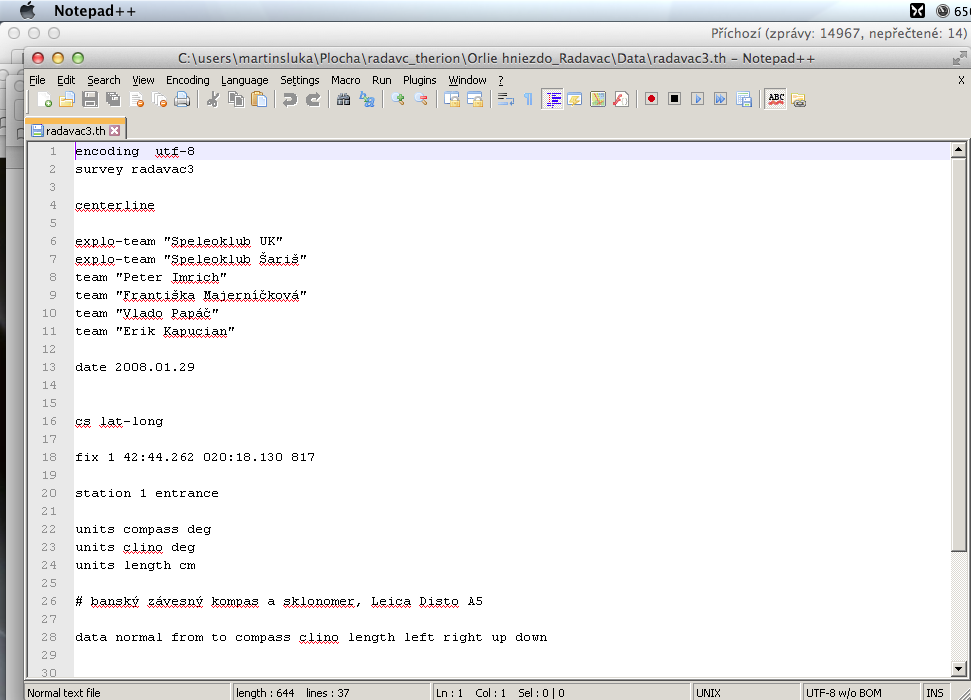
I'll try this when I'll have a bit free time: http://recomhub.com/blog/notepad-for-mac-os-x-free/ m. 7. 1. 2015 v 23:14, Footleg <drfootleg@gmail.com>:
Yes, that is right. With my set up in Notepad++ I can generate the Therion output (PDFs, LOX files, KML, etc.) specified in a Therion config/project file just by pressing Ctrl+T when that file is the active tab in Notepad++. So if I have several config files to output maps of different scales or areas which share the scrap I am working on, then I edit the scrap in xTherion scrap editor, and have the various config files open in tabs in Notepad++. I then just select each tab in turn and press Ctrl+T to generate the outputs for that file. This allows me to easily render PDFs at different scales for example to check label placements I am editing in a scrap render OK at each scale I want to use that scrap at, and don't overlap with offset maps etc.
Footleg
On 7 January 2015 at 18:37, Bruce <bruce@tomo.co.nz> wrote:
Thanks Footleg
(Without actually trying it) just making sure I understand a distinction between 'your Ctrl+T' approach and 'my Ctrl+shift+X' approach, using NotePad++ as described on the wiki page below...
-Ctrl+T runs Therion compiler on the currently active file, directly without invoking XTherion. (?) -Ctrl+shift+X opens a new instance of Xtherion with the currently active file.
If so it might be a good idea to edit the page to explain that these are two methods of cracking similar or complimentary nuts.
Bruce -----Original Message----- From: therion-bounces@speleo.sk [mailto:therion-bounces@speleo.sk] On Behalf Of Footleg Sent: Thursday, 8 January 2015 3:35 a.m. To: List for Therion users Subject: Re: [Therion] Compiling Therion projects from Notepad++
... I have now updated the wiki with this information (and updated the link to where Notepad++ now lives for downloading it too).
http://therion.speleo.sk/wiki/doku.php/contrib:externaleditors#notepad
Footleg
_______________________________________________ Therion mailing list Therion@speleo.sk http://mailman.speleo.sk/mailman/listinfo/therion
Therion mailing list Therion@speleo.sk http://mailman.speleo.sk/mailman/listinfo/therion
participants (3)
-
 Bruce
Bruce -
 Footleg
 -
 Martin Sluka