
Hi community 2 questions : - Is it possible to modifiy in metapost the line which is dessined into 2 *points* map-connection ?: [image: 1.png] - Is it possible to modify the line height of a <br> Tag in draw ? for my convenient i use this code : map MP_entree -title "<size:90>Creux ...*<br>*<size:45>Entrée" -projection plan The result [image: 2.png] But there is too much space for the <br> TAG, a solution for decrease space for the <br> tag? Thanks Yann

try <size:90>Creux ...**<size:45>*<br>*Entrée ? Guy Le 09/10/2025 à 17:31, Yann Gardère a écrit :
Hi community
2 questions :
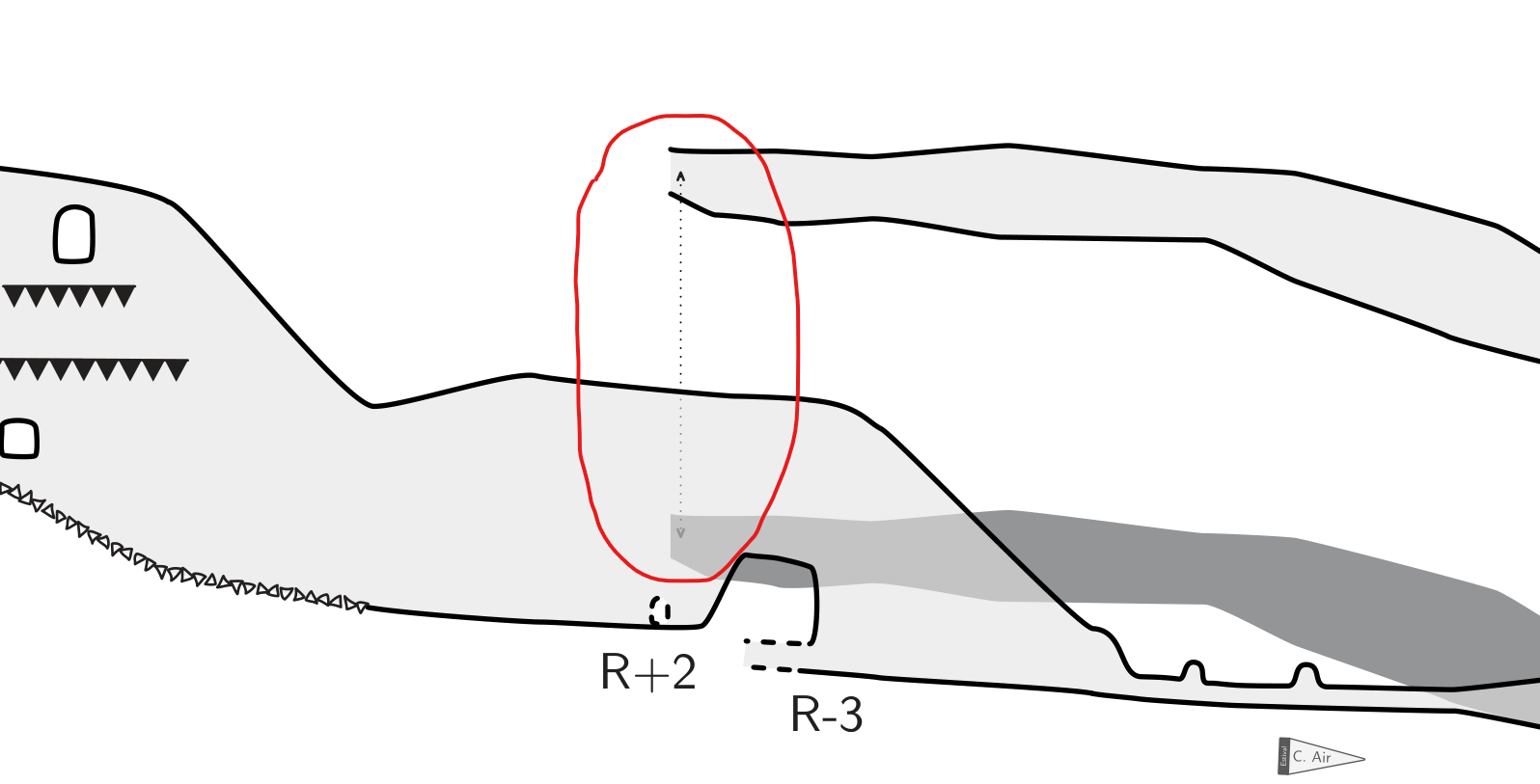
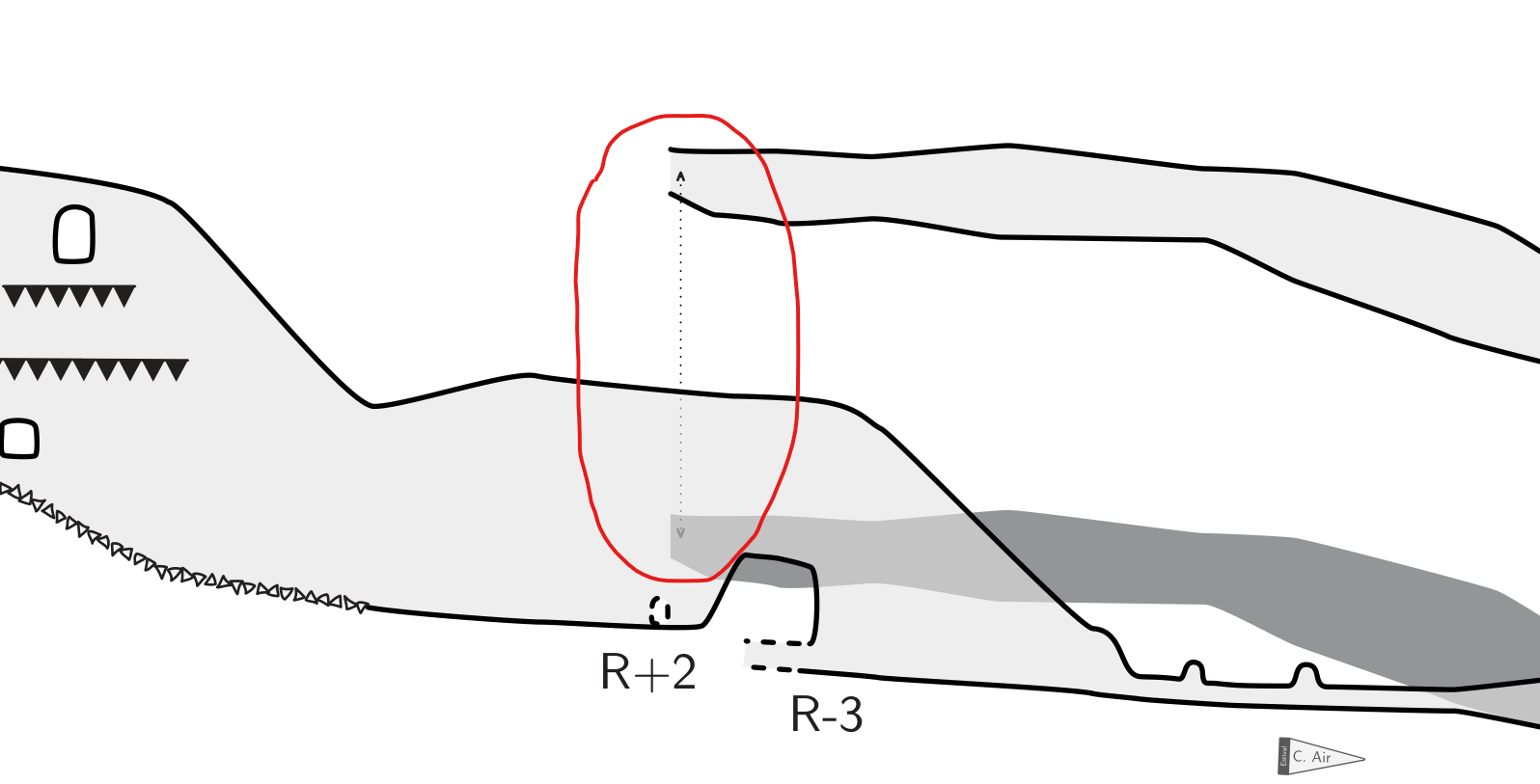
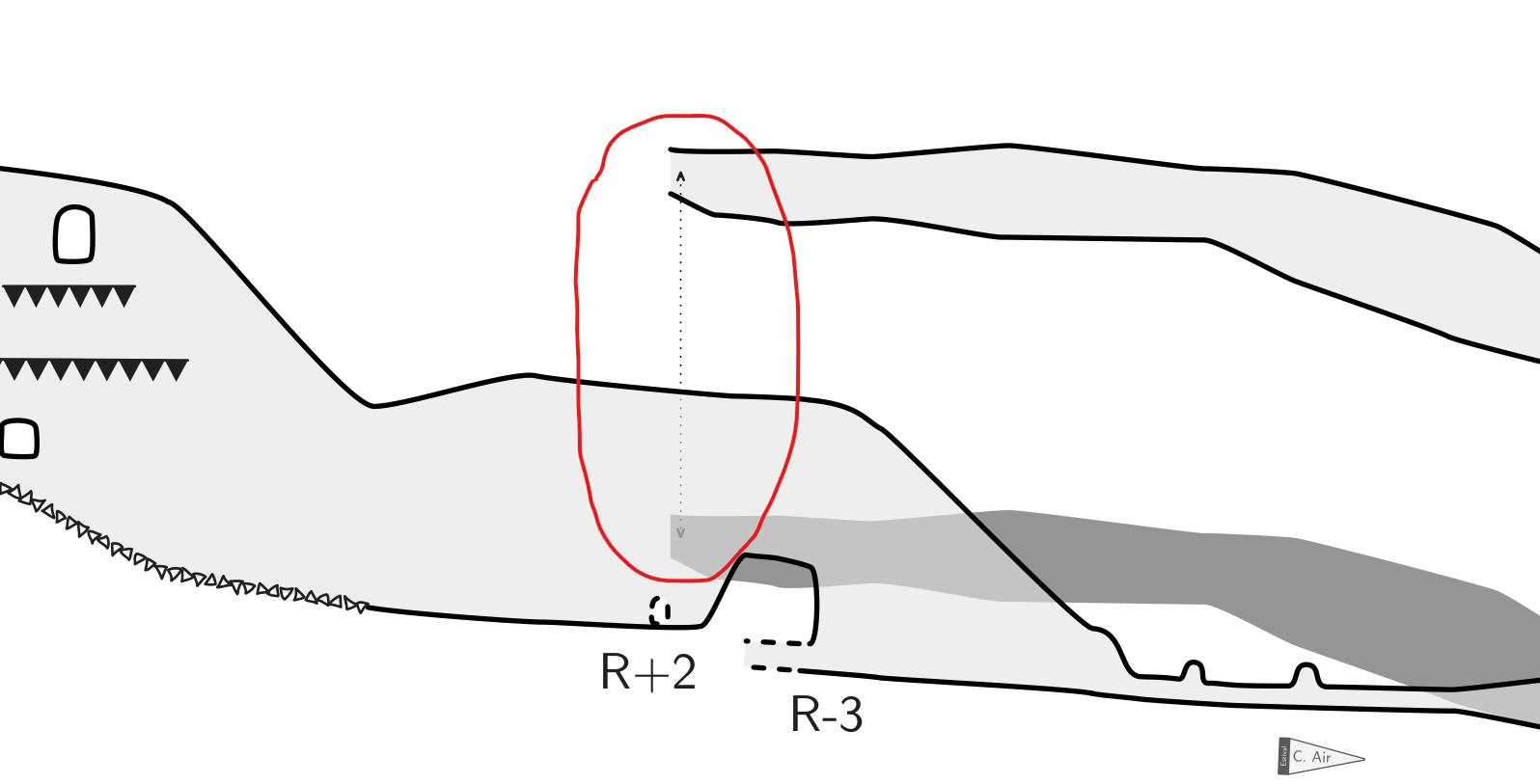
- Is it possible to modifiy in metapost the line which is dessined into 2 *points* map-connection ?:
1.png
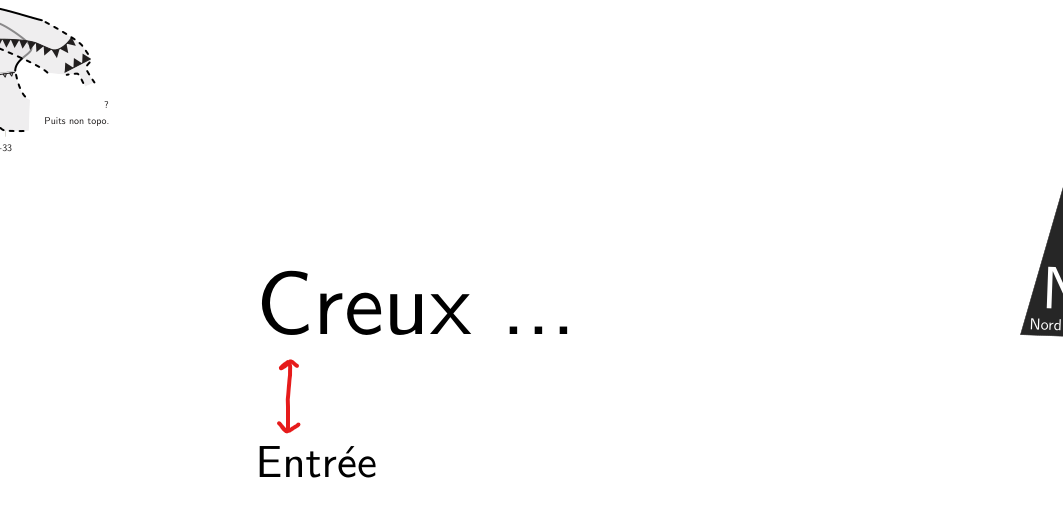
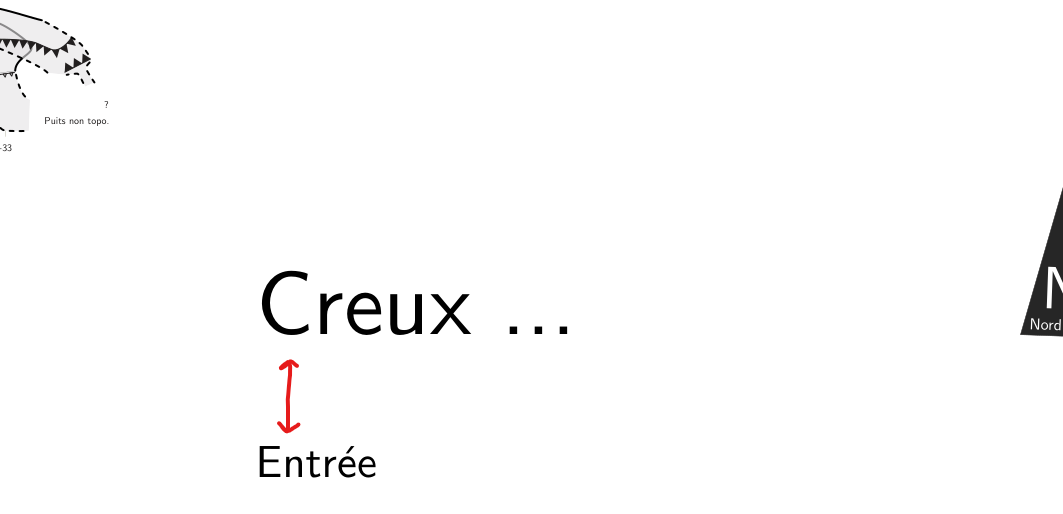
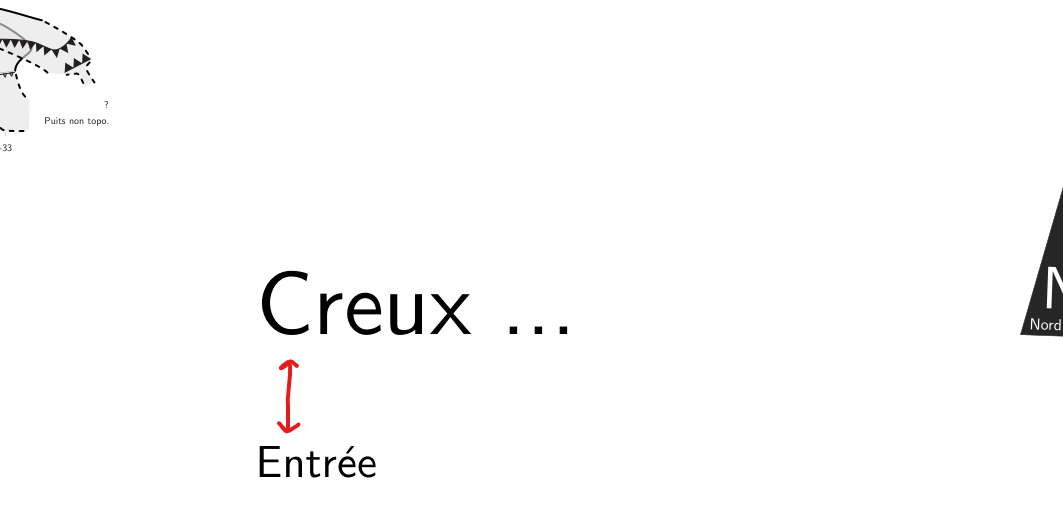
- Is it possible to modify the line height of a <br> Tag in draw ?
for my convenient i use this code :
map MP_entree -title "<size:90>Creux ...*<br>*<size:45>Entrée" -projection plan
The result
2.png
But there is too much space for the <br> TAG, a solution for decrease space for the <br> tag?
Thanks
Yann
_______________________________________________ Therion mailing list Therion@speleo.sk https://mailman.speleo.sk/listinfo/therion
Thank you Guy, but it don't work ;( Does anyone have any idea how to solve this? Le jeu. 9 oct. 2025 à 17:50, Guy Demars via Therion <therion@speleo.sk> a écrit :
try
<size:90>Creux ...<size:45>*<br>*Entrée ?
Guy Le 09/10/2025 à 17:31, Yann Gardère a écrit :
Hi community
2 questions :
- Is it possible to modifiy in metapost the line which is dessined into 2 *points* map-connection ?:
[image: 1.png]
- Is it possible to modify the line height of a <br> Tag in draw ?
for my convenient i use this code :
map MP_entree -title "<size:90>Creux ...*<br>*<size:45>Entrée" -projection plan
The result
[image: 2.png]
But there is too much space for the <br> TAG, a solution for decrease space for the <br> tag?
Thanks
Yann
_______________________________________________ Therion mailing listTherion@speleo.skhttps://mailman.speleo.sk/listinfo/therion
_______________________________________________ Therion mailing list Therion@speleo.sk https://mailman.speleo.sk/listinfo/therion

Hi Yann,
- Is it possible to modifiy in metapost the line which is dessined into 2 *points* map-connection ?:
Yes, absolutely. You add a point map-connection, but Therion actually draws a mapconnection *line*. So you need to define: l_mapconnection_YOURNAME then in your layout, you use: symbol-assign line map-connection YOURNAME In your metapost, you will have something like this: def l_mapconnection_YOURNAME (expr P) = ... code here... enddef; initsymbol("l_mapconnection_YOURNAME"); It is quite a complicated one to draw, because you need to draw the line (just like any other line in metapost) like this: thdraw P withpen PenA; *BUT* you also need to draw the arrowheads if you want them, and you probably don't want the ends of the line to poke out the ends of the arrowheads. So you need to shorten the path by the correct amount at each end, to allow space for the arrowheads. I do that with this command: thdraw ( subpath( arctime 0.4u of P, arctime ( ( arclength P ) - 0.4u ) of P ) of P ) withpen PenA; Then you need to thfill the arrowheads with whatever shape you choose. I have done this in the survey of Pwll Dwfn, using a hack that allows you to choose from one of several colours, so different arrows can have different colours (this allowed us to show "the red route through the cave"). If you wanted to see it, it's here, but I warn you that it's a bit more complex than you probably want, because of the hack: https://www.cavinguk.co.uk/pwlldwfn/pwlldwfn.zip /therion/symbols/l_mapconnection_MY.th /therion/configuration/layouts.th The hack needs you to create two points: point mapconnection etc point u:mapconnectiondata -attr theme 2 Sorry it is not a very simple example. Tarquin

- Is it possible to modifiy in metapost the line which is dessined into 2 points map-connection ?: I took what maybe a simpler approach to that Tarquin describes, minimally altering the default metapost, but adding a clear start and end point to the map-connection line. What I discovered when attempting this was that arrow heads are intimately connected, in the default metapost, to map-connection lines. The example below is complicated by a change we made to refine the alignment of arrow heads when the incoming line is curved. If you want I could dig out the code prior to the arrow head change, but you can probably extract that from your own installation. Bruce #ARROW and MAP-CONNECTION REDEFINITIONS #-------------------------- #Edited Bruce Mutton Apr2018 Redefinition of map-connection line and arrow heads code metapost % Q = 0 -- none (no arrows) % 1 -- end (default) % 2 -- begin % 3 -- both def l_arrow (expr P, Q) = % Arrow heads rotated so that line path intersects middle of back of arrowhead. Johnny Willis 3Jun2023 T:=identity; pickup PenC; path Pcircle_s, Pcircle_e, ah_start, ah_end, p, P_mod, errcheck; pair sp, ep, int_start, int_end; numeric alength, c_diam; ep = point 0 of P; sp = point infinity of P; alength = 0.5u; c_diam = 2*alength; Pcircle_s = fullcircle scaled c_diam shifted sp; Pcircle_e = fullcircle scaled c_diam shifted ep; p := (-0.1u,-alength)--(-0,0)--(.1u,-alength)--cycle; errcheck = (ep) -- (sp); if arclength(errcheck) < alength: %if end points P shorter than arrow head, don't trim P int_end = ep; int_start = sp; ah_end = (sp) -- (ep); ah_start = (ep) -- (sp); else: %set up for trimming P at back of arrowheads int_end = Pcircle_e intersectionpoint P; int_start = Pcircle_s intersectionpoint P; ah_end = (int_end) -- (ep); ah_start = (int_start) -- (sp); fi; if Q = 0: % -head none P_mod = P; fi; if Q = 1: %arrow at end of line -head end draw p rotated (angle(thdir(ah_end,0))-90) shifted (point 0 of P); fill p rotated (angle(thdir(ah_end,0))-90) shifted (point 0 of P); P_mod = P cutbefore int_end; fi; if Q = 2: %arrow at start of line -head begin draw p rotated (angle(thdir(ah_start,0))-90) shifted (point infinity of P); fill p rotated (angle(thdir(ah_start,0))-90) shifted (point infinity of P); P_mod = P cutafter int_start; fi; if Q = 3: %arrow at both ends of line -head both draw p rotated (angle(thdir(ah_start,0))-90) shifted (point infinity of P); fill p rotated (angle(thdir(ah_start,0))-90) shifted (point infinity of P); draw p rotated (angle(thdir(ah_end,0))-90) shifted (point 0 of P); fill p rotated (angle(thdir(ah_end,0))-90) shifted (point 0 of P); P_mod = (P cutbefore int_end) cutafter int_start; fi; thdraw P_mod; enddef; def l_mapconnection (expr P) = thdrawoptions(dashed dashpattern(on 1bp off 2bp on 1bp off 2bp) scaled (2 * optical_zoom) withpen PenA); %draw map-connection line with arrowhead at end l_arrow(P,1); %How to double or triple arrowhead size with this call? %draw dot at start of map-connection line thdraw point infinity of P withpen pencircle scaled 0.3u; %Why infinity and not 0 for start?? %If point before arrow head, then point does not render in legend but does on map?? thdrawoptions(); enddef; endcode # and if necessary in some other layout… symbol-colour line map-connection [54 7 60] #purple symbol-show line map-connection #And then in th-config but outside of a layout… text en "line map-connection" "passage offset connection" #END
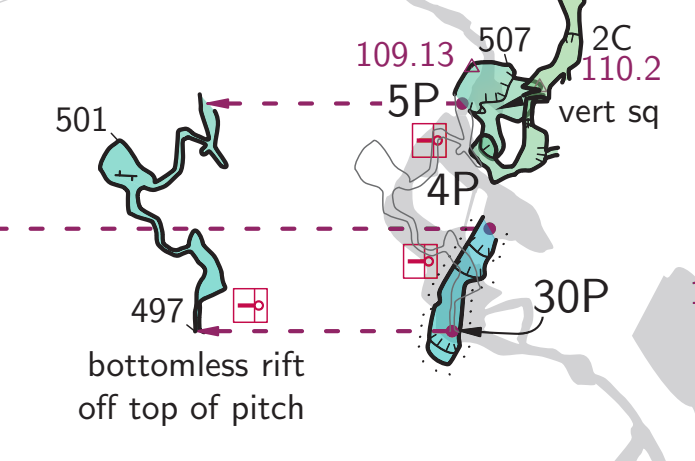
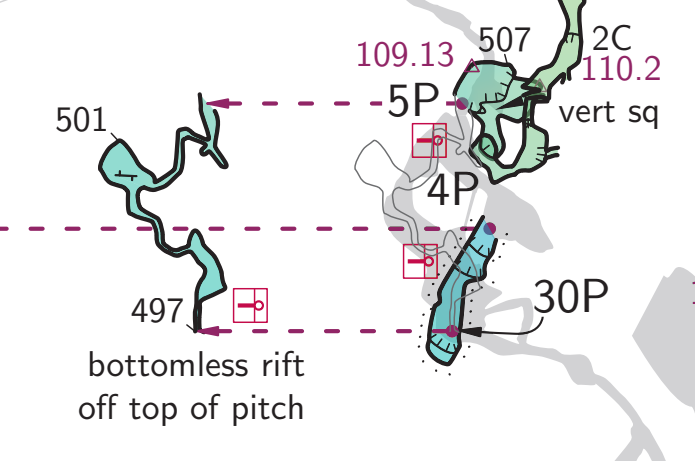
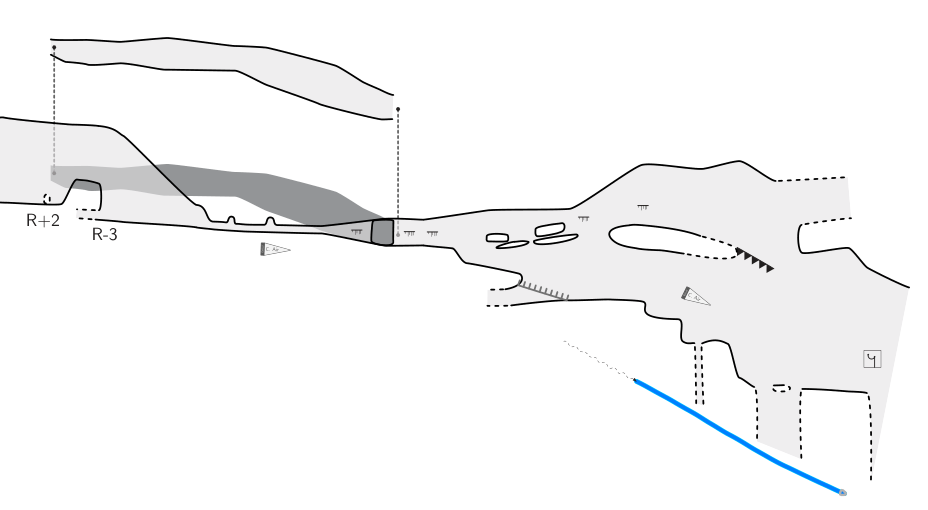
Hi Tarquin and Bruce Thanks a lot for your answer, it work great Finaly i use this, for a dashed line with circle at 0 and infinity point (not try arrows) def l_mapconnection_REDESSINE (expr P) = T:=identity; pickup pencircle scaled 2; thdraw P dashed evenly scaled optical_zoom withcolor (0.4, 0.4, 0.4); thdraw point infinity of P withpen pencircle scaled 0.4u; thdraw point 0 of P withpen pencircle scaled 0.4u; enddef; initsymbol("l_mapconnection_REDESSINE"); symbol-assign line map-connection REDESSINE [image: 3.png] Le jeu. 9 oct. 2025 à 20:36, <bruce@tomo.co.nz> a écrit :
- Is it possible to modifiy in metapost the line which is dessined into 2 *points* map-connection ?:
I took what maybe a simpler approach to that Tarquin describes, minimally altering the default metapost, but adding a clear start and end point to the map-connection line.
What I discovered when attempting this was that arrow heads are intimately connected, in the default metapost, to map-connection lines.
The example below is complicated by a change we made to refine the alignment of arrow heads when the incoming line is curved.
If you want I could dig out the code prior to the arrow head change, but you can probably extract that from your own installation.
Bruce
#ARROW and MAP-CONNECTION REDEFINITIONS
#--------------------------
#Edited Bruce Mutton Apr2018 Redefinition of map-connection line and arrow heads
code metapost
% Q = 0 -- none (no arrows)
% 1 -- end (default)
% 2 -- begin
% 3 -- both
def l_arrow (expr P, Q) =
% Arrow heads rotated so that line path intersects middle of back of arrowhead. Johnny Willis 3Jun2023
T:=identity;
pickup PenC;
path Pcircle_s, Pcircle_e, ah_start, ah_end, p, P_mod, errcheck;
pair sp, ep, int_start, int_end;
numeric alength, c_diam;
ep = point 0 of P;
sp = point infinity of P;
alength = 0.5u;
c_diam = 2*alength;
Pcircle_s = fullcircle scaled c_diam shifted sp;
Pcircle_e = fullcircle scaled c_diam shifted ep;
p := (-0.1u,-alength)--(-0,0)--(.1u,-alength)--cycle;
errcheck = (ep) -- (sp);
if arclength(errcheck) < alength: %if end points P shorter than arrow head, don't trim P
int_end = ep;
int_start = sp;
ah_end = (sp) -- (ep);
ah_start = (ep) -- (sp);
else: %set up for trimming P at back of arrowheads
int_end = Pcircle_e intersectionpoint P;
int_start = Pcircle_s intersectionpoint P;
ah_end = (int_end) -- (ep);
ah_start = (int_start) -- (sp);
fi;
if Q = 0: % -head none
P_mod = P;
fi;
if Q = 1: %arrow at end of line -head end
draw p rotated (angle(thdir(ah_end,0))-90) shifted (point 0 of P);
fill p rotated (angle(thdir(ah_end,0))-90) shifted (point 0 of P);
P_mod = P cutbefore int_end;
fi;
if Q = 2: %arrow at start of line -head begin
draw p rotated (angle(thdir(ah_start,0))-90) shifted (point infinity of P);
fill p rotated (angle(thdir(ah_start,0))-90) shifted (point infinity of P);
P_mod = P cutafter int_start;
fi;
if Q = 3: %arrow at both ends of line -head both
draw p rotated (angle(thdir(ah_start,0))-90) shifted (point infinity of P);
fill p rotated (angle(thdir(ah_start,0))-90) shifted (point infinity of P);
draw p rotated (angle(thdir(ah_end,0))-90) shifted (point 0 of P);
fill p rotated (angle(thdir(ah_end,0))-90) shifted (point 0 of P);
P_mod = (P cutbefore int_end) cutafter int_start;
fi;
thdraw P_mod;
enddef;
def l_mapconnection (expr P) =
thdrawoptions(dashed dashpattern(on 1bp off 2bp on 1bp off 2bp)
scaled (2 * optical_zoom) withpen PenA);
%draw map-connection line with arrowhead at end
l_arrow(P,1); %How to double or triple arrowhead size with this call?
%draw dot at start of map-connection line
thdraw point infinity of P withpen pencircle scaled 0.3u;
%Why infinity and not 0 for start??
%If point before arrow head, then point does not render in legend but does on map??
thdrawoptions();
enddef;
endcode
# and if necessary in some other layout…
symbol-colour line map-connection [54 7 60] #purple
symbol-show line map-connection
#And then in th-config but outside of a layout…
text en "line map-connection" "passage offset connection"
#END
_______________________________________________ Therion mailing list Therion@speleo.sk https://mailman.speleo.sk/listinfo/therion
thdraw P dashed evenly scaled optical_zoom withcolor (0.4, 0.4, 0.4);
Nice :) You avoided having to shorten the line by having the end circles bigger than the line itself, so you can't see where it overlaps the line. That makes it a lot easier.
thdraw point infinity of P withpen pencircle scaled 0.4u; thdraw point 0 of P withpen pencircle scaled 0.4u;
I would use thfill there, since you are drawing a circle outline with a pen that is fatter than the circle, in order to get the same effect as a thfill. It is more readable to use an actual thfill. But it works so I can't argue.
participants (4)
-
 bruce@tomo.co.nz
 -
 Guy Demars
 -
 Tarquin Wilton-Jones
 -
 Yann Gardère