Re: [Therion] How to rotate XVI?

Thanks for the comprehensive answers Torsten I was a little disappointed that the surface ‘line’ turns out to be a clever adaption of a long skinny ‘area’, but it is effective I suppose. I seem to recall there was a conversation about creating a line with shading along one side recently… That would be easier for the draughtsperson if someone has solved that one. All the same, I think I may use your method one day. The legend scaling is interesting, and I see now that you posted this previously. I wonder if a similar approach could be taken to scaling all the passage cross sections, with a simple ‘switch’? I guess your \def\maplayout{ also contains a couple of \loadpicture statements, one for the Hidden river logo and one for the elevation. Are you using absolute paths to specify the file to load, or environment variables? I am interested in ways to make it easier for projects that are used with version control across a number of different versioned branches and computer systems. I have not got the time to experiment, but if the environment variable has to point to the exact folder (as this page implies https://therion.speleo.sk/wiki/tex#changing_the_look_or_layout_of_a_map_outp...), I can imagine it becomes unworkable on a computer system with dozens of cave projects, each comprising a number of caves. This post by Martin B <https://www.mail-archive.com/therion@speleo.sk/msg05519.html> in 2015 suggests we can define a root folder with an environment variable, and then spell out an absolute path relative to that. Unfortunately if one uses a version control system that stores different development branches in different folders, both approaches are even more problematic. Sorry that this thread is rambling around topics that bear little relation to the original message. Bruce From: Therion <therion-bounces@speleo.sk> On Behalf Of Torsten Schnitter via Therion Sent: Monday, 25 November 2019 23:33 To: List for Therion users <therion@speleo.sk> Cc: Torsten Schnitter <torsten.schnitter@netcologne.de> Subject: [Therion] ***UNCHECKED*** Re: How to rotate XVI? Hi I got the answer for rotation XVI file already from Stephen Clark. In the end it's easy and as Alastair also mentioned: export map -fmt xvi -proj [elevation 45 deg] -o .... Concerning the questions from Bruce: 1. Ground profile You have to export a kml file from your passages. But only these survey lines you would like to have the surface profile from. There is a website where you can transform this kml data to surface data. You will get an endless list with stations and added surface altitude. The website is www.gpsvisualizer.com <http://www.gpsvisualizer.com> I can't remember how to get the final file but there was still some work to do on that file. In the end you need a file like this to generate a XVI file from that: survey centreline date .... cs lat-long walls off mark temporary flags surface fix 1 44.1234567 1.345678 123.4 .... more fix stations .... data nosurvey from to 1 2 2 3 ..... endcentreline endsurvey 2. Code for the surface line: scrap line wall -id surface_line -outline none -clip off ... endline line border -id lower_line -subtype invisible -clip off ... endline area u:surface_grey -clip off surface_line lower_line endarea endscrap The code for area surface_grey is attached to this mail. (I'm not realy sure anymore about all the "-clip off" !?) 3. Text boxes and layout changes This is a bit more complex. I will put this infos into an extra email later. Just give me some time to sort it out and to make it "readable" for everyone. regards, Torsten Bruce Mutton <bruce@tomo.co.nz <mailto:bruce@tomo.co.nz> > hat am 25. November 2019 um 02:32 geschrieben: I like your map Torsten. I hope Alistair’s solution is what you were looking for. I have some questions so that I might make such a nice map. 1. How did you obtain the ground profile? I presume you may have walked it with a gps to obtain ‘real’ survey data or extracted it from Google Earth. 2. I like the line you used for the ground profile. Would you share the code for that? 3. I like the layout of the text information boxes. Would you share an example of the code for those? (cave name, location, surveyed, thanks, exploration history) Regards Bruce

Hi Bruce Sometimes it is more trick than magic. ;-) I agree with this shaded line. That would be realy nice to have this available. May be with a paramter for the "thickness" of the shade. I have some more statements \def\maplayout{ \legendbox ... {\loadpicture...} } for pictures and elevation map. As you already have supposed. I deleted all this in the previous example to make it more easy to read. I'm using absolute paths for loadpicture commands. But it would be much better if you can use relative paths like ..\logos\picture.jpg I'm also looking forward for a better solution to this. regards, Torsten
Bruce Mutton <bruce@tomo.co.nz> hat am 26. November 2019 um 09:37 geschrieben:
Thanks for the comprehensive answers Torsten
I was a little disappointed that the surface ‘line’ turns out to be a clever adaption of a long skinny ‘area’, but it is effective I suppose. I seem to recall there was a conversation about creating a line with shading along one side recently… That would be easier for the draughtsperson if someone has solved that one. All the same, I think I may use your method one day.
The legend scaling is interesting, and I see now that you posted this previously. I wonder if a similar approach could be taken to scaling all the passage cross sections, with a simple ‘switch’?
I guess your \def\maplayout{ also contains a couple of \loadpicture statements, one for the Hidden river logo and one for the elevation. Are you using absolute paths to specify the file to load, or environment variables? I am interested in ways to make it easier for projects that are used with version control across a number of different versioned branches and computer systems. I have not got the time to experiment, but if the environment variable has to point to the exact folder (as this page implies https://therion.speleo.sk/wiki/tex#changing_the_look_or_layout_of_a_map_outp...), I can imagine it becomes unworkable on a computer system with dozens of cave projects, each comprising a number of caves.
This post by Martin B https://www.mail-archive.com/therion@speleo.sk/msg05519.html in 2015 suggests we can define a root folder with an environment variable, and then spell out an absolute path relative to that. Unfortunately if one uses a version control system that stores different development branches in different folders, both approaches are even more problematic.
Sorry that this thread is rambling around topics that bear little relation to the original message.
Bruce
From: Therion <therion-bounces@speleo.sk> On Behalf Of Torsten Schnitter via Therion Sent: Monday, 25 November 2019 23:33 To: List for Therion users <therion@speleo.sk> Cc: Torsten Schnitter <torsten.schnitter@netcologne.de> Subject: [Therion] ***UNCHECKED*** Re: How to rotate XVI?
Hi
I got the answer for rotation XVI file already from Stephen Clark. In the end it's easy and as Alastair also mentioned: export map -fmt xvi -proj [elevation 45 deg] -o ....
Concerning the questions from Bruce: 1. Ground profile You have to export a kml file from your passages. But only these survey lines you would like to have the surface profile from. There is a website where you can transform this kml data to surface data. You will get an endless list with stations and added surface altitude. The website ishttp://www.gpsvisualizer.com I can't remember how to get the final file but there was still some work to do on that file. In the end you need a file like this to generate a XVI file from that: survey centreline date .... cs lat-long walls off mark temporary flags surface fix 1 44.1234567 1.345678 123.4 .... more fix stations .... data nosurvey from to 1 2 2 3 ..... endcentreline endsurvey
2. Code for the surface line: scrap line wall -id surface_line -outline none -clip off ... endline line border -id lower_line -subtype invisible -clip off ... endline area u:surface_grey -clip off surface_line lower_line endarea endscrap
The code for area surface_grey is attached to this mail. (I'm not realy sure anymore about all the "-clip off" !?)
3. Text boxes and layout changes This is a bit more complex. I will put this infos into an extra email later. Just give me some time to sort it out and to make it "readable" for everyone.
regards, Torsten
> >
Bruce Mutton <bruce@tomo.co.nz mailto:bruce@tomo.co.nz > hat am 25. November 2019 um 02:32 geschrieben:
I like your map Torsten. I hope Alistair’s solution is what you were looking for. I have some questions so that I might make such a nice map.
1. How did you obtain the ground profile? I presume you may have walked it with a gps to obtain ‘real’ survey data or extracted it from Google Earth. 2. I like the line you used for the ground profile. Would you share the code for that? 3. I like the layout of the text information boxes. Would you share an example of the code for those? (cave name, location, surveyed, thanks, exploration history)
Regards Bruce
>
_______________________________________________ Therion mailing list Therion@speleo.sk https://mailman.speleo.sk/listinfo/therion

HI Torsten and Bruce, I'm not a "coder" but I implemented the export Texinputs last night for relative file locations, It was OK in the end but it took me a while to work out where the export texinputs was actually kept. I broke texinputs on my PC last night by accidentally removing the final ;. Which meant that it could not find the normal therion functions to work, luckily I worked out my mistake. Do you think it would be possible to create a file within the therion software files where absolute file locations can be kept separately to the texinputs? This would allow you to ask anyone using your thconfig to go onto a publicly shared file system and copy it into their computer. ie C:\Users\alastair\OneDrive\##### If this is possible, would it also be possible to create another window in the thconfig which looks to the absolute file locations and allows you to "select" images from there. Much like the survey structure. [cid:7399ee40-348b-4212-8b63-393f383b633e] which then spits out the code: code tex-map \legendbox{00} {140} {nw} {\loadpicture{<string>/TCP.png}} endcode Regards, Alastair Gott. AlastairGott@hotmail.com, M: 07931779380. ________________________________ From: Therion <therion-bounces@speleo.sk> on behalf of Torsten Schnitter via Therion <therion@speleo.sk> Sent: 27 November 2019 09:07 To: List for Therion users <therion@speleo.sk> Cc: Torsten Schnitter <torsten.schnitter@netcologne.de> Subject: Re: [Therion] How to rotate XVI? Hi Bruce Sometimes it is more trick than magic. ;-) I agree with this shaded line. That would be realy nice to have this available. May be with a paramter for the "thickness" of the shade. I have some more statements \def\maplayout{ \legendbox ... {\loadpicture...} } for pictures and elevation map. As you already have supposed. I deleted all this in the previous example to make it more easy to read. I'm using absolute paths for loadpicture commands. But it would be much better if you can use relative paths like ..\logos\picture.jpg I'm also looking forward for a better solution to this. regards, Torsten Bruce Mutton <bruce@tomo.co.nz> hat am 26. November 2019 um 09:37 geschrieben: Thanks for the comprehensive answers Torsten I was a little disappointed that the surface ‘line’ turns out to be a clever adaption of a long skinny ‘area’, but it is effective I suppose. I seem to recall there was a conversation about creating a line with shading along one side recently… That would be easier for the draughtsperson if someone has solved that one. All the same, I think I may use your method one day. The legend scaling is interesting, and I see now that you posted this previously. I wonder if a similar approach could be taken to scaling all the passage cross sections, with a simple ‘switch’? I guess your \def\maplayout{ also contains a couple of \loadpicture statements, one for the Hidden river logo and one for the elevation. Are you using absolute paths to specify the file to load, or environment variables? I am interested in ways to make it easier for projects that are used with version control across a number of different versioned branches and computer systems. I have not got the time to experiment, but if the environment variable has to point to the exact folder (as this page implies https://therion.speleo.sk/wiki/tex#changing_the_look_or_layout_of_a_map_outp...), I can imagine it becomes unworkable on a computer system with dozens of cave projects, each comprising a number of caves. This post by Martin B<https://www.mail-archive.com/therion@speleo.sk/msg05519.html> in 2015 suggests we can define a root folder with an environment variable, and then spell out an absolute path relative to that. Unfortunately if one uses a version control system that stores different development branches in different folders, both approaches are even more problematic. Sorry that this thread is rambling around topics that bear little relation to the original message. Bruce From: Therion <therion-bounces@speleo.sk> On Behalf Of Torsten Schnitter via Therion Sent: Monday, 25 November 2019 23:33 To: List for Therion users <therion@speleo.sk> Cc: Torsten Schnitter <torsten.schnitter@netcologne.de> Subject: [Therion] ***UNCHECKED*** Re: How to rotate XVI? Hi I got the answer for rotation XVI file already from Stephen Clark. In the end it's easy and as Alastair also mentioned: export map -fmt xvi -proj [elevation 45 deg] -o .... Concerning the questions from Bruce: 1. Ground profile You have to export a kml file from your passages. But only these survey lines you would like to have the surface profile from. There is a website where you can transform this kml data to surface data. You will get an endless list with stations and added surface altitude. The website is www.gpsvisualizer.com<http://www.gpsvisualizer.com> I can't remember how to get the final file but there was still some work to do on that file. In the end you need a file like this to generate a XVI file from that: survey centreline date .... cs lat-long walls off mark temporary flags surface fix 1 44.1234567 1.345678 123.4 .... more fix stations .... data nosurvey from to 1 2 2 3 ..... endcentreline endsurvey 2. Code for the surface line: scrap line wall -id surface_line -outline none -clip off ... endline line border -id lower_line -subtype invisible -clip off ... endline area u:surface_grey -clip off surface_line lower_line endarea endscrap The code for area surface_grey is attached to this mail. (I'm not realy sure anymore about all the "-clip off" !?) 3. Text boxes and layout changes This is a bit more complex. I will put this infos into an extra email later. Just give me some time to sort it out and to make it "readable" for everyone. regards, Torsten Bruce Mutton <bruce@tomo.co.nz<mailto:bruce@tomo.co.nz>> hat am 25. November 2019 um 02:32 geschrieben: I like your map Torsten. I hope Alistair’s solution is what you were looking for. I have some questions so that I might make such a nice map. 1. How did you obtain the ground profile? I presume you may have walked it with a gps to obtain ‘real’ survey data or extracted it from Google Earth. 2. I like the line you used for the ground profile. Would you share the code for that? 3. I like the layout of the text information boxes. Would you share an example of the code for those? (cave name, location, surveyed, thanks, exploration history) Regards Bruce _______________________________________________ Therion mailing list Therion@speleo.sk https://mailman.speleo.sk/listinfo/therion
Might be OK Alastair. I would then mean that projects are not self-contained, as some of the files are stored remotely. It would not help much where elevation pdf maps are inserted in a plan pdf map. In this situation both of the views are (in my case) compiled from the same thconfig, so it is awkward to update the remote source in real time. Bruce From: Therion <therion-bounces@speleo.sk> On Behalf Of alastair gott Sent: Thursday, 28 November 2019 00:14 To: Therion Mailing List <therion@speleo.sk> Subject: Re: [Therion] How to rotate XVI? HI Torsten and Bruce, I'm not a "coder" but I implemented the export Texinputs last night for relative file locations, It was OK in the end but it took me a while to work out where the export texinputs was actually kept. I broke texinputs on my PC last night by accidentally removing the final ;. Which meant that it could not find the normal therion functions to work, luckily I worked out my mistake. Do you think it would be possible to create a file within the therion software files where absolute file locations can be kept separately to the texinputs? This would allow you to ask anyone using your thconfig to go onto a publicly shared file system and copy it into their computer. ie C:\Users\alastair\OneDrive\##### If this is possible, would it also be possible to create another window in the thconfig which looks to the absolute file locations and allows you to "select" images from there. Much like the survey structure. which then spits out the code: code tex-map \legendbox{00} {140} {nw} {\loadpicture{<string>/TCP.png}} endcode Regards, Alastair Gott
Hi Alastair Is there a way to work with TEXINPUTS and relative paths? The idea is to have a base folder in TEXINPUTS and to reference from this base folder to the final files within the thconfig commands. I tried but couldn't get it to work. If you have a folder structure with a main folder for all the survey stuff and subfolders for every cave system/survey project. And also a subfolder for general stuff (may be with more subfolders). Within every project you have the thconfig file with e.g. the \loadpicture command. Survey-Folder General-Folder image.jpg Project-Folder thconfig I would like to reference with relative paths from that thconfig to the 1st level subfolder with general stuff for example. I added "....Survey-Folder//;" to TEXINPUTS and tried "\loadpicture{/General-Folder/image.jpg}" but it didn't work. If I add "....Survey-Folder/General-Folder//;" to TEXINPUTS it does work with "\loadpicture{image.jpg}". But this is not the resolution as you might reference in the thconfig file to data within the project-folder. regards, Torsten
alastair gott <alastairgott@hotmail.com> hat am 27. November 2019 um 12:13 geschrieben:
HI Torsten and Bruce,
I'm not a "coder" but I implemented the export Texinputs last night for relative file locations, It was OK in the end but it took me a while to work out where the export texinputs was actually kept.
I broke texinputs on my PC last night by accidentally removing the final ;. Which meant that it could not find the normal therion functions to work, luckily I worked out my mistake.
Do you think it would be possible to create a file within the therion software files where absolute file locations can be kept separately to the texinputs?
This would allow you to ask anyone using your thconfig to go onto a publicly shared file system and copy it into their computer. ie C:\Users\alastair\OneDrive\#####
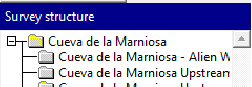
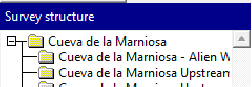
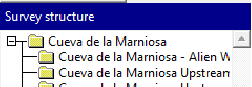
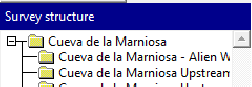
If this is possible, would it also be possible to create another window in the thconfig which looks to the absolute file locations and allows you to "select" images from there. Much like the survey structure.
which then spits out the code: code tex-map \legendbox{00} {140} {nw} {\loadpicture{<string>/TCP.png}} endcode
Regards, Alastair Gott.
AlastairGott@hotmail.com, M: 07931779380.
--------------------------------------------- From: Therion <therion-bounces@speleo.sk> on behalf of Torsten Schnitter via Therion <therion@speleo.sk> Sent: 27 November 2019 09:07 To: List for Therion users <therion@speleo.sk> Cc: Torsten Schnitter <torsten.schnitter@netcologne.de> Subject: Re: [Therion] How to rotate XVI?
Hi Bruce
Sometimes it is more trick than magic. ;-)
I agree with this shaded line. That would be realy nice to have this available. May be with a paramter for the "thickness" of the shade.
I have some more statements \def\maplayout{ \legendbox ... {\loadpicture...} } for pictures and elevation map. As you already have supposed. I deleted all this in the previous example to make it more easy to read. I'm using absolute paths for loadpicture commands. But it would be much better if you can use relative paths like ..\logos\picture.jpg I'm also looking forward for a better solution to this.
regards, Torsten
> > Bruce Mutton <bruce@tomo.co.nz> hat am 26. November 2019 um 09:37 geschrieben:
Thanks for the comprehensive answers Torsten
I was a little disappointed that the surface ‘line’ turns out to be a clever adaption of a long skinny ‘area’, but it is effective I suppose. I seem to recall there was a conversation about creating a line with shading along one side recently… That would be easier for the draughtsperson if someone has solved that one. All the same, I think I may use your method one day.
The legend scaling is interesting, and I see now that you posted this previously. I wonder if a similar approach could be taken to scaling all the passage cross sections, with a simple ‘switch’?
I guess your \def\maplayout{ also contains a couple of \loadpicture statements, one for the Hidden river logo and one for the elevation. Are you using absolute paths to specify the file to load, or environment variables? I am interested in ways to make it easier for projects that are used with version control across a number of different versioned branches and computer systems. I have not got the time to experiment, but if the environment variable has to point to the exact folder (as this page implies https://therion.speleo.sk/wiki/tex#changing_the_look_or_layout_of_a_map_outp...), I can imagine it becomes unworkable on a computer system with dozens of cave projects, each comprising a number of caves.
This post by Martin B https://www.mail-archive.com/therion@speleo.sk/msg05519.html in 2015 suggests we can define a root folder with an environment variable, and then spell out an absolute path relative to that. Unfortunately if one uses a version control system that stores different development branches in different folders, both approaches are even more problematic.
Sorry that this thread is rambling around topics that bear little relation to the original message.
Bruce
From: Therion <therion-bounces@speleo.sk> On Behalf Of Torsten Schnitter via Therion Sent: Monday, 25 November 2019 23:33 To: List for Therion users <therion@speleo.sk> Cc: Torsten Schnitter <torsten.schnitter@netcologne.de> Subject: [Therion] ***UNCHECKED*** Re: How to rotate XVI?
Hi
I got the answer for rotation XVI file already from Stephen Clark. In the end it's easy and as Alastair also mentioned: export map -fmt xvi -proj [elevation 45 deg] -o ....
Concerning the questions from Bruce: 1. Ground profile You have to export a kml file from your passages. But only these survey lines you would like to have the surface profile from. There is a website where you can transform this kml data to surface data. You will get an endless list with stations and added surface altitude. The website ishttp://www.gpsvisualizer.com I can't remember how to get the final file but there was still some work to do on that file. In the end you need a file like this to generate a XVI file from that: survey centreline date .... cs lat-long walls off mark temporary flags surface fix 1 44.1234567 1.345678 123.4 .... more fix stations .... data nosurvey from to 1 2 2 3 ..... endcentreline endsurvey
2. Code for the surface line: scrap line wall -id surface_line -outline none -clip off ... endline line border -id lower_line -subtype invisible -clip off ... endline area u:surface_grey -clip off surface_line lower_line endarea endscrap
The code for area surface_grey is attached to this mail. (I'm not realy sure anymore about all the "-clip off" !?)
3. Text boxes and layout changes This is a bit more complex. I will put this infos into an extra email later. Just give me some time to sort it out and to make it "readable" for everyone.
regards, Torsten
> > >
Bruce Mutton <bruce@tomo.co.nz mailto:bruce@tomo.co.nz > hat am 25. November 2019 um 02:32 geschrieben:
I like your map Torsten. I hope Alistair’s solution is what you were looking for. I have some questions so that I might make such a nice map.
1. How did you obtain the ground profile? I presume you may have walked it with a gps to obtain ‘real’ survey data or extracted it from Google Earth. 2. I like the line you used for the ground profile. Would you share the code for that? 3. I like the layout of the text information boxes. Would you share an example of the code for those? (cave name, location, surveyed, thanks, exploration history)
Regards Bruce
> >
>
> > _______________________________________________
Therion mailing list Therion@speleo.sk https://mailman.speleo.sk/listinfo/therion
>
_______________________________________________ Therion mailing list Therion@speleo.sk https://mailman.speleo.sk/listinfo/therion
Hi Torsten, You should be able to get it to work. If I add "....Survey-Folder/General-Folder//;" to TEXINPUTS it does work with "\loadpicture{image.jpg}". But this is not the resolution as you might reference in the thconfig file to data within the project-folder. You will be able to relate to the image.jpg and the project-folder interchangeably, just make sure you dont get rid of any of the standard settings. I got rid of the ;. On the end of texinputs and it broke. If you have overwritten any of the standard texinputs variables then it will stop working. If you can’t get it to work, please copy and paste the export texinputs line and we can take a look. Regards, Alastair Gott Sent from my iPhone On 28 Nov 2019, at 08:48, Torsten Schnitter via Therion <therion@speleo.sk<mailto:therion@speleo.sk>> wrote: Hi Alastair Is there a way to work with TEXINPUTS and relative paths? The idea is to have a base folder in TEXINPUTS and to reference from this base folder to the final files within the thconfig commands. I tried but couldn't get it to work. If you have a folder structure with a main folder for all the survey stuff and subfolders for every cave system/survey project. And also a subfolder for general stuff (may be with more subfolders). Within every project you have the thconfig file with e.g. the \loadpicture command. Survey-Folder General-Folder image.jpg Project-Folder thconfig I would like to reference with relative paths from that thconfig to the 1st level subfolder with general stuff for example. I added "....Survey-Folder//;" to TEXINPUTS and tried "\loadpicture{/General-Folder/image.jpg}" but it didn't work. If I add "....Survey-Folder/General-Folder//;" to TEXINPUTS it does work with "\loadpicture{image.jpg}". But this is not the resolution as you might reference in the thconfig file to data within the project-folder. regards, Torsten alastair gott <alastairgott@hotmail.com<mailto:alastairgott@hotmail.com>> hat am 27. November 2019 um 12:13 geschrieben: HI Torsten and Bruce, I'm not a "coder" but I implemented the export Texinputs last night for relative file locations, It was OK in the end but it took me a while to work out where the export texinputs was actually kept. I broke texinputs on my PC last night by accidentally removing the final ;. Which meant that it could not find the normal therion functions to work, luckily I worked out my mistake. Do you think it would be possible to create a file within the therion software files where absolute file locations can be kept separately to the texinputs? This would allow you to ask anyone using your thconfig to go onto a publicly shared file system and copy it into their computer. ie C:\Users\alastair\OneDrive\##### If this is possible, would it also be possible to create another window in the thconfig which looks to the absolute file locations and allows you to "select" images from there. Much like the survey structure. <image.png> which then spits out the code: code tex-map \legendbox{00} {140} {nw} {\loadpicture{<string>/TCP.png}} endcode Regards, Alastair Gott. AlastairGott@hotmail.com<mailto:AlastairGott@hotmail.com>, M: 07931779380. ________________________________ From: Therion <therion-bounces@speleo.sk<mailto:therion-bounces@speleo.sk>> on behalf of Torsten Schnitter via Therion <therion@speleo.sk<mailto:therion@speleo.sk>> Sent: 27 November 2019 09:07 To: List for Therion users <therion@speleo.sk<mailto:therion@speleo.sk>> Cc: Torsten Schnitter <torsten.schnitter@netcologne.de<mailto:torsten.schnitter@netcologne.de>> Subject: Re: [Therion] How to rotate XVI? Hi Bruce Sometimes it is more trick than magic. ;-) I agree with this shaded line. That would be realy nice to have this available. May be with a paramter for the "thickness" of the shade. I have some more statements \def\maplayout{ \legendbox ... {\loadpicture...} } for pictures and elevation map. As you already have supposed. I deleted all this in the previous example to make it more easy to read. I'm using absolute paths for loadpicture commands. But it would be much better if you can use relative paths like ..\logos\picture.jpg I'm also looking forward for a better solution to this. regards, Torsten Bruce Mutton <bruce@tomo.co.nz<mailto:bruce@tomo.co.nz>> hat am 26. November 2019 um 09:37 geschrieben: Thanks for the comprehensive answers Torsten I was a little disappointed that the surface ‘line’ turns out to be a clever adaption of a long skinny ‘area’, but it is effective I suppose. I seem to recall there was a conversation about creating a line with shading along one side recently… That would be easier for the draughtsperson if someone has solved that one. All the same, I think I may use your method one day. The legend scaling is interesting, and I see now that you posted this previously. I wonder if a similar approach could be taken to scaling all the passage cross sections, with a simple ‘switch’? I guess your \def\maplayout{ also contains a couple of \loadpicture statements, one for the Hidden river logo and one for the elevation. Are you using absolute paths to specify the file to load, or environment variables? I am interested in ways to make it easier for projects that are used with version control across a number of different versioned branches and computer systems. I have not got the time to experiment, but if the environment variable has to point to the exact folder (as this page implies https://therion.speleo.sk/wiki/tex#changing_the_look_or_layout_of_a_map_outp...), I can imagine it becomes unworkable on a computer system with dozens of cave projects, each comprising a number of caves. This post by Martin B<https://www.mail-archive.com/therion@speleo.sk/msg05519.html> in 2015 suggests we can define a root folder with an environment variable, and then spell out an absolute path relative to that. Unfortunately if one uses a version control system that stores different development branches in different folders, both approaches are even more problematic. Sorry that this thread is rambling around topics that bear little relation to the original message. Bruce From: Therion <therion-bounces@speleo.sk<mailto:therion-bounces@speleo.sk>> On Behalf Of Torsten Schnitter via Therion Sent: Monday, 25 November 2019 23:33 To: List for Therion users <therion@speleo.sk<mailto:therion@speleo.sk>> Cc: Torsten Schnitter <torsten.schnitter@netcologne.de<mailto:torsten.schnitter@netcologne.de>> Subject: [Therion] ***UNCHECKED*** Re: How to rotate XVI? Hi I got the answer for rotation XVI file already from Stephen Clark. In the end it's easy and as Alastair also mentioned: export map -fmt xvi -proj [elevation 45 deg] -o .... Concerning the questions from Bruce: 1. Ground profile You have to export a kml file from your passages. But only these survey lines you would like to have the surface profile from. There is a website where you can transform this kml data to surface data. You will get an endless list with stations and added surface altitude. The website is www.gpsvisualizer.com<http://www.gpsvisualizer.com> I can't remember how to get the final file but there was still some work to do on that file. In the end you need a file like this to generate a XVI file from that: survey centreline date .... cs lat-long walls off mark temporary flags surface fix 1 44.1234567 1.345678 123.4 .... more fix stations .... data nosurvey from to 1 2 2 3 ..... endcentreline endsurvey 2. Code for the surface line: scrap line wall -id surface_line -outline none -clip off ... endline line border -id lower_line -subtype invisible -clip off ... endline area u:surface_grey -clip off surface_line lower_line endarea endscrap The code for area surface_grey is attached to this mail. (I'm not realy sure anymore about all the "-clip off" !?) 3. Text boxes and layout changes This is a bit more complex. I will put this infos into an extra email later. Just give me some time to sort it out and to make it "readable" for everyone. regards, Torsten Bruce Mutton <bruce@tomo.co.nz<mailto:bruce@tomo.co.nz>> hat am 25. November 2019 um 02:32 geschrieben: I like your map Torsten. I hope Alistair’s solution is what you were looking for. I have some questions so that I might make such a nice map. 1. How did you obtain the ground profile? I presume you may have walked it with a gps to obtain ‘real’ survey data or extracted it from Google Earth. 2. I like the line you used for the ground profile. Would you share the code for that? 3. I like the layout of the text information boxes. Would you share an example of the code for those? (cave name, location, surveyed, thanks, exploration history) Regards Bruce _______________________________________________ Therion mailing list Therion@speleo.sk<mailto:Therion@speleo.sk> https://mailman.speleo.sk/listinfo/therion _______________________________________________ Therion mailing list Therion@speleo.sk<mailto:Therion@speleo.sk> https://mailman.speleo.sk/listinfo/therion _______________________________________________ Therion mailing list Therion@speleo.sk<mailto:Therion@speleo.sk> https://mailman.speleo.sk/listinfo/therion
participants (3)
-
 alastair gott
 -
 Bruce Mutton
 -
 Torsten Schnitter