Editing svg therion results

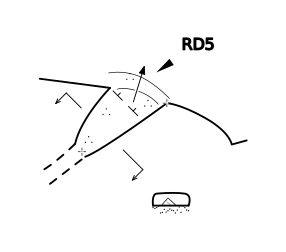
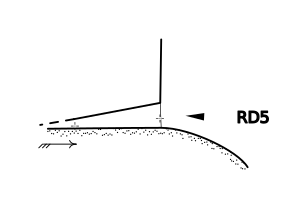
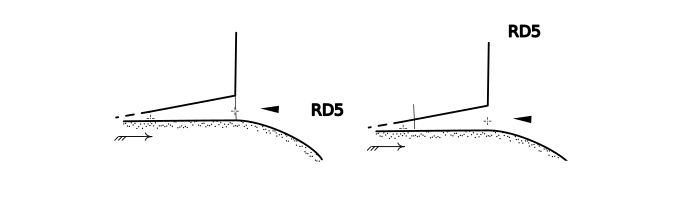
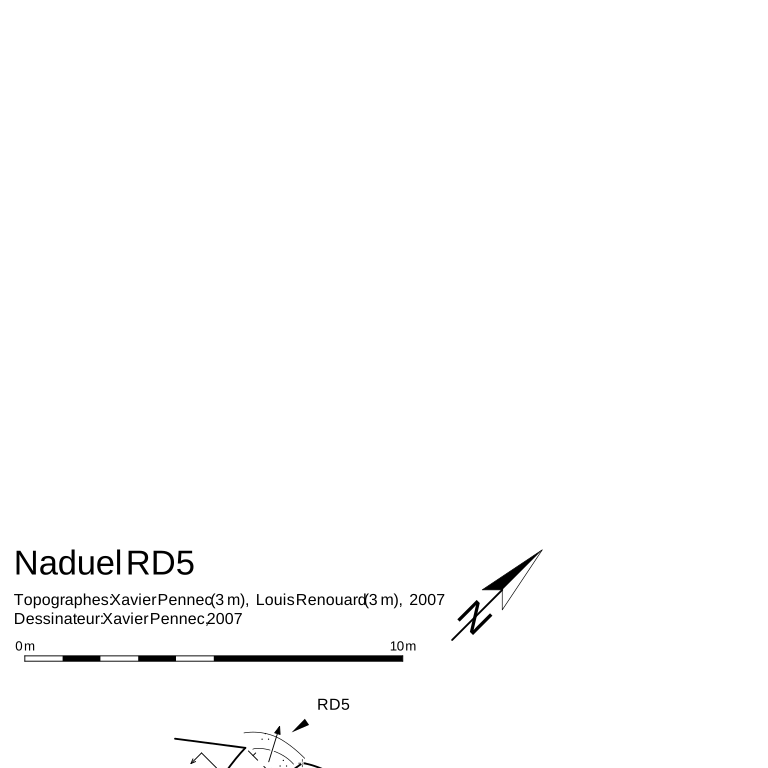
Hi One of the things that I would like to do with the maps generated by Therion is embedding plans and elevations in a single document, especially for small caves, and rework on subparts of the plans and elevations to put some specific features into evidence for figures in a text explaining things about the cave (or in this case the mine). I thought that it would be easy with any svg editor, but apparently this is not the case at all. I can open and visualize the svg files produced by therion using inkscape, but I cannot degroup the drawing in order to edit some of the parts and, more importantly, importing the plan and the elevation in a single document lead to an incorrect result (see NaduelRD5_fuse.svg). It seems that there is a namespace problem: as both drawing refer to elements that have the same name, so that the definition of one of the drawing overwrite the definitions of the other. Does anybody have an idea of how to overcome that? Is there any other svg editor that behaves better (and which is not too expensive!)? By the way, it would be interesting to have a north arrow symbol that we can place wherever we want in a plan and not only a north arrow generated in the legend. That way, we could avoid using legends when needed (e.g. to fuse maps outside therion). Thanks Xavier

On Dec 15, 2007 11:34 AM, Xavier Pennec <Xavier.Pennec@sophia.inria.fr> wrote:
I thought that it would be easy with any svg editor, but apparently this is not the case at all. I can open and visualize the svg files produced by therion using inkscape, but I cannot degroup the drawing in order to edit some of the parts and, more importantly, importing the plan and the elevation in a single document lead to an incorrect result (see NaduelRD5_fuse.svg). It seems that there is a namespace problem: as both drawing refer to elements that have the same name, so that the definition of one of the drawing overwrite the definitions of the other.
You are right. We will fix it by introducing some kind of user-defined prefix for named SVG elements.
Does anybody have an idea of how to overcome that? Is there any other svg editor that behaves better (and which is not too expensive!)?
I tried Karbon14 from koffice and it could merge both files (by opening them separately and then copying and pasting one of the files to another). It can also ungroup the graphics. (But didn't display the texts.)
By the way, it would be interesting to have a north arrow symbol that we can place wherever we want in a plan and not only a north arrow generated in the legend. That way, we could avoid using legends when needed (e.g. to fuse maps outside therion).
You can do it already. See the chapter Map layout in map mode in the thbook. Martin
Martin Budaj wrote:
On Dec 15, 2007 11:34 AM, Xavier Pennec <Xavier.Pennec@sophia.inria.fr> wrote:
I thought that it would be easy with any svg editor, but apparently this is not the case at all. I can open and visualize the svg files produced by therion using inkscape, but I cannot degroup the drawing in order to edit some of the parts and, more importantly, importing the plan and the elevation in a single document lead to an incorrect result (see NaduelRD5_fuse.svg). It seems that there is a namespace problem: as both drawing refer to elements that have the same name, so that the definition of one of the drawing overwrite the definitions of the other.
You are right. We will fix it by introducing some kind of user-defined prefix for named SVG elements.
Yes, the file-name in which the svg is written should be a good prefix to disambiguate.
Does anybody have an idea of how to overcome that? Is there any other svg editor that behaves better (and which is not too expensive!)?
I tried Karbon14 from koffice and it could merge both files (by opening them separately and then copying and pasting one of the files to another). It can also ungroup the graphics. (But didn't display the texts.)
So far, I could not try that one but I tried glipsgrafiti, sketsa and a few others without beeing able to overcome the namespace pb.
By the way, it would be interesting to have a north arrow symbol that we can place wherever we want in a plan and not only a north arrow generated in the legend. That way, we could avoid using legends when needed (e.g. to fuse maps outside therion).
You can do it already. See the chapter Map layout in map mode in the thbook.
OK, I understand the philosophy: as north and scalebar are graphical elements belonging to the final maps, they should not belong to the scraps but should be put in place at the last moment. However, none of the legend elements (including text but also the scalebar and the northarrow, and probably the grid) are exported in the svg file. I included the pdf and the correspond svg to show that. Exporting them to svg would be the behavior that I would expect, unless there is a special difficulty there. Cheers Xavier
On Dec 17, 2007 2:29 PM, Xavier Pennec <Xavier.Pennec@sophia.inria.fr> wrote:
OK, I understand the philosophy: as north and scalebar are graphical elements belonging to the final maps, they should not belong to the scraps but should be put in place at the last moment. However, none of the legend elements (including text but also the scalebar and the northarrow, and probably the grid) are exported in the svg file. I included the pdf and the correspond svg to show that. Exporting them to svg would be the behavior that I would expect, unless there is a special difficulty there.
There is a difficulty, because SVG 1.1 does not support text formatting (line breaking...). So the legend is exported only in xhtml format (where arrow, scale bar, map and all legend symbols are embedded as svg code) -- open it in recent firefox or opera. You could also write a simple script to extract all svg object from therion xhtml export. Regards Martin

Xavier, This may help if you're on linux (I think). Create a pdf and then use step 8. The legend is also exported. Should work in inkscape now. :) I have also attached your map as an svg, with legend. http://www.calcmaster.net/personal_projects/pdf2svg/ Enjoy! Steelwool PS. Xavier is a sweet name. On Monday 17 December 2007 9:49 am, Martin Budaj wrote:
On Dec 17, 2007 2:29 PM, Xavier Pennec <Xavier.Pennec@sophia.inria.fr> wrote:
OK, I understand the philosophy: as north and scalebar are graphical elements belonging to the final maps, they should not belong to the scraps but should be put in place at the last moment. However, none of the legend elements (including text but also the scalebar and the northarrow, and probably the grid) are exported in the svg file. I included the pdf and the correspond svg to show that. Exporting them to svg would be the behavior that I would expect, unless there is a special difficulty there.
There is a difficulty, because SVG 1.1 does not support text formatting (line breaking...). So the legend is exported only in xhtml format (where arrow, scale bar, map and all legend symbols are embedded as svg code) -- open it in recent firefox or opera. You could also write a simple script to extract all svg object from therion xhtml export.
Regards Martin _______________________________________________ Therion mailing list Therion@speleo.sk http://www.speleo.sk/mailman/listinfo/therion
Thanks for the input, I tried but the pstoedit version that I found (http://prdownloads.sourceforge.net/pstoedit/pstoedit-3.45.tar.gz?download) does not have the plot-svg file format. Is there any other version? Xavier Philip Schuchardt wrote:
Xavier,
This may help if you're on linux (I think). Create a pdf and then use step 8. The legend is also exported. Should work in inkscape now. :)
I have also attached your map as an svg, with legend.
http://www.calcmaster.net/personal_projects/pdf2svg/
Enjoy! Steelwool
PS. Xavier is a sweet name.
On Monday 17 December 2007 9:49 am, Martin Budaj wrote:
On Dec 17, 2007 2:29 PM, Xavier Pennec <Xavier.Pennec@sophia.inria.fr>
wrote:
OK, I understand the philosophy: as north and scalebar are graphical elements belonging to the final maps, they should not belong to the scraps but should be put in place at the last moment. However, none of the legend elements (including text but also the scalebar and the northarrow, and probably the grid) are exported in the svg file. I included the pdf and the correspond svg to show that. Exporting them to svg would be the behavior that I would expect, unless there is a special difficulty there.
There is a difficulty, because SVG 1.1 does not support text formatting (line breaking...). So the legend is exported only in xhtml format (where arrow, scale bar, map and all legend symbols are embedded as svg code) -- open it in recent firefox or opera. You could also write a simple script to extract all svg object from therion xhtml export.
Regards Martin _______________________________________________ Therion mailing list Therion@speleo.sk http://www.speleo.sk/mailman/listinfo/therion
------------------------------------------------------------------------
_______________________________________________ Therion mailing list Therion@speleo.sk http://www.speleo.sk/mailman/listinfo/therion

I have had good luck doing exactly this with Inkscape, which is free. I simply opened up the svg therion spit out, selected the group, then clicked Ungroup (Object -> Ungroup). You can then edit anything you want. To have plan and elevation in a single file, you'd simply import them both into a single file within Inkscape. Hopefully that helps! -Jonny On Sat, Dec 15, 2007 at 6:34 AM, Xavier Pennec < Xavier.Pennec@sophia.inria.fr> wrote:
I thought that it would be easy with any svg editor, but apparently this is not the case at all. I can open and visualize the svg files produced by therion using inkscape, but I cannot degroup the drawing in order to edit some of the parts and, more importantly, importing the plan and the elevation in a single document lead to an incorrect result (see NaduelRD5_fuse.svg). It seems that there is a namespace problem: as both drawing refer to elements that have the same name, so that the definition of one of the drawing overwrite the definitions of the other.
Does anybody have an idea of how to overcome that? Is there any other svg editor that behaves better (and which is not too expensive!)?
-- ^v^ ^v^ ^v^ Take nothing but pictures, ^v^ Leave nothing but footprints, ^v^ Kill nothing but time. (**)
participants (4)
-
 Jonathan Prouty
 -
 Martin Budaj
 -
 Philip Schuchardt
 -
 Xavier Pennec