
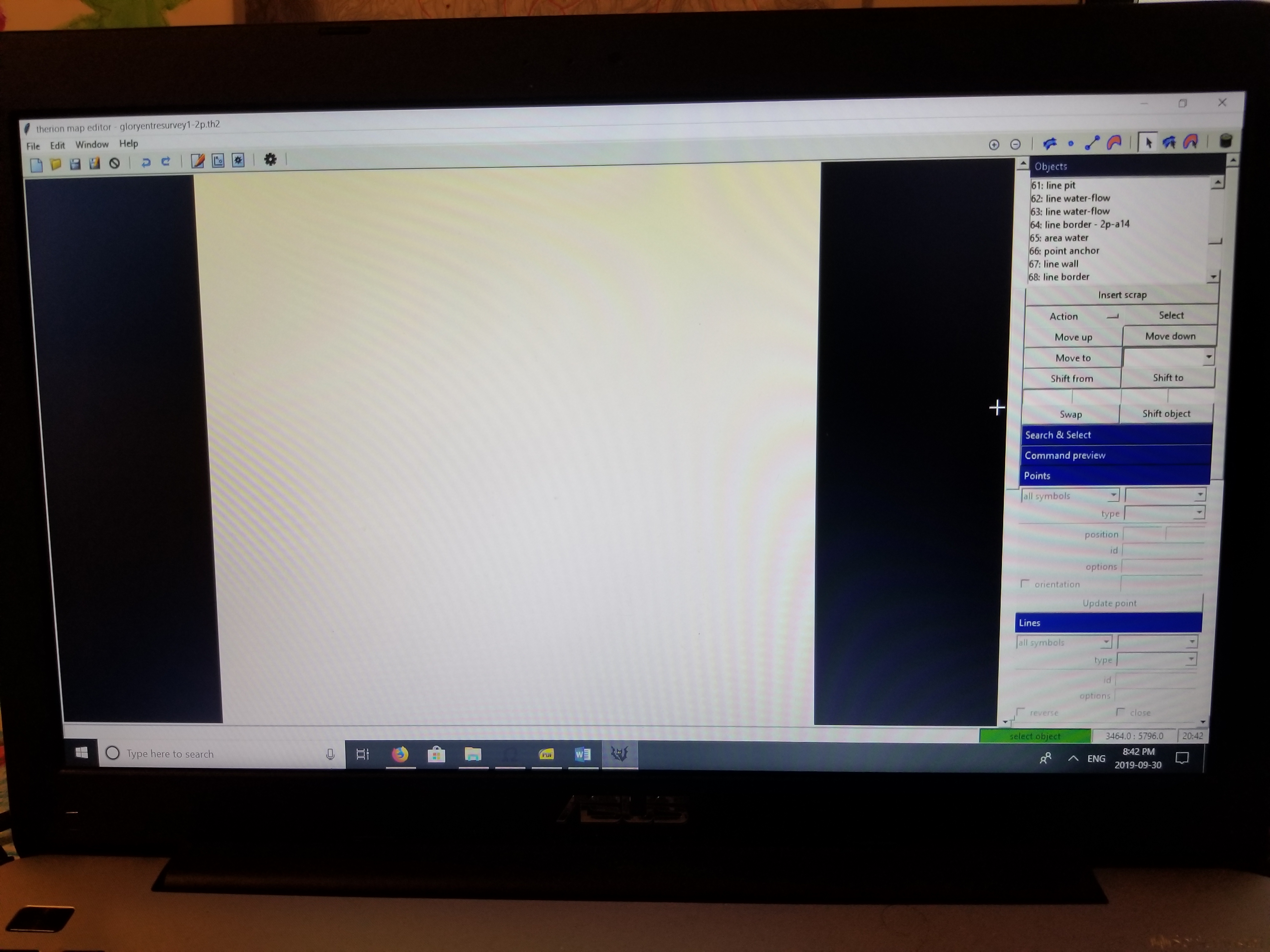
Hello I have a scrap I'm trying to work on. When opened in the .th2 editor it shows objects in the object box but the drawing screen is blank.

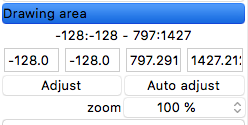
One possibility - there is an object very far from your sketch - typically if you use PocketTopo and forget switch pen to arrow still in sketch editor mode and manipulation with Pocket PC will generates random lines. You may check it down in the right side menu in section Drawing area. Select object after object and check its coordinates or coordinates of points of line in right menu in sections Point control or Line control. The fastest way could be check your .th2 file in plain text editor, find such object/s and manually delete the strange points with huge coordinates. Martin
1. 10. 2019 v 5:43, dennis mitchell <denmit81@gmail.com>:
Hello I have a scrap I'm trying to work on. When opened in the .th2 editor it shows objects in the object box but the drawing screen is blank. <20190930_204253.jpg>_______________________________________________ Therion mailing list Therion@speleo.sk https://mailman.speleo.sk/listinfo/therion

* Hello I have a scrap I'm trying to work on. When opened in the .th2 editor it shows objects in the object box but the drawing screen is blank. Tried scrolling up and down, left and right? Bruce
I tried scrolling around and zooming with no luck. There was no lines outside of the normal space. But auto adjusting the drawing area seems to have worked. Thank you On Mon, Sep 30, 2019, 11:19 PM Bruce Mutton, <bruce@tomo.co.nz> wrote:
- Hello I have a scrap I'm trying to work on. When opened in the .th2 editor it shows objects in the object box but the drawing screen is blank.
Tried scrolling up and down, left and right?
Bruce
_______________________________________________ Therion mailing list Therion@speleo.sk https://mailman.speleo.sk/listinfo/therion
1. 10. 2019 v 16:29, dennis mitchell <denmit81@gmail.com>:
I tried scrolling around and zooming with no luck. There was no lines outside of the normal space. But auto adjusting the drawing area seems to have worked. Thank you
BTW, from which program you import your th2 file? Martin
Topodroid On Tue, Oct 1, 2019, 10:39 AM Martin Sluka via Therion, <therion@speleo.sk> wrote:
1. 10. 2019 v 16:29, dennis mitchell <denmit81@gmail.com>:
I tried scrolling around and zooming with no luck. There was no lines outside of the normal space. But auto adjusting the drawing area seems to have worked. Thank you
BTW, from which program you import your th2 file?
Martin _______________________________________________ Therion mailing list Therion@speleo.sk https://mailman.speleo.sk/listinfo/therion
participants (3)
-
 Bruce Mutton
 -
 dennis mitchell
 -
 Martin Sluka